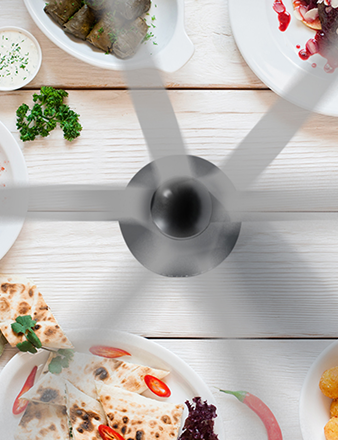
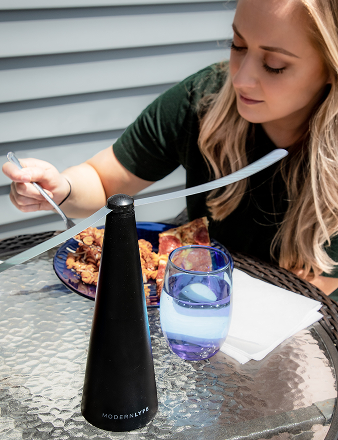
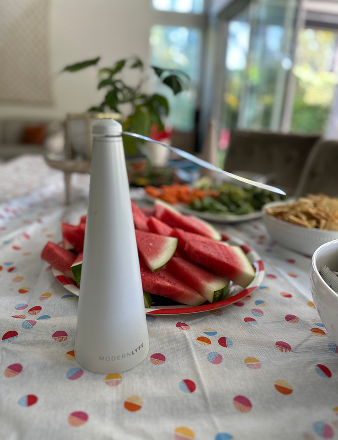
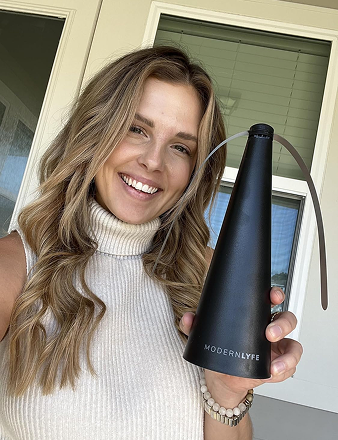
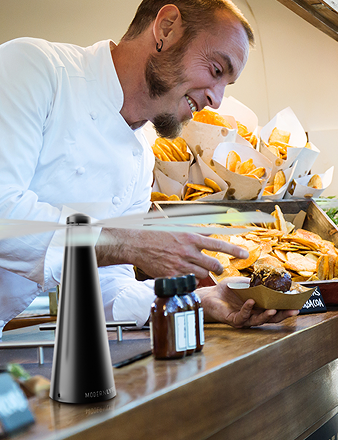
The buffet looked perfect five minutes ago. Then the flies found the fruit, hovered over the desserts, and turned a polished outdoor setup into a stress test. If you've ever stood beside a table like that while guests tried to ignore the problem, you already know that a fly fan is more than a gadget. Used well, it becomes part of the service standard.
That's the primary angle behind how to optimize performance for fly fans. You're not just switching them on. You're building a quiet, invisible barrier that protects the food, keeps guests comfortable, and helps your setup feel deliberate instead of improvised. Modern Lyfe fans can do that job, but only if they're placed, powered, cleaned, and scaled with the same care you'd give to plating or table styling. For a quick baseline on what these fans are designed to do, see Modern Lyfe's overview on whether fly fans work.
Beyond On and Off An Introduction to Peak Fan Performance
A wedding caterer once told me the hardest part of an outdoor reception wasn't the heat, the wind, or even the timing. It was the one table where flies kept circling the bread service while the rest of the setup looked flawless. The staff had fans, but they were treated like decorations, not tools. That is why the problem stayed in place.
The key to optimizing performance for fly fans is to treat them as part of the food protection plan from the start. Measure the setup, adjust one variable at a time, and compare the result with what occurs on site. In hospitality, that means the fan is only performing if it protects the food zone, not if it spins in the background. For a quick baseline on what these fans are designed to do, see Modern Lyfe's overview of whether fly fans work.
Guests do not judge airflow. They judge comfort, cleanliness, and whether the food looks untouched. A fan that keeps pests away without drawing attention to itself supports all three. That is why careful fan use matters just as much as linen choice or serving order.
Practical rule: if the fan is noisy, hidden behind décor, or pointed at the wrong part of the table, it is not performing even if it is on.
For restaurant patios, hotel brunches, and catered buffets, consistency is the target. The setup should feel controlled to guests, with no visible scramble from staff. Planning placement, power, and routine checks turns a simple product into a reliable layer of service protection.
Strategic Placement for Maximum Air Coverage
Placement decides whether a fan creates a real barrier or just moves air around a corner of the table. I treat it like zoning a service area. The food, the guests, and the airflow all need to work together, especially when flies are attracted to a single concentrated display.
For long buffet lines, don't think in terms of one fan per table. Think in terms of overlapping airflow zones. Put units so their coverage edges meet, because the weak point is usually the gap between them, not the center of the display. That's especially useful on carving stations, dessert tables, and beverage runs where people linger and insects follow motion.

Match placement to the table shape
Round guest tables need a lighter touch. Keep the fan close enough to guard food or shared platters, but not so close that it becomes part of the conversation at dinner. Rectangular tables, by contrast, usually benefit from coverage at the ends or corners, where people set down serving pieces and where airflow can travel farther across the surface. For buffets, higher placement often helps the airflow spread more evenly across the food line.
Wind matters too. If the venue has a cross-breeze, position the fan so it reinforces the natural movement instead of fighting it. In a patio restaurant, I'd rather shift a fan a few feet and preserve a clean air corridor than increase speed and create a noisy, unstable setup. The same logic applies at wedding receptions, where décor, tenting, and foot traffic can block the airflow path without anyone noticing until flies appear.
When airflow can't reach the food directly, pests find the opening fast.
If you want a deeper product-specific comparison, Modern Lyfe's fly repellent fan guide is a useful companion reference. The main thing to remember is that placement should look intentional from every angle, because the best pest control is the kind guests barely notice.
Mastering Power and Battery Management for All-Day Events
A dead fan is the same as no fan. That sounds obvious, but long events expose weak planning fast. Weddings run long, corporate picnics drift, and dinner services stretch when guests arrive in waves. If you don't plan power in advance, someone ends up swapping batteries in front of guests.
Build the power plan before setup day
Start with the event length, then map the number of fans to the number of service zones, not just the number of tables. Keep a charging rotation that matches the event timeline, so you're never guessing which unit is next. For large outdoor service windows, a backup battery plan is part of professional readiness, not an afterthought.
Fan speed is a trade-off. Higher speed can create stronger coverage, but it may raise noise and draw down battery life faster. Lower speed can be quieter and last longer, but it may only work if the fans are placed well. The right choice depends on whether the bigger risk is guest distraction or pest pressure.
Before the doors open, I keep a simple checklist:
- Test every unit fully: Don't assume the battery that worked last week still holds its charge.
- Label spares clearly: The fastest way to avoid confusion is to know which battery belongs to which station.
- Match runtime to the service window: Longer events need more margin than a quick buffet.
- Listen for noise at setup speed: A fan that sounds fine in the storage room can be distracting beside a plated dinner.
If you're replacing worn parts, Modern Lyfe's battery replacement guide is a practical reference to keep on hand.
Simple Maintenance for Quiet and Efficient Operation
Clean fans work better, and they're less likely to become a distraction. Dust, residue, and stray debris throw off balance, which can lead to wobble, rattling, and a setup that feels less polished than the rest of the event. In hospitality, that matters because guests notice noise long before they notice what caused it.

Clean for balance, not just appearance
I check fan blades before each service cycle because buildup can affect both airflow and sound. The base matters too. If the fan sits unevenly on a patio table, a buffet riser, or a catering stand, it can vibrate more than it should and make itself obvious. A stable surface is part of performance.
For a broader cleaning reference, Neat Hive Cleaning's expert fan guide is useful because the same basic logic applies here, keep the blades clean, keep the movement smooth, and keep the fan from becoming a visual distraction. That's especially important when the fan sits close to guests or near plated food.
A few warning signs are easy to catch early. A loose base, a blade that looks uneven, a sudden change in sound, or reduced airflow all point to maintenance issues rather than event conditions. Fix those before service starts, and you'll spend the evening managing guests, not equipment.
Later in the service, a quiet fan becomes part of the background. That's the goal. It should protect the food without competing with conversation, music, or the rest of the room.
Troubleshooting Common Performance Issues on the Spot
When a fan misbehaves during a live event, speed matters. The fix usually isn't complicated, but you need to isolate the cause fast. I use a simple cause-and-effect sequence, because switching random parts wastes time and makes the problem harder to track.
If the fan won't turn on, start with the contact points and the battery. Loose seating, a drained pack, or a misaligned connection are the first things to check. If it powers on but the airflow feels weak, look for obstruction around the blades or a speed setting that was bumped during setup. If the unit makes a new noise, check the surface first. A slightly tilted base can sound like a motor problem when it's really a placement problem.
Fast checks that solve most issues
- No power: Re-seat the battery or power source, then test a spare if available.
- Low airflow: Clear anything blocking the fan path and verify the speed setting.
- Unusual noise: Put the fan on a flat surface and inspect for loose debris.
- Visible wobble: Stop the fan and confirm the base is stable before restarting.
The reason this works is simple. Most on-site fan issues come from a small number of mechanical or setup errors, not from a total system failure. That means the fastest solution is usually a careful reset, not a full teardown. The event keeps moving, and guests never need to see the troubleshooting process.
A quick response also protects your reputation. Staff who can solve minor equipment issues without drama look prepared, and guests feel that difference immediately. In food service, calm execution is part of the product.
Scaling for Large Events and Measuring Your Success
Large events need a coverage plan, not just a pile of fans. I start by mapping the venue into food stations, guest flow paths, and exposed edges, then I assign units to the places where people pause longest. That usually means buffet lines, beverage tables, dessert displays, and any outdoor serving point where flies have time to settle.
I also treat the setup like a service system, not a one-time install. The same discipline behind restaurant workforce optimization guide applies here, because you need the right people watching the right zones, not everyone reacting to the same problem at once. In practice, that means each fan has a job, each zone has an owner, and each reset happens before guests start noticing gaps in coverage.
Measure what guests actually experience
The best signal is what happens on the floor. If guests stop waving away flies, if servers are not constantly adjusting the setup, and if food stays clean and presentable, the system is doing its job. If pests start collecting at one edge of the room, add coverage there or change the angle instead of increasing fan speed everywhere.
Track the setup the same way you would any other service standard. Use a baseline before guests arrive, make one change at a time, and watch the result in the busiest parts of the event, a practical approach that lines up with web performance optimization guide and the baseline-first logic in Intel performance optimization guidance. The point is not to guess whether the room feels better. The point is to see whether the food area is staying protected under real traffic.

A strong deployment has a rhythm. Setup, test, observe, adjust, then lock it in before guests arrive. That is how you turn fly fans from a backup tool into a reliable part of your service standard. If you want a pest-free dining setup that feels polished from the first tray to the last plate, explore MODERN LYFE and build your next event around a fan plan that delivers results.