Hot weather service exposes every weak point in your setup fast. A patio that looks polished at 10:30 can turn into a fly magnet by noon, and a buffet that photographs beautifully can feel stagnant once the chafing dishes throw off heat. That's usually when operators start looking at a battery operated fan with clip and treating it like a personal comfort gadget.
That's the wrong frame.
In hospitality, a clip fan earns its keep when it does two jobs at once. It improves guest comfort at table height, and it disrupts the lazy flight path insects use around food, drink garnishes, pastry displays, and service lanes. If it can't help with both, it's not solving the operational problem you have.
What a Battery Operated Fan With Clip Actually Does
Saturday brunch. You've got pastries near the host stand, coffee moving, sun pushing across the patio, and one fly starts circling the edge of an uncovered tray. The fix isn't a giant pedestal fan blasting napkins across the room. It's a small clamp-mounted fan clipped high enough to push a controlled stream of air over the problem zone.
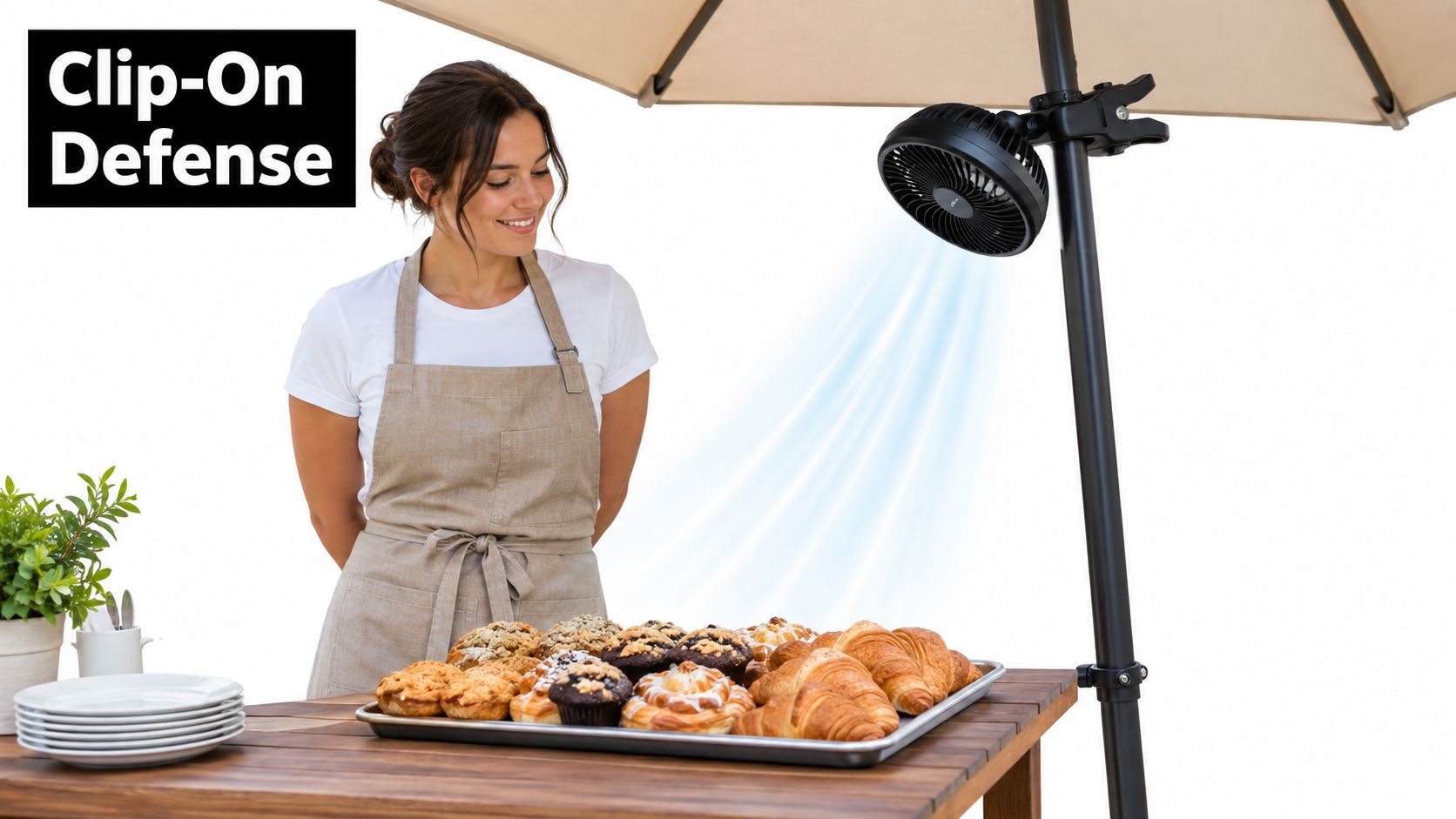
That's what a battery operated fan with clip is. It's a cordless fan with a spring clamp or jaw mount, powered by either rechargeable lithium batteries or replaceable cells, designed to attach to rails, umbrella ribs, shelves, stanchions, bedframes, or display edges. It's portable airflow you can place exactly where the room is failing.
What it is not
It's not a tower fan. Tower fans move room air broadly, but they need floor space and power access.
It's not a mister. Misters can help in dry heat, but around plated food, linens, and guest electronics, added moisture creates its own mess.
It's not a neck fan either. Neck fans cool one person. Clip fans shape a small environment.
Why hospitality buyers keep turning to them
The practical appeal is simple:
- No rewiring: You can add airflow where the problem exists today, not after a facilities project.
- Targeted coverage: You can aim airflow at pastry displays, buffet edges, patio entries, or host positions.
- Quiet operation matters: In service, lower noise is more useful than brute force.
- They help with fly pressure: Air movement makes landing and hovering harder around food perimeter zones.
Battery-powered portable fans have become a meaningful part of the category. One market report says battery-operated portable fans accounted for about 34.2% of the global portable fan market by power source in 2025, up from roughly 26.7% in 2021, with the segment projected to grow at about 9.8% CAGR through 2034. The same report values the global portable fan market at $8.4 billion in 2025 and projects $16.2 billion by 2034 (portable fan market data).
A clip fan on a patio isn't there to pamper one guest. It's there to protect the dining experience.
Clip-on fans also have more history than people assume. A fan history source notes that Electro Dynamics made an electric ceiling fan in 1884 and that it was battery operated, an early marker in battery-powered fan development. That same source says the clip fans market is estimated at USD 1.2 billion in 2025 and forecast to reach USD 2.5 billion by 2034, with an 8.8% CAGR from 2026 to 2034 (fan history and clip fan market reference).
Specs That Matter for Real-World Cooling
Ignore the glossy packaging. Five specs decide whether a clip fan helps service or becomes one more thing your staff has to babysit.
Runtime beats battery bragging
Runtime depends on power draw, not battery size alone. A fan drawing about 3 W at 5 V can theoretically run roughly 5 to 6 hours from a 3,000 mAh battery once conversion losses and battery aging are considered. Typical USB clip-on and desk fans in the 3 to 5 W range are commonly associated with about 20 to 50 CFM airflow and roughly 3 to 8 hours of runtime on a 2,000 to 5,000 mAh pack (USB fan runtime guide).
That's the key buying lesson. Vendor runtime claims usually describe the lowest setting, not the speed you'll use during hot service.
Airflow should match distance
A fan placed close to the target can do more with less. A fan placed too far away wastes battery and annoys guests.
| Battery Operated Clip Fan Spec Comparison | |||||
|---|---|---|---|---|---|
| Fan Size | Typical Runtime | Airflow (CFM) | Noise Range | Clip Opening | Best Use |
| Small clip fan | Shorter on high, longer on low | Lower end of the typical clip fan range | Usually quieter when run low | Narrow opening works on rails and slim frames | Pastry shelves, host stands, stroller-style use |
| Mid-size clip fan | Better balance for service windows | Mid-range airflow suited to dining zones | Moderate if motor quality is decent | Works well on umbrella ribs and buffet rails | Patios, buffet edges, outdoor dining |
| Larger clip fan | Longer only if battery pack scales with motor demand | Stronger airflow if aimed correctly | Can get intrusive if pushed hard | Needs sturdier mounting surfaces | Larger patios, tent corners, service lanes |
If you're comparing products and want a broader look at format differences, this breakdown of battery operated table fans helps separate tabletop coverage from clamp-mounted coverage.
Noise is operational, not cosmetic
A clip fan can cool well and still be wrong for the room if it hums through conversation. Indoors, buyers should be strict. Outdoors, you've got more tolerance because ambient noise covers some motor sound.
Use this rule: if staff have to raise their voices near the fan, the unit is too loud for close guest placement.
Practical rule: Buy for the speed setting you'll actually run during service, not the silent low mode shown on the box.
The clip itself is part of the product
Weak clips fail in real venues. They sag on umbrella ribs, slide on powder-coated frames, and twist when servers bump the table. Look for padded jaws, solid spring tension, and enough opening width for the surfaces you own.
Materials and moisture resistance matter
Outdoors, cheap plastics become obvious fast. Grilles warp, clips loosen, and charge ports collect grime. Units marketed for patio or buffet use should at least look ready for splash exposure and repeated cleaning. If a fan can't handle real event handling, it doesn't belong in rotation.
Placement and Mounting Strategies That Work
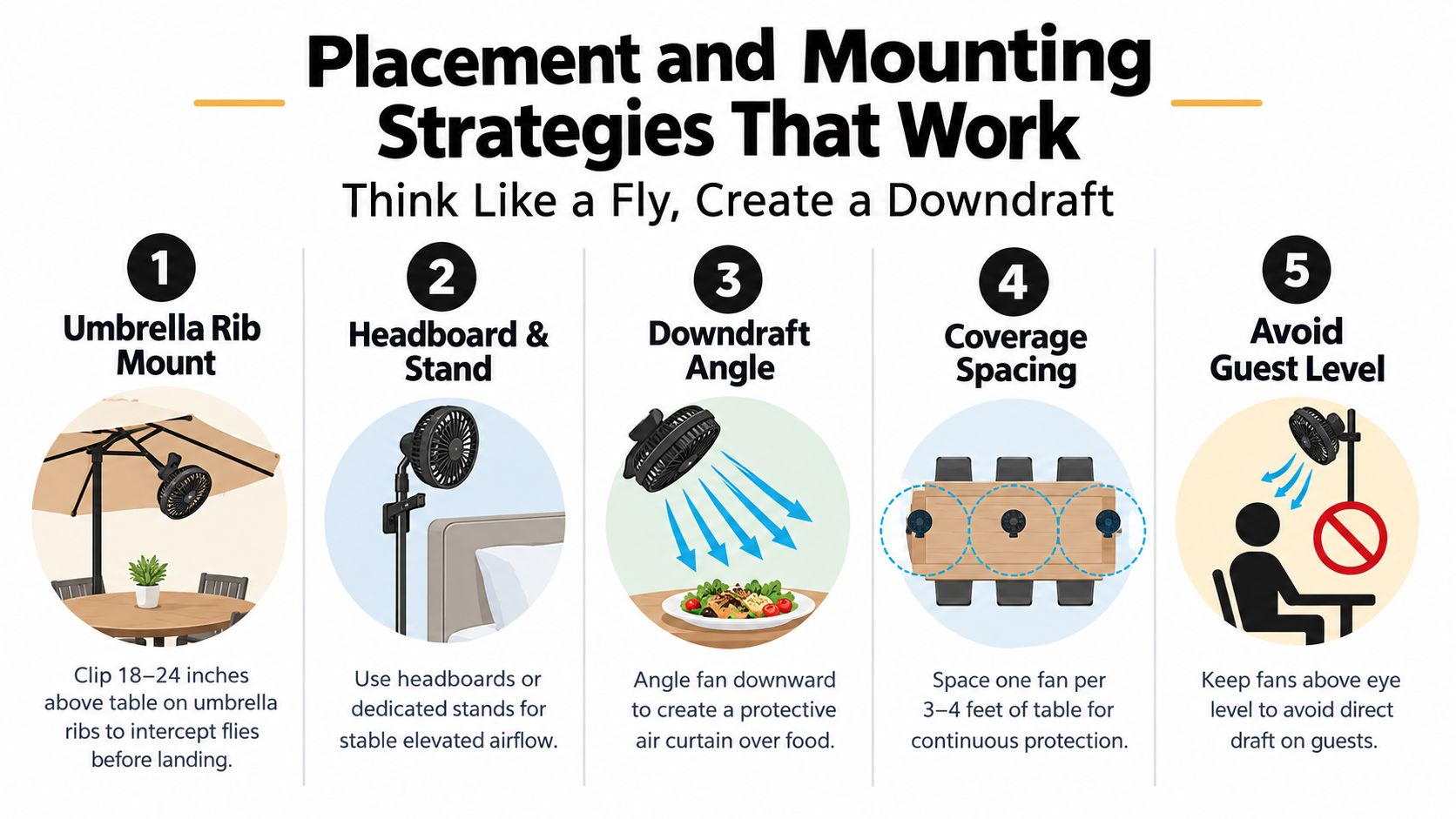
Place fans where flies approach food rather than where the guest feels them first.
For outdoor dining, the smarter strategy is to aim airflow at entry and landing zones such as patio doors, host stands, and service lanes, not just across tabletops. That's the placement recommendation given for protecting commercial outdoor dining areas from flies (commercial outdoor dining fly-control guidance).
Umbrellas, rails, and headboards
Three mounting zones do most of the work in hospitality:
- Patio umbrella ribs: Clip the fan above table height so air moves downward and outward instead of straight into faces.
- Buffet valance rails or support frames: This gives you controlled airflow over chafing-dish zones and dessert edges.
- Headboards, pergolas, or decor frames: Useful when centerpieces or floor stands would crowd the layout.
Height matters. Mount the fan high enough to create a light downdraft over the food zone, not a sideways blast that dries garnishes or flips paper goods.
Choose the surface before you choose the fan
Clamp only onto surfaces that can handle spring pressure and vibration. Metal ribs, solid wood rails, and sturdy resin framing are usually fine. Thin acrylic, decorative trim, glass rims, and flexible chair backs are not.
Bad mounting causes most of the “this fan doesn't work” complaints I hear. The problem usually isn't airflow. It's wobble, bad angle, or a clip attached to a surface that was never meant to hold anything.
Aim across the problem, not at it
For guest comfort, angle airflow so it skims the table edge and crosses the dining zone lightly. For fly control, direct that same stream outward toward the likely approach path.
On long banquet runs, corner coverage often works better than one central fan. Two smaller units aimed diagonally can create a more consistent air curtain than one larger unit pointed straight down the middle.
Safety, Battery Design, and Recall Lessons
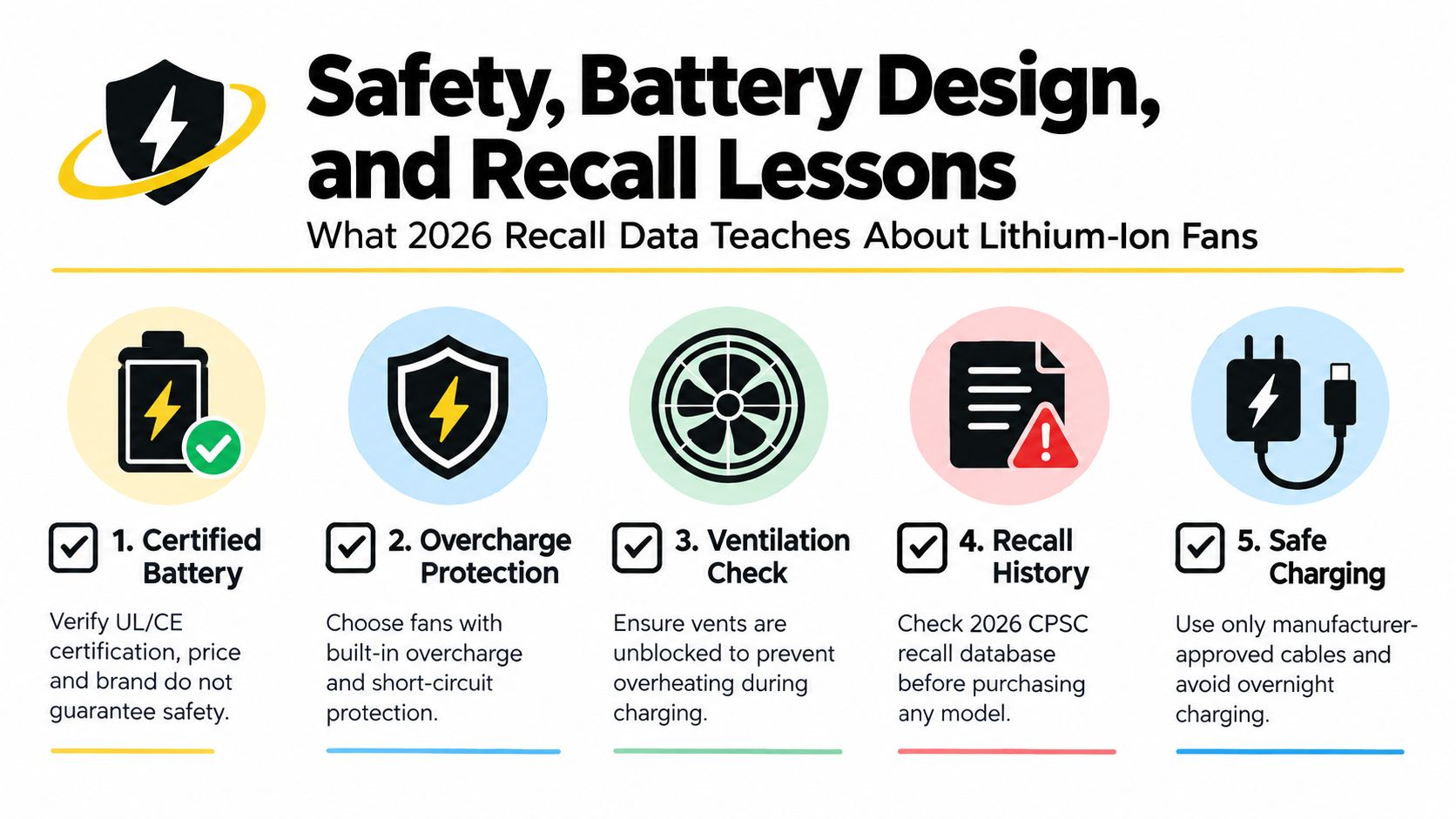
Price doesn't guarantee safety. Branding doesn't either. I've seen buyers assume a more expensive portable fan must have better battery protection. That's lazy purchasing.
Recent recalls prove the opposite. In 2026, the U.S. CPSC warned consumers to stop using one portable misting fan because of a battery-ingestion hazard involving coin batteries, and separately recalled portable waist fans because lithium-ion batteries could overheat while charging and pose a fire hazard. Health Canada also recalled a portable clip-on rechargeable mini fan because the battery compartment was not sealed or clearly marked for polarity, creating a reverse-polarity fire risk (2026 portable fan safety warning and recall details).
What I actually check before approving a model
I care less about flashy runtime claims and more about these basics:
- Battery compartment security: If staff or guests can pop it open too easily, I pass.
- Clear charging behavior: USB-C is convenient, but the issue is whether the unit handles charging cleanly and consistently.
- Visible battery information: Vague language like “long-lasting power” tells me nothing.
- Solid fit and finish: Loose doors, cheap adapters, or hot-running housings are all red flags.
If you're comparing how battery systems have changed across small electronics, this overview of battery technology advances is useful context.
Charging habits matter more than people admit
Most battery incidents start with bad routines, not dramatic defects. Staff plug units in overnight, stack them while charging, use random adapters, or ignore swelling until the casing starts separating.
Use a simple house rule:
- Charge in visible, ventilated areas.
- Don't leave units plugged in unattended for long stretches.
- Pull any fan from service if the casing bulges, heats unusually, or smells off.
- Keep charging cables matched and labeled.
If the battery door feels flimsy and the included charger looks generic, don't rationalize it. Replace the unit.
That standard protects more than equipment. In hospitality, these fans often sit near linens, paper goods, decorative materials, and food displays. A small battery failure in the wrong place becomes a real incident fast.
Example Setups for Restaurants, Weddings, and Backyards
The right setup depends less on the product category and more on how long the fan has to work, where guests are sitting, and whether you're protecting food, people, or both.
Setup logic by venue
A patio needs coverage that survives a full service window. A wedding head table needs quiet airflow that doesn't interfere with speeches or decor. A backyard setup usually needs a mix of broad coverage and a few targeted placements where food sits exposed longest.
If you're laying out a home entertaining space from scratch, a visual planning tool can help before you buy hardware. OutdoorBrite's guide to design your backyard online free is useful for mapping seating, buffet placement, and likely airflow trouble spots.
| Three Real-World Clip Fan Setups Compared | |||||
|---|---|---|---|---|---|
| Setup | Fan Count & Size | Mounting Points | Target Airflow (CFM) | Runtime at Use | Cost Per Event |
| Restaurant patio | Several mid-size clip fans | Umbrella ribs, perimeter rails, host stand area | Mid-range airflow focused at table edges and entry points | Plan around real service duration, not package maximums | Lower over time if units rotate and recharge cleanly |
| Wedding head table | A small number of quieter units | Pergola crossbeam, backdrop frame, hidden side supports | Gentle airflow to clear stagnant heat without obvious draft | Should cover ceremony-to-dinner window with buffer | Worth paying more for lower noise and cleaner appearance |
| Backyard barbecue | Mix of larger perimeter units and a few targeted table fans | Fence rails, canopy poles, buffet edge | Stronger airflow near food and grill-adjacent seating | Flexible if you can top off between setup and service | Usually the most forgiving setup because charging access is easier |
My recommendations
For restaurants, buy a standardized fan size for easier charging, spare parts, and staff training. Mixed fleets create confusion.
For weddings, prioritize sightlines and noise. The best fan in the world is still the wrong fan if it buzzes through the toasts or shows up in every photo.
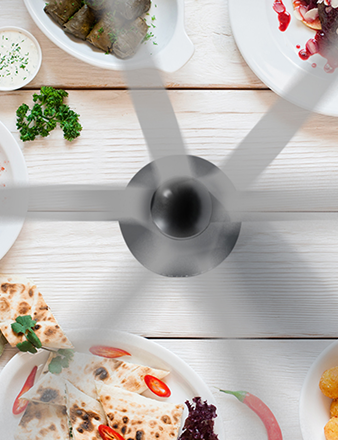
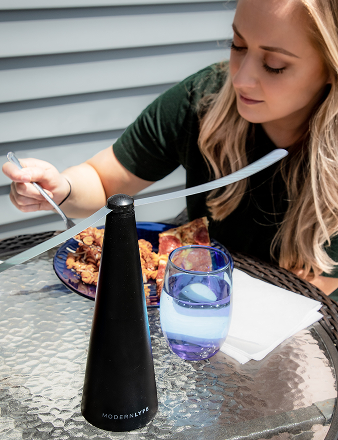
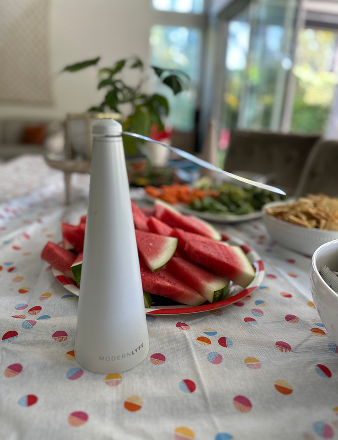
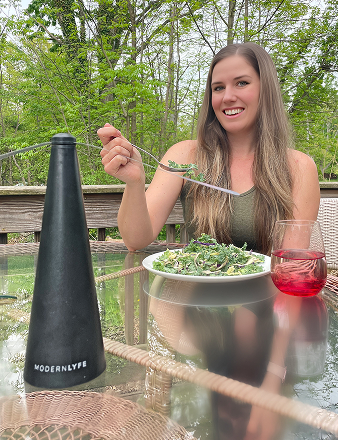
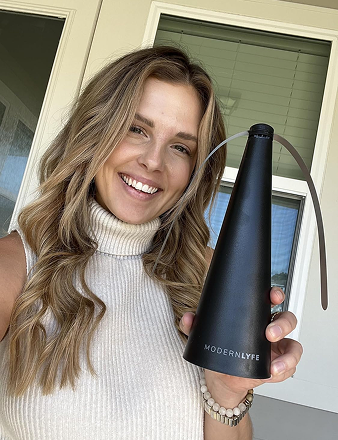
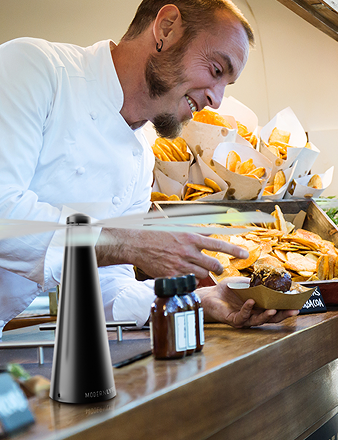
For backyards, don't overbuild. A practical dual-power unit like the MODERN LYFE Black Fly Fan, which runs on USB power or AA batteries, makes sense when you want table-level fly deterrence without running extension cords across guest paths.
Maintenance, Charging, and Quick Troubleshooting
A battery operated fan with clip doesn't need much maintenance, but the little checks matter. Ignore them and performance drops slowly enough that it goes unnoticed until guests complain.
The shift-lead routine
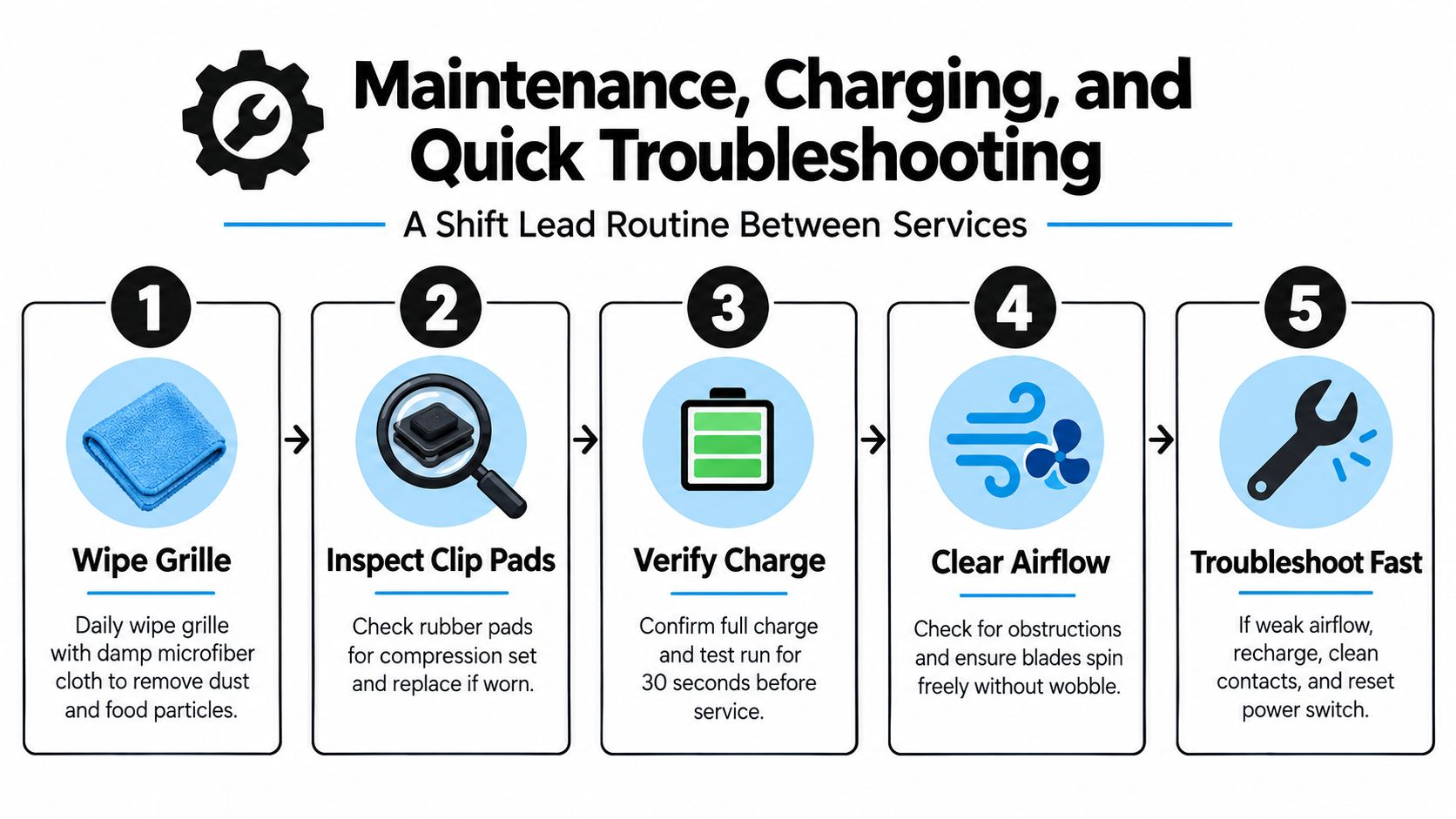
Run this between services:
- Wipe the grille: Use a damp microfiber cloth to remove dust, grease, pollen, and food residue.
- Check clip pads: If the rubber or silicone pads are flattened, the fan will start slipping on smooth frames.
- Test under load: Don't trust an idle battery indicator. Turn the fan on and make sure it holds output.
- Look at the port: USB-C ports collect lint and debris fast in storage bins and catering kits.
If you're replacing aging packs or comparing serviceability, this guide to battery replacement options is worth reviewing.
Quick fixes that solve most complaints
Weak airflow usually comes from a dirty grille, obstructed blades, or a tired battery. Start there before blaming the motor.
Rattling noise usually means one of three things: something is touching the blade path, the housing took a hit in transport, or the clip assembly has loosened.
Clip slip nearly always points to worn pads or a bad mounting surface. Don't keep cranking down pressure on a weak surface and expect a better result.
Keep one “known good” fan in storage. When a staff member reports poor performance, compare the weak unit against that reference fan instead of guessing.
When to pull a unit from rotation
Retire the fan if you see any of these:
- Battery swelling or casing separation
- Intermittent charging
- Persistent overheating
- Cracks around the clip hinge or fan guard
- Noticeable drop in output right after charging
Once a unit starts failing in service, it becomes a labor problem. Staff stop trusting it, then start moving it around, overcharging it, or compensating with bad placement. Replace it before it becomes everyone's problem.
Warranty, Support, and the Real ROI for Buyers
Most fan warranties sound better than they are. “One-year limited warranty” means very little if the seller doesn't spell out whether the battery, charging cable, clip mechanism, or housing are covered.
What support should look like
I trust vendors more when they provide practical support, not polished copy. Look for:
- Downloadable spec sheets with real battery and charging details
- Replacement part availability, especially clips or cables
- Clear contact channels that a manager can reach without chasing forms
- Straightforward exclusions for water damage, charging misuse, or wear items
A fan is a small purchase. A fleet of fans is an operating system. That's why support matters more than buyers expect.
How I think about ROI
I don't justify these units as “nice to have.” I justify them as a low-complexity tool that protects guest comfort and food presentation. If a clip fan prevents one buffet from becoming a fly issue or keeps one patio corner usable during a hot service, it's already doing more than a decorative fixture ever will.
For single-unit buyers, the math is simple. Buy only if you'll use it repeatedly in the same problem zone.
For bulk buyers, standardization creates the savings. Shared cables, shared charging workflow, shared placement logic, and easier staff training all reduce friction. The return shows up in smoother service, not in a flashy spreadsheet line.
Procurement checklist
Before you place an order, answer these:
- Where will each unit mount?
- How long must it run at actual service speed?
- Who charges it, stores it, and checks it?
- Can you get replacements or support without chasing the seller?
- Will this unit improve both comfort and food-zone airflow?
If you can't answer all five, you're not buying a solution yet. You're buying a gadget.
Frequently Asked Questions From Buyers
Can I fly with a battery operated fan with clip?
Yes, but handle the battery correctly. For lithium-powered portable fans, spare lithium batteries and power banks belong in carry-on baggage, not checked baggage, and they should be protected from short circuits by covering terminals or proper packaging (portable lithium battery travel handling guidance).
My rule is stricter than the minimum. If the fan uses lithium power, keep it with you, protect the terminals, and don't toss loose batteries into a gear bag.
Is it safe to leave one running overnight?
I wouldn't make that a standard habit. Public safety guidance has emphasized supervised use and avoiding unattended operation. The London Fire Brigade advises people not to leave fans on unattended and not to use them overnight. Consumer manuals also commonly warn users to keep clip fans secure, avoid moisture, and use them only in ventilated outdoor environments (London Fire Brigade fan safety warning).
If you need overnight air movement, use a properly placed room fan designed for that job. A clip fan is better treated as an attended, task-specific tool.
How much runtime should I realistically expect?
Clip-on fans vary a lot. Reported battery life ranges from about 3 hours to as much as 75 hours depending on capacity and speed setting. Smaller 2,000 to 2,600mAh models commonly run 6 to 10 hours, while a 20,000mAh model can last up to 75 hours on low speed (clip-on fan runtime examples).
Assume the longest claim applies to the lowest setting. Buy with your real duty cycle in mind, not the most flattering number on the product page.
Indoor and outdoor use aren't the same. What changes?
Outdoors, mounting stability, splash exposure, dust, pollen, and battery logistics all matter more. Indoors, noise and appearance move up the list.
For outdoor service, I prefer fans that tolerate being moved often and clipped onto imperfect surfaces. For indoor use, I'm stricter about noise, visible cabling, and whether the fan looks intentional in the room.
MODERN LYFE offers battery-powered fly-control fans built for dining and event setups where comfort and insect deterrence have to work together. If you're outfitting patios, buffets, or backyard tables and want a cleaner solution than improvised personal fans, visit MODERN LYFE and compare options that fit real hospitality use.