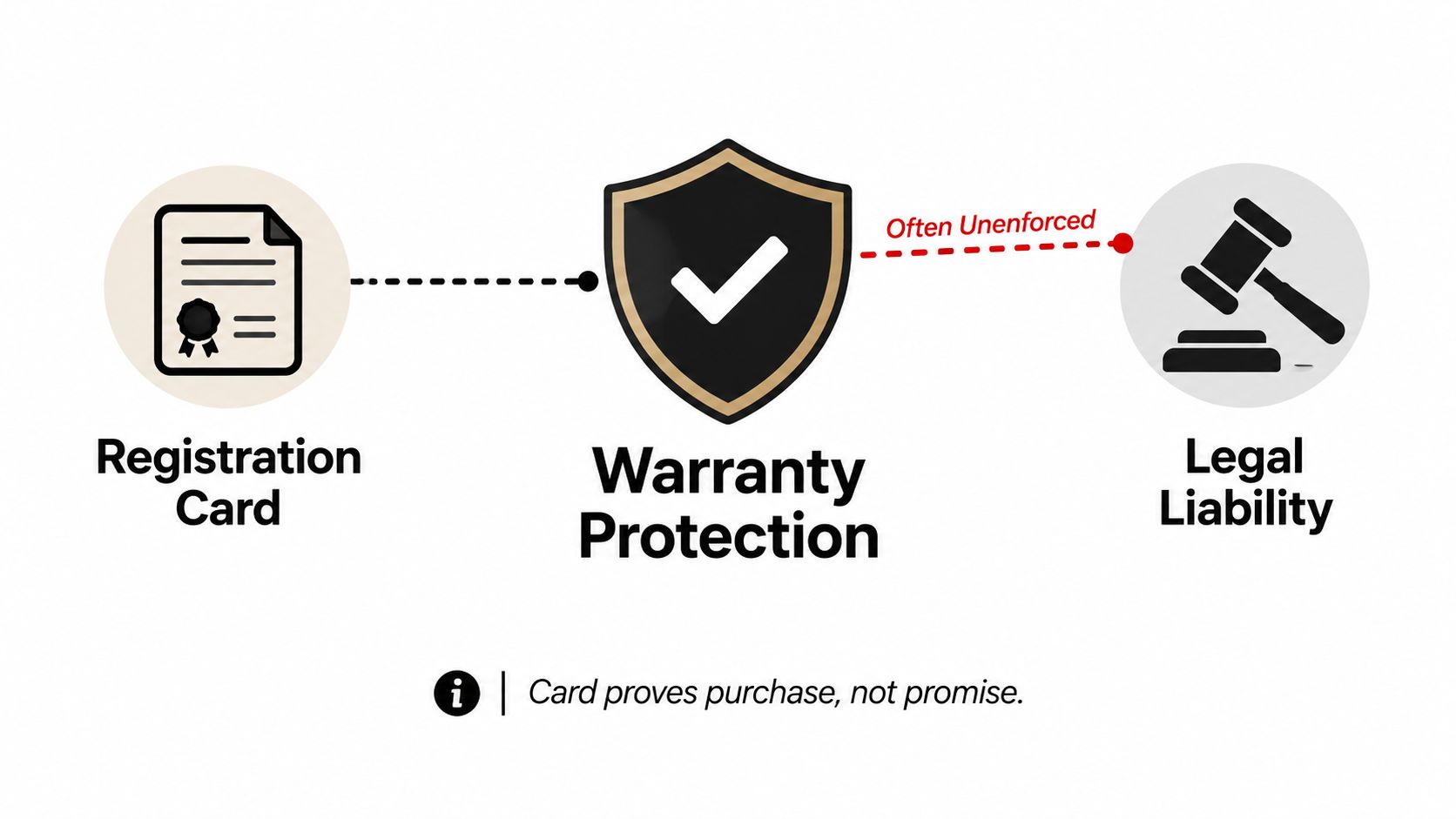
A warranty registration card is generally not legally required for coverage under a full warranty, and a sales receipt is the primary proof of purchase. If you've got a form sitting on the counter after a venue install, a new grill delivery, or a batch of equipment arriving for season prep, treat it as a recordkeeping tool, not a gatekeeper for protection.
The Legal Reality of Warranty Registration Cards
The biggest mistake people make is assuming the card controls coverage. Under federal warranty rules, a warranty registration card is a card the consumer must return shortly after purchase and that is made a condition precedent to coverage, but requiring that return as a condition of a full warranty is an unreasonable duty, which means the card can't be used to void full-warranty rights just because it wasn't mailed back. The FTC says the same thing in plain language, coverage generally can't be denied under a full warranty just because the card wasn't returned.
That matters in procurement because vendors sometimes talk about registration like it's mandatory when it's really administrative. The legal line is simple, the manufacturer can ask for registration data, but it can't turn that request into a trap behind the scenes. California goes even further, requiring product-registration forms to say clearly that they're for product registration and that failing to complete them does not reduce warranty rights, while also prohibiting labels like “warranty registration” or “warranty confirmation” for those forms.
Practical rule: keep the receipt, keep the warranty terms, and treat the card as useful paperwork, not your only shield.
Consumer-facing guidance from the period when this issue became widely recognized makes the same point. Consumer Reports noted that a receipt should generally be enough for a warranty claim, and the modern expectation in major markets is that proof of purchase comes from the sales record, not from a mailed card. For a brand-side example of how companies present warranty support in a cleaner way, see backed by a solid warranty. If you want the operational side of support, the workflow around warranty follow-up is also handled through warranty support services.
Essential Fields to Complete Accurately
If you decide to fill out the card, be exact. The fields that matter are the ones that create a clean trail back to the purchase and the item, so the product serial number, date of purchase, and purchaser signature deserve real attention. Those details are what help a manufacturer tie the card to the unit without dragging everyone into a dispute later.
Fill in what identifies the item
Start with the model or serial number and the purchase date. If the product has multiple identifiers, use the one printed on the unit, not the one you think is close enough. A wrong serial number can turn a clean claim into a slow back-and-forth over whether the item in question is even the same item that left the box.
Skip the noise unless it serves you
Demographic questions are where these cards often wander into privacy territory. Age, income, household composition, or lifestyle questions may appear on the form, but they are not the core of warranty proof. I'd treat those fields as optional marketing data, not something that helps you get a burner, fan, or service part replaced faster.
Leave no blanks in the proof fields, and leave the marketing fields blank if they don't help your case.
The signature matters because it confirms the record is tied to a real purchaser. If the form asks for a business name, use the name that appears on the invoice, packing slip, or internal asset record. For buyers who manage multiple locations, that consistency avoids the usual fight over which property or event team owns the unit.
If the card includes a customer code or order reference, add it only when it matches your file. That way, if a claim lands in the middle of a busy service season, you've already given the support team a path to your documentation without handing over extra personal data.
How to Submit Your Warranty Registration Card

Mailing the card is still the old-school route, but it works only if you send it correctly and keep proof that you did. Use the right postage, drop it early, and hold onto any mailing receipt or tracking record, because a claim gets ugly fast when the manufacturer says the card never arrived. For businesses that want a cleaner workflow, the registration process should sit alongside your broader onboarding records, not floating loose in a kitchen drawer or office inbox, and this registration process guide is a useful reference point for that kind of setup.
A scanned or photographed submission is usually faster and easier to track. Use bright, even light, keep the card flat, and make sure every line is readable before you send the file. If the form is going into an automated system, a blurry image creates the same problem as a missing card, the record exists, but nobody can use it.
Submit it in the format the brand can actually process
If the vendor offers email or portal submission, use that first. A paper card can get lost in transit or buried in a mailroom stack, while a digital copy gives you an immediate record. For venue operators and caterers, that difference matters because equipment often gets deployed fast and forgotten just as fast.
The practical move is to keep the file name simple, match it to the product name, and save the submission confirmation in the same folder as the invoice. If there's an online product-specific form, find your warranty card can help you locate the right document before you waste time on the wrong one. Modern Lyfe also publishes its own registration workflow for customers, and the company offers a product registration path through its site when you need to confirm the right form.
Operational rule: if there's no confirmation, assume the submission is unfinished until you can prove otherwise.
Modern Alternatives to Physical Cards
The paper card is the weakest option in a modern workflow. Industry benchmarks from Claimlane say registration rates without incentives are often 15–30%, and even with an extended-warranty incentive they rise to 40–60%; WarrantyHub says paper-card registration is often only 5–10%, while digital registration programs reach 40–60%+. Veryfi's 2026 discussion adds that one widely cited University of Michigan study found intent as low as 10.7–13.1% for some product categories, versus 56.3% for major appliances, with an average registration rate of 38% across all categories, which tells you exactly why paper keeps underperforming. Claimlane's warranty registration benchmark is a strong reminder that incentives matter, but friction matters more.
Use the channel people will actually finish
Consumers want registration to feel automatic or near-automatic. The University of Michigan found only 6% of consumers always register products, while 29% seldom do, and people prefer automatic registration, then email or website registration, not postcard-style forms. The same study found about 87% are more likely to register if it's required to activate a warranty, and nearly 79% are more likely if the company limits contact to safety or recall notices. That's why QR codes, mobile forms, and emailed links beat a paper slip every time.
For buyers, that means the best form is the one that closes the loop quickly. If the vendor offers a digital option, use it and save the confirmation. If the item is installed on-site, register it before the crew leaves the property, because delay is where paperwork disappears. Activate your registration flow as soon as the product is in place, especially if you're managing several units across one venue or multiple locations.
The strongest registration system is the one that gets completed before the box goes into storage.
Physical cards still show up, but they're now the fallback, not the standard. If you're choosing between filling out a card after lunch service or finishing a QR-based form in under a minute, the digital route is the obvious business decision.
Smart Record-Keeping for Proof of Warranty
The file that wins a warranty dispute is the file you can produce immediately. Build one folder for each purchase and keep the sales receipt, the completed registration card if you used one, the warranty terms, and every email or service note that follows. Don't separate those documents across accounting, operations, and someone's personal inbox, because the first person who needs them will be the person who can't find them.
Make the receipt the anchor document
The dated receipt is the anchor because it proves when the product was bought. The card can help identify the product and may support a claim, but the receipt is what usually settles the purchase-date argument. In restaurant and event work, that distinction matters when equipment is moved, loaned, or swapped between sites, because the unit's physical location often changes faster than the paperwork does.
I recommend a simple structure, one digital folder per product, one subfolder for the receipt, one for registration confirmation, and one for correspondence or photos. If you prefer paper, use a binder tab for each asset category and keep a backup scan anyway. That way, if a manager leaves, a supplier changes portals, or a claim surfaces six months later, the record doesn't vanish with the person who originally bought the item.
Treat follow-up messages as part of the warranty file
Any email that confirms registration, any support reply, and any ticket number belongs in the same record. If the manufacturer asks for a serial number later, you should be able to copy it from your file instead of hunting through packaging. That's the difference between a buyer who can press a claim and a buyer who gets stuck arguing over memory.
For multi-site operators, assign one person to own warranty folders and make the process boring. Boring is good here. Boring means the equipment is documented, the receipt is stored, and the next dispute starts with evidence instead of panic.
If you want cleaner warranty handling across your restaurant, hotel, catering, or home event purchases, use MODERN LYFE to get the product, the registration, and the support trail in one place. The right setup saves time when a claim comes up, and it keeps your records tight enough to stand up in a real dispute.