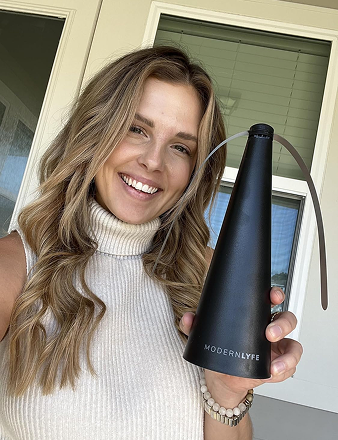
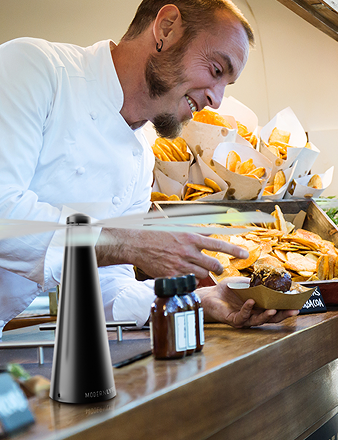
A fly fan cuts out halfway through Saturday patio service. Guests start waving menus, the team moves tables away from the food, and the manager begins calling suppliers for a replacement that may not arrive before the next event. The failure is small in engineering terms, but operationally it can disrupt service, reduce guest comfort, and create an avoidable equipment expense.
That's why warranty support services should be managed as part of venue operations, not treated as paperwork stored in a drawer. A prepared claim gives your team a controlled response when a unit fails. It helps protect event uptime, preserve the replacement budget, and keep a product issue from becoming a guest-facing problem.
Why Warranty Support Services Matter for Fly Fan Operators
A fly fan failure during service creates three immediate costs. First, the venue may lose covers or move guests away from an outdoor area that was part of the booking plan. Second, the manager may need expedited shipping or an emergency replacement at an inconvenient price. Third, guests may remember the evening as uncomfortable, especially when food, outdoor dining, or an event presentation is affected.
A registered warranty changes the response. Instead of starting with a search for an invoice, the team can verify the unit, document the fault, and contact support with the information needed for a repair or replacement decision. That predictability matters more than the administrative value of the registration itself.
The wider market shows why this function deserves operational attention. The global extended warranty market reached USD 159.38 billion in 2025 and is projected to reach USD 240.78 billion by 2030, implying an 8.60% compound annual growth rate over that period, according to extended warranty market data from Mordor Intelligence. The same source reports that North America held 37.5% of regional market share in 2024, Asia Pacific was the fastest-growing region, individual consumers represented 78.3% of demand in 2024, and offline sales accounted for 72.3% of distribution in 2024. Warranty support remains closely tied to physical products, retailers, and direct service networks.
What a hospitality operator should protect
For a fly fan used around dining areas, buffets, patios, and event setups, the practical concern is whether a covered defect can be resolved before it affects the next service. A Modern Lyfe warranty response is designed to address issues such as:
- Motor failure: The fan stops running or won't maintain operation.
- Charging faults: The unit fails to charge or shows abnormal charging behavior.
- Manufacturing-related blade wobble: The blade assembly becomes unstable despite appropriate handling.
- Battery cell degradation within the coverage term: The battery no longer performs as expected under covered conditions.
Don't confuse warranty support with preventive maintenance. A warranty generally addresses eligible defects, not careless storage, unauthorized modifications, or every form of damage. Your team still needs sensible charging, transport, cleaning, and storage procedures.
Operational rule: Treat warranty registration as risk transfer. The venue keeps control of the service response while the manufacturer carries eligible defect risk.
For Modern Lyfe fly fan operators, the takeaway is direct. Warranty support services aren't an administrative afterthought. They're an operational safety net, and the cost of ignoring that safety net appears the first time a fan fails on a fully booked night.
Registering Your Modern Lyfe Fly Fan the Right Way
Registration and pre-claim preparation belong in one workflow. Complete both before the fan reaches the service floor, and a future claim becomes a controlled task instead of a scavenger hunt through old email, shipping records, and staff accounts.
Start with the unit, not the portal
On arrival, record the serial number, model code, and purchase date. Capture these details from the unit and packaging before accessories are separated or the box is moved to storage. The purchase date helps your team establish the coverage timeline, while the serial number connects the physical fan to the warranty record.
Photograph the fan, included accessories, and original packaging label. The images should show identifying marks clearly, not just a wide shot of the carton. Keep the invoice or receipt in the same digital folder. If a paper receipt disappears, the photographs and order records can still help your team prove what was purchased and when.
Complete the Modern Lyfe registration process using a venue-controlled email address. A personal account can become inaccessible when a manager leaves, a catering coordinator changes roles, or an event company reorganizes its support responsibilities. Use an operational contact that more than one authorized person can access.

Build a shared record
After submitting registration, log the registration date, confirmation number, and warranty end date in a shared venue tracker. Put the record beside the battery rotation schedule, equipment location, and responsible department. A front-of-house manager, banquet lead, or maintenance coordinator should be able to find it without contacting the person who placed the original order.
Expect support to request several basic items:
- Purchase evidence: Keep the invoice, receipt, or order confirmation.
- Product identity: Record the serial number and model code exactly as shown.
- Shipment details: Save the shipping date and delivery information.
- Use-case description: Note whether the fan is used for restaurant service, outdoor receptions, buffet lines, markets, or home gatherings.
- Operational contact: List the person who can approve troubleshooting, return shipping, or replacement delivery.
This preparation prevents avoidable back-and-forth. Operators who collect the information on day one can file a complete claim quickly, while teams that wait until failure often lose time locating documents and confirming ownership.
The registration record should also show where each unit is deployed. If one fan sits in a hotel ballroom and another stays with an outdoor catering kit, label them separately. That small discipline gives the support team a clearer picture and helps your staff identify the affected unit immediately.
Filing a Warranty Claim Step by Step
A good claim gives support enough evidence to make a decision without guessing. The supervisor handling the issue should follow the same sequence every time, whether the fan fails during a wedding reception or during routine patio service.
Confirm eligibility before diagnosing
Start by checking that the unit is inside its warranty window and that registration information is available. An unregistered claim isn't automatically impossible, but missing registration details often create the first delay. Confirm the serial number against the venue tracker, then identify the purchase record and the current delivery address.
Next, document the failure while the condition is visible. Record a short video showing the fan's controls, charging behavior, motor response, blade movement, or remote interaction. Add a clear photograph of the defect and write down when the issue began, what happened immediately before it, and how the unit is used during service.
Your description should be specific. “Fan broken” gives the support team very little to work with. “The unit powers on, the indicator illuminates, but the blade stops after starting and produces a rattling sound” gives the technician a useful starting point.
Submit a complete first message
Gather the invoice, serial number, model code, shipping address, venue contact, video, photographs, and written fault description before contacting support. Submit through the Modern Lyfe warranty portal or designated support channel, and save every email, ticket number, attachment, and reply in the claim folder.
Use the product's technical specifications when describing operating behavior or checking component details. Don't open the housing, alter wiring, replace the battery, or attempt an internal repair while a warranty decision is pending. Unauthorized work can complicate eligibility and makes the original condition harder to establish.
The service expectations below are practical planning targets for a prepared claim. They aren't a guarantee, because complexity, evidence quality, inventory, and shipping conditions can affect the outcome.
| Stage | What Happens | Expected Window |
|---|---|---|
| Acknowledgment | Support confirms receipt and reviews the submitted identifiers. | Within two business days |
| Troubleshooting | The team requests or assesses diagnostic information and recommends the next step. | Within five business days |
| Repair or replacement decision | Support determines whether the unit should be repaired, replaced, or handled through another approved resolution. | Typically within ten business days |
The first reply from support will usually need the serial number, purchase record, fault description, photographs or video, venue contact, and replacement shipping address. Include all of it at submission. The goal is to maximize first-touch resolution, a core warranty service measure calculated by dividing repairs closed without rework by total warranty repair orders. Benchmark sources place first-touch resolution around 40% to 55% for average operations and 70% to 85% for top performers, as reported by WarrantyHub's claims processing benchmarks.
Troubleshooting Common Fly Fan Issues
Troubleshooting should isolate the problem, not invite a risky repair. Hospitality teams need enough diagnostic discipline to separate a simple setup issue from a likely warranty defect, while knowing when further experimentation wastes time.
Battery and charging problems deserve an early check. Confirm the power source, inspect the charging connection for visible damage, and note whether the indicator changes as expected. Test the unit after an appropriate charging period and record whether it starts, stops, or fails to hold charge. Don't substitute an unapproved battery or dismantle the housing.
Motor and blade issues require a visual and audible record. Look for uneven oscillation, rattling, reduced airflow, or a blade that appears off-center. Confirm that nothing is obstructing the assembly, then capture a video with the fan operating on the affected setting. If the noise or wobble remains after basic positioning checks, stop troubleshooting and move to the claim path.
Connectivity and remote problems can be approached differently. Replace or verify the remote battery if that is an approved user action, check line of sight, and test the physical controls on the unit. Document whether the fan responds locally but not remotely, or fails through both control methods.
Transport damage needs immediate evidence. Photograph the outer packaging, internal protection, housing, controls, and any visible cracks or dents before moving the fan into service. A cosmetic mark may not affect performance, but housing damage can affect safe operation and should be reported promptly.
| Issue Category | User-Fixable Steps | Capture Before Claiming | Recommended Path |
|---|---|---|---|
| Battery or charging | Check the approved charger, connection, indicator behavior, and charging setup. | Video of the indicator and charging attempt, plus the serial label. | Contact support if the unit still fails to charge or hold charge. |
| Motor or blade | Remove external obstructions and confirm stable placement. Don't open the housing. | Operating video, sound description, blade movement, and airflow observation. | Submit a warranty claim when the fault persists after basic checks. |
| Remote or connectivity | Check the remote battery if permitted and test local controls. | Video showing both control methods and the indicator response. | Use the support channel for guided diagnosis or replacement handling. |
| Housing or transport damage | Stop use if damage could affect safe operation. Preserve packaging. | Dated photos of the carton, label, accessories, and damaged area. | Report promptly with purchase and shipment records. |
The threshold is simple. If an approved external check doesn't resolve the issue, or if the next step requires opening the unit, replacing internal parts, or modifying the battery system, stop and file the claim. Use the Modern Lyfe troubleshooting guides for supported diagnostic steps rather than relying on improvised repairs.
Standard Coverage vs Extended Warranty Plans
The right warranty plan depends on how the fan is used, how many units the venue operates, and how damaging a service interruption would be. Don't buy extended protection because the word “extended” sounds safer. Compare the terms against your actual event calendar and replacement process.
Standard manufacturer coverage may suit a venue with a small number of units, moderate use, careful storage, and a practical backup plan. It typically focuses on eligible manufacturing defects during the included coverage period. Confirm whether the terms cover the motor, battery, electronics, and housing, and whether labor, return shipping, replacement shipping, or repair handling are included.
Extended protection deserves closer consideration for a large fleet, frequent outdoor events, mobile catering, or operations where one failed unit can disrupt a paid service. Ask whether the plan adds accidental damage, on-site service, priority dispatch, broader component protection, or a different replacement process. The plan's value depends on the actual wording, not the sales label.

Compare the terms that affect operations
Use this checklist before approving a fleet purchase:
- Coverage window: Compare the standard term with the additional period offered by the extended plan. The source material's visual comparison presents a standard timeline from 0 to 12 months and extended protection from 12 to 60 months, but verify the exact Modern Lyfe terms before buying.
- Component scope: Ask whether motor, battery, electronics, housing, accessories, and charging equipment are treated separately.
- Labor and shipping: Confirm who pays for diagnosis, return transport, replacement delivery, and on-site work.
- Claim limits: Check whether the contract restricts claim volume, replacement frequency, or total reimbursement.
- Repair versus replacement: Find out whether the provider decides the remedy, and whether a comparable replacement is supplied when repair isn't practical.
- Exclusions: Look for wear and tear, misuse, liquid exposure, unauthorized opening, battery alteration, transport damage, and commercial-use restrictions.
For a two-to-five-year ownership horizon, calculate the plan cost per fan, then compare it with the operational consequence of a failure during dense event periods. A venue with backup inventory and low seasonal exposure may keep standard coverage. A caterer moving equipment between venues or a hotel running frequent outdoor functions may justify extended protection if the added terms cover the failures that threaten service.
In the United States, written warranty disclosures and service contract obligations are shaped in part by the Federal Trade Commission's explanation of the Magnuson-Moss Warranty Act. EU buyers also need to distinguish a commercial warranty from legal consumer rights. Buyers from a professional seller have a minimum 2-year legal guarantee of conformity in the EU, with repair or exchange remedies and possible reimbursement or partial refund when those remedies aren't completed appropriately, as explained by the European Consumer Centre's warranty guidance.
Best Practices to Speed Up Every Warranty Resolution
Warranty records belong in the venue operations binder and its digital equivalent. A manager shouldn't need to search a personal inbox while guests are waiting for a patio table, and a replacement request shouldn't depend on whether one former employee remembers where the receipt was saved.
Create a one-page claim template and keep it with the equipment register. It should include:
- Unit identity: Serial number, model code, location, and assigned department.
- Purchase record: Supplier, invoice or order number, purchase date, and shipment details.
- Fault summary: First observed date, operating conditions, symptoms, and steps already attempted.
- Evidence checklist: Dated video, defect photographs, unit label, charger or accessory images, and packaging photos when transport damage is possible.
- Contact chain: Warranty champion, venue manager, finance contact, delivery address, and approved escalation contact.
Use a centralized folder structure. Store one folder per unit, then separate registration, purchase records, maintenance notes, claim correspondence, photographs, and shipping documents. Name files consistently so a supervisor can find the claim history without opening every attachment.
Make ownership visible
Assign one warranty champion within the operations team. That person doesn't need to perform every diagnostic step, but they should own registration checks, claim submission, response tracking, and escalation. A backup owner prevents the process from stopping during leave, turnover, or a busy event period.
Run a quarterly registry audit. Check that serial numbers still match the physical units, contact details remain current, warranty dates are recorded, and battery rotation or storage notes are complete. Register new units within 14 days of receipt as an internal operating rule, even though exact activation requirements should be verified against the applicable warranty terms.
Photograph packaging before disposal, particularly for fans transported between venues. If a fault appears later, those images may clarify whether damage occurred in transit or during use. Respond to support requests promptly, and keep a short timeline showing every submission, reply, diagnostic request, approval, and shipment update.
The same discipline applies to broader equipment upkeep. Teams managing multiple service assets can use resources such as CallZent support and maintenance to structure maintenance ownership and follow-up alongside warranty records.
High-leverage habit: Register early, preserve evidence, use one owner, and answer every support request from the same claim folder.
For EU operations, remember that a legal guarantee can operate alongside a commercial warranty. If a defect appears within 1 year of delivery, the consumer generally doesn't have to prove it existed at delivery because the law presumes that condition unless the seller proves otherwise, although some EU countries extend that presumption to 2 years, according to Your Europe guidance on legal guarantees. Keep the purchase record and defect timeline regardless of region.
MODERN LYFE provides fly fans designed for dining, event, buffet, patio, and gathering environments, with warranty registration and customer assistance available through its support channels. Visit MODERN LYFE to review the fly fan range, prepare your venue's registration workflow, and choose the equipment that fits your next service setup.