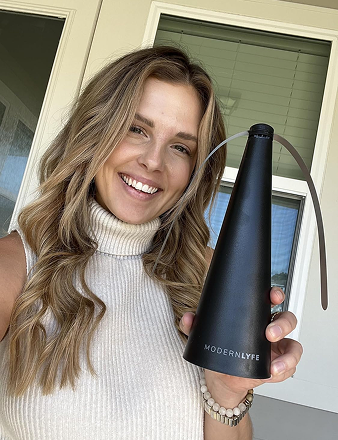
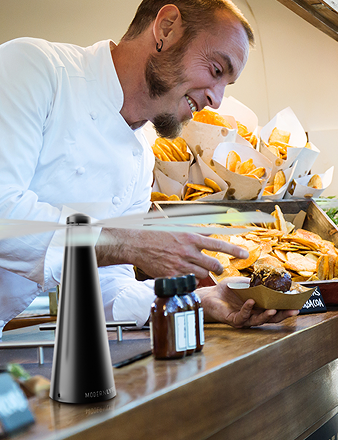
A wedding reception is in full swing. The patio looks polished, the buffet is ready, and guests are settling in, but flies keep circling the food while the afternoon heat builds. Staff can't keep interrupting service to move a fan, change its speed, or run a cable across a walkway. A battery operated fan with remote gives the team a quieter way to respond, placing airflow where it helps and adjusting it from a distance.
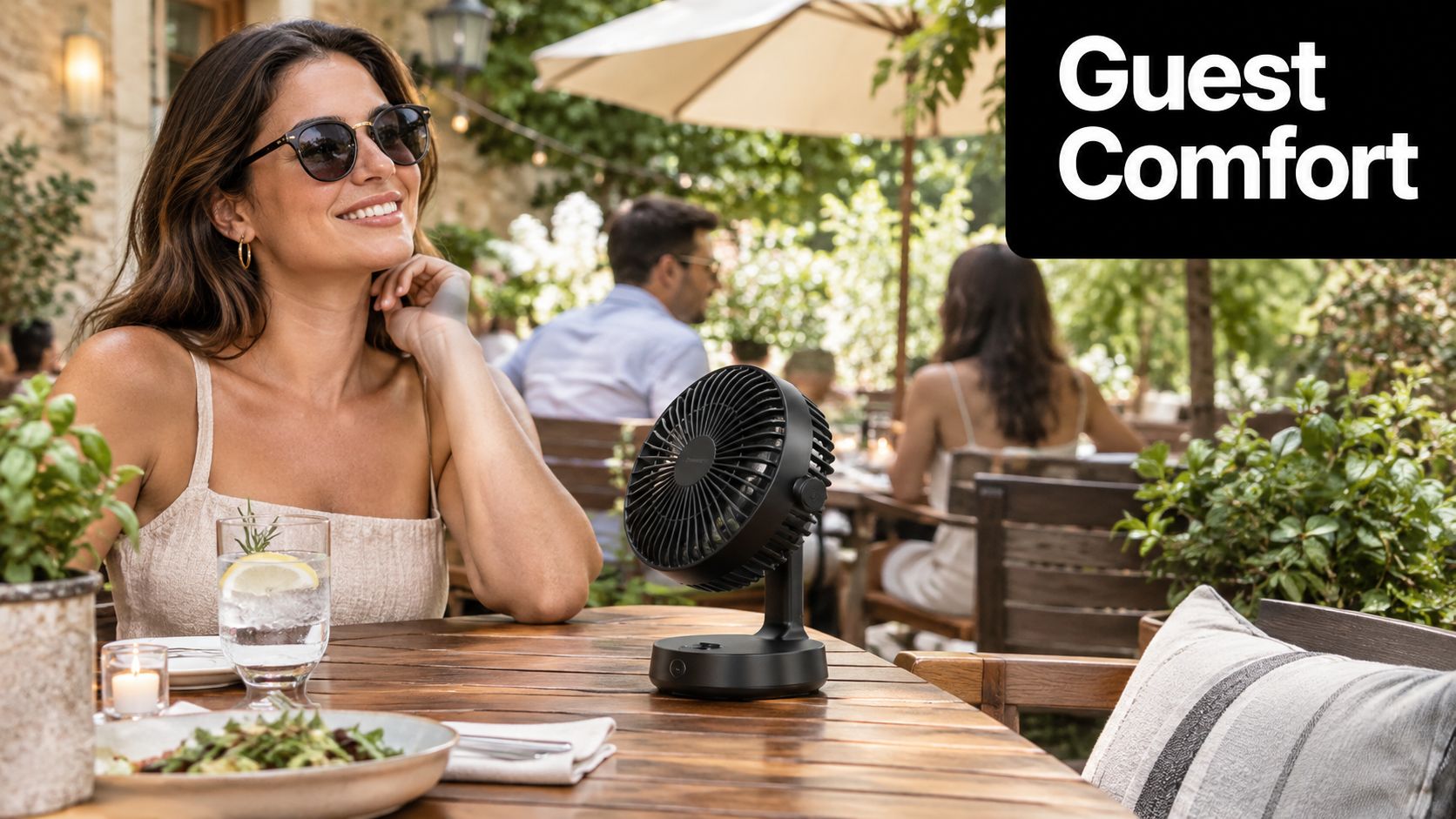
The appeal reaches beyond restaurants. Hotels, caterers, food trucks, market vendors, and home hosts all work in spaces where outlets may be inconvenient, furniture may change, and guest comfort can shift during service. A cordless fan can sit on a table, buffet station, bar, or reception surface without forcing the layout around a power cord.
The remote adds another layer of control. Staff can reduce airflow when a guest feels uncomfortable, increase it when a warm area fills, or turn oscillation off without reaching across food or disrupting a conversation. For fly-control applications, discreet adjustments also help preserve the appearance of a carefully designed dining space.
Remote control has been part of appliance convenience for decades. Philco introduced “Mystery Control,” the first consumer wireless remote control, in 1939, and Zenith introduced “Space Command,” the first practical wireless remote control device, in 1956, according to the history of remote control technology. Modern portable fans build on that same expectation: useful control should be available from the user's hand, not only from the device itself.
Introduction to Battery Operated Fans with Remote Control
A battery operated fan with remote control combines four practical ideas: cordless placement, adjustable airflow, wireless commands, and operation that can fit around a working service environment. The battery frees the fan from the nearest outlet. The motor and blades move air. Speed and oscillation shape the airflow. The remote lets someone manage those settings without walking back to the unit.
That combination matters most when the fan supports a wider hospitality workflow. A restaurant manager may want a unit near an outdoor table before guests arrive, then move it beside a service station during a shift. A caterer may need a fan beside a buffet for one event and near a drinks table at the next. A homeowner may want a discreet device for a barbecue rather than a large floor fan dominating the setting.
The right product isn't the one with the highest speed. It needs to match the space, the expected service period, the available charging options, and the way staff or hosts will operate it. A fan that produces strong airflow but runs out of power during the main service window can create more work than it removes.
Portable fan demand is developing within a growing category. The global portable fan market is estimated at US$729.2 million in 2026 and projected to reach US$1,430.1 million by 2033, representing a 10.1% CAGR over 2026 to 2033, according to Persistence Market Research's portable fan market estimate. The related handheld portable fan segment is projected at US$529.7 million in 2026 and US$807.1 million by 2033, while rechargeable lithium-ion batteries hold 57.8% of global share in that segment, according to the same source.
Practical rule: Choose the fan around the service routine, not around the feature list.
This guide focuses on the decisions that affect real use. You'll learn how the battery, motor, oscillation system, and remote work together, how to compare runtime claims, where to place a unit in hospitality spaces, and how to diagnose remote problems before assuming the fan has failed.
How Battery Operated Fans with Remote Work
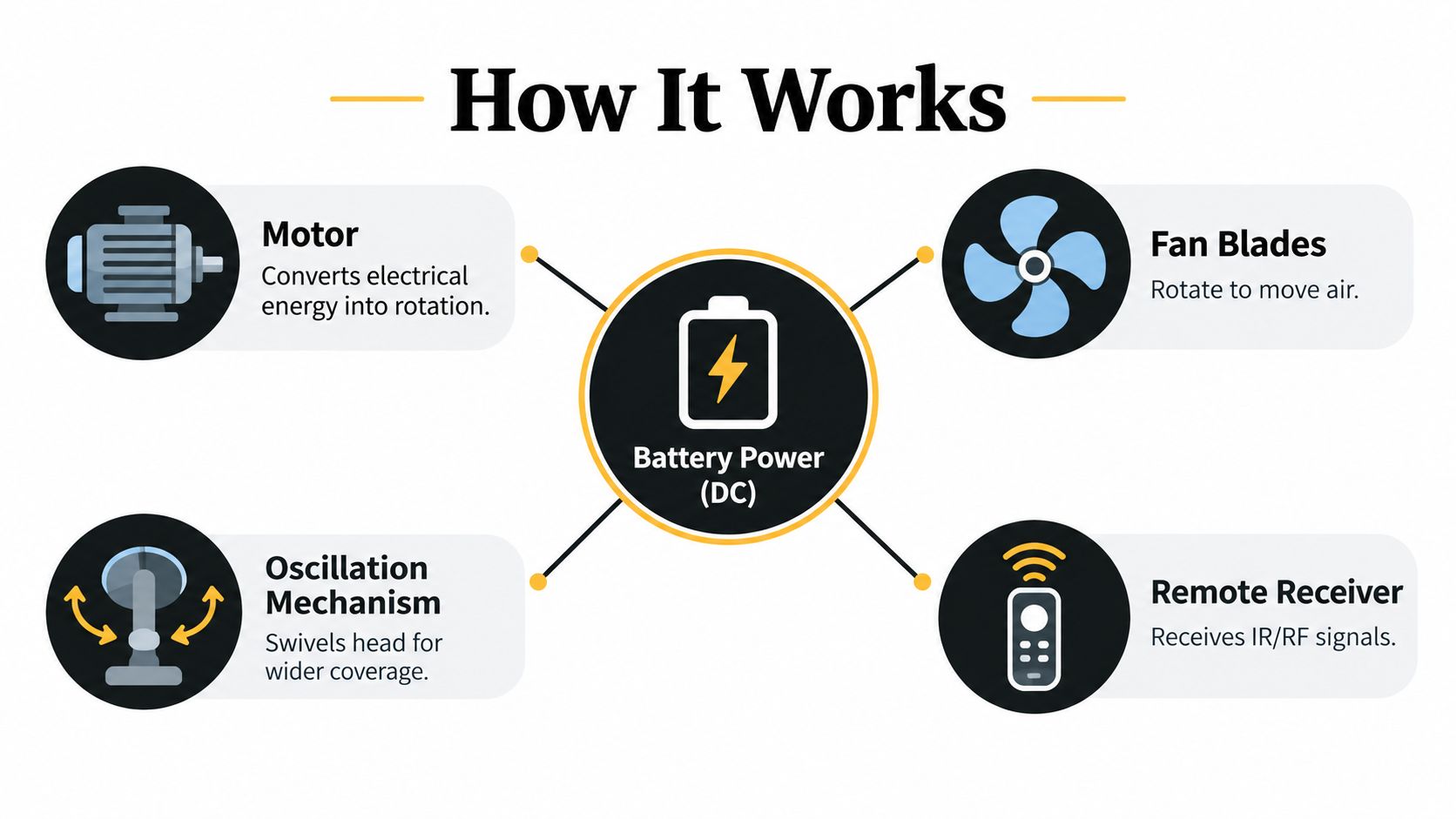
Think of the fan as a small electrical team. The battery supplies direct-current power, the motor converts that power into rotation, the blades turn rotation into moving air, and the control system tells the motor how hard to work. Oscillation adds a separate movement by swiveling the fan head or body across a wider area.
The battery and motor relationship
A low speed is like asking a vehicle to cruise gently. The motor needs less energy, so the battery lasts longer. A high speed is more like sustained acceleration. The motor draws more power to spin the blades faster and produce stronger airflow.
The fan's control board manages this request. When you press a speed button, the remote sends a signal to the receiver, and the electronics adjust the motor's operating level. The remote doesn't create extra power. It changes how the available power is used.
Oscillation consumes additional energy because a separate mechanism moves the fan head. It can improve coverage, but it may reduce runtime compared with a fixed direction. In a hospitality setting, that tradeoff is useful when several guests need airflow, but unnecessary when one specific food or seating area needs focused circulation.
What the remote actually changes
Most remote systems handle functions such as power, speed, oscillation, and sometimes a timer or mode. The exact button layout varies by model, so staff should keep the manual accessible during setup and train whoever may operate the fan.
Remote signals generally use either infrared or radio-frequency communication. Infrared systems need a reasonably clear path between the remote and receiver. Radio-frequency systems may be more forgiving around furniture, but the product documentation remains the authority for operating distance and pairing requirements.
The remote is a control panel you can carry. Its real value appears when reaching the fan would interrupt service, cross a walkway, or disturb a carefully arranged table.
A battery-powered control system also depends on a small separate battery inside the remote. That battery is not the same as the fan's main battery, and a fan can remain fully charged while its remote stops responding. Treat the fan power system and remote power system as two connected but distinct parts.
Key Features to Evaluate Before You Buy
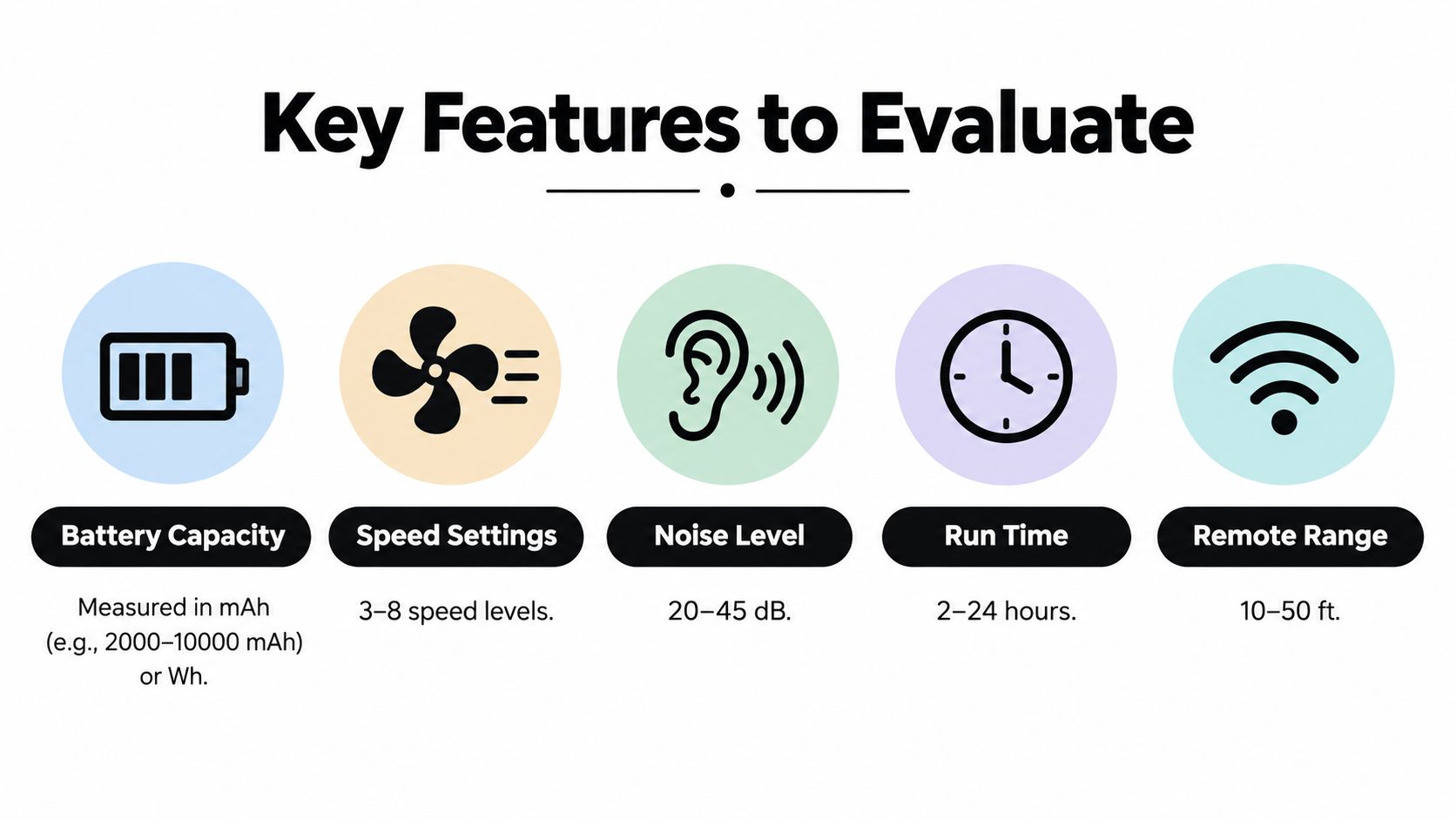
A strong purchase comparison starts with energy, not just battery labeling. Manufacturers often describe capacity in mAh, but mAh alone doesn't tell you how much usable energy the battery stores because nominal voltage matters. Independent guidance recommends comparing watt-hours, using the relationship runtime ≈ battery capacity in mAh × voltage in V ÷ load power, while allowing for real-world efficiency losses that can reduce ideal runtime by about 15% or more according to portable fan battery guidance.
Compare the operating experience
Speed settings determine how precisely staff can respond. A few clear levels may be easier for a busy team, while more gradual control can help a host find a comfortable setting. Don't judge the fan by its highest speed alone. Ask whether the lower setting provides useful airflow and whether the unit remains stable when operating on a table.
Noise matters in restaurants, hotels, and ceremonies. A fan can move air effectively and still become an annoyance if its motor sound competes with conversation. Listen to the product in person when possible, or look for clear manufacturer information rather than relying on vague labels such as “quiet.”
Oscillation widens the area of effect, but a fixed head may work better for a specific table or food station. Build quality affects how confidently staff can move the unit, while a compact, neutral design helps it blend into modern dining spaces.
Charging flexibility is equally important. A model that can operate while plugged in supports long service windows, while a removable or replaceable battery may simplify rotation across a busy event schedule. Confirm whether the remote controls every function you need and whether its range suits the room layout.
| Feature | Why It Matters | Priority for Restaurants and Events | Priority for Home Hosting |
|---|---|---|---|
| Battery capacity | Determines how long cordless operation can support the setting | High, especially for changing layouts | Medium to high, depending on gathering length |
| Speed control | Balances guest comfort, airflow, and battery use | High | Medium |
| Noise level | Protects conversation and atmosphere | High | High near dining areas |
| Oscillation | Extends coverage across tables or stations | High for shared spaces | Medium for focused seating |
| Charging and plugged-in use | Supports continuity when the battery needs help | High | Medium |
| Remote functions | Allows discreet adjustment from a service position | High | High when the fan is out of reach |
| Design and stability | Keeps equipment from distracting guests or tipping | High | High for table use |
One documented technical specification shows why runtime needs careful reading. At speed 1, the fan can run up to 27.0 hours, compared with 14.0 hours at speed 2, 6.3 hours at speed 3, 3.5 hours at speed 4, and 2.0 hours at speed 5. Oscillation reduces those figures further, as shown in the technical fan specification sheet. The remote therefore helps buyers manage a direct tradeoff, more airflow usually means less cordless endurance.
Real World Placement and Installation for Hospitality Spaces
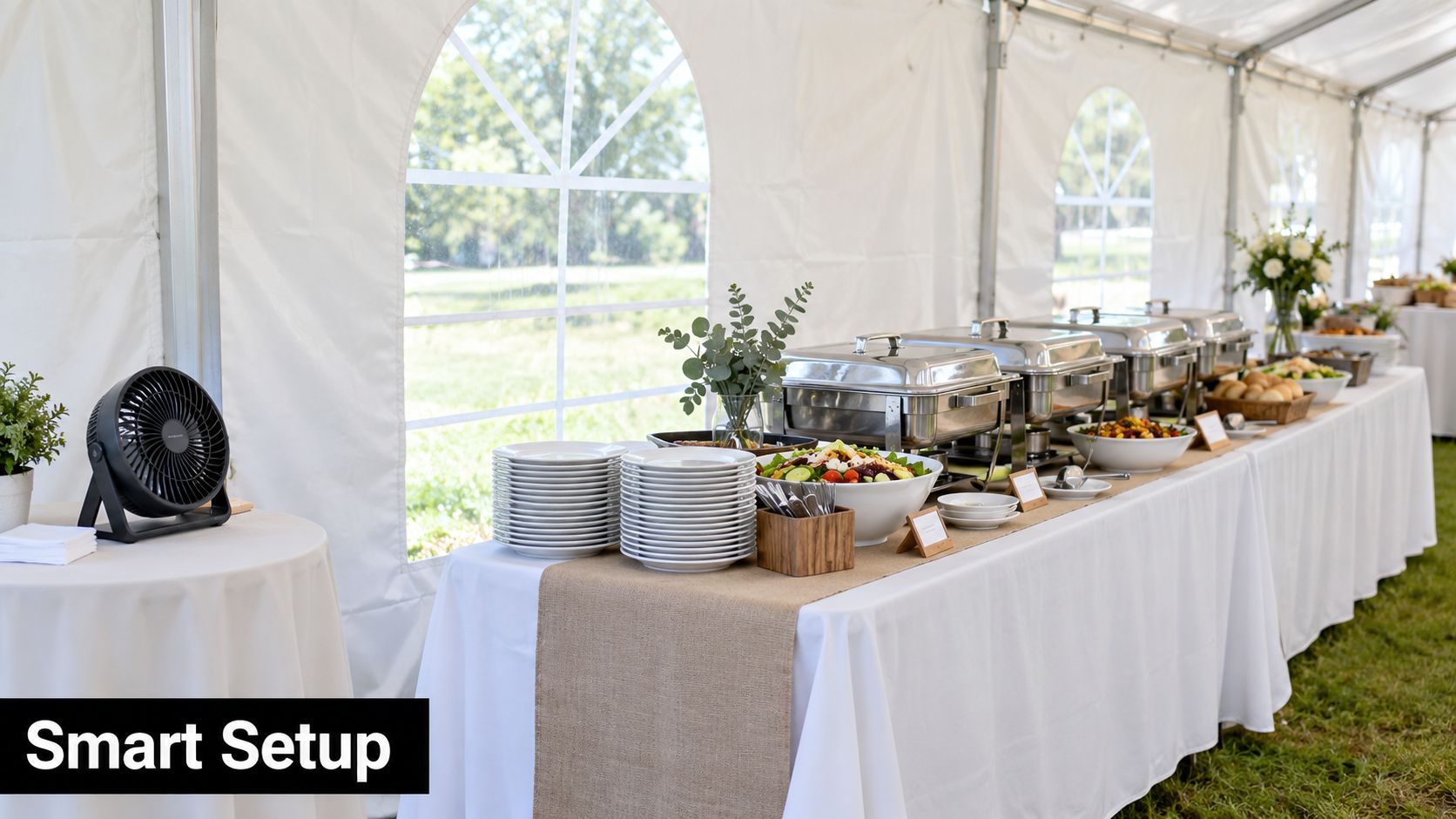
Placement decides whether a fan supports service or gets in the way. Start by identifying the target zone, such as a buffet surface, guest table, bar counter, or food truck window. Then position the fan so its airflow reaches the zone without blowing napkins, menus, lightweight décor, or food covers around.
Buffet and catering placement
At a buffet, place the fan beside or slightly behind the food display rather than directly in front of guests. The aim is to create a controlled airflow path across the vulnerable area while keeping the device visually quiet. Check the angle with the table fully dressed, because chafing dishes, platters, signs, and floral arrangements can change the air pattern.
A caterer working inside a tent may prefer cordless operation during guest arrival, when cable management is difficult. If the fan supports operation while plugged in, staff can connect it to mains power once the layout is settled and the cable can be safely routed. One documented model states that it charges while operating and can run indefinitely while plugged in, supporting this hybrid approach for restaurants, hotels, and events, as described in its operational specification.
Tables, receptions, and mobile service
For a restaurant patio, place the fan near the edge of the table or on a nearby service surface, keeping the remote with the host or floor manager. The operator can adjust speed without leaning over diners. For an outdoor reception, use a consistent placement pattern so staff know where each unit is located and can make changes quickly.
Food trucks and market stalls need a different approach. Space is limited, so stability and a small footprint may matter more than wide oscillation. Keep the fan away from customer queues, payment equipment, and exposed liquids. Never treat cordless operation as permission to place equipment where it can be knocked over.
Use this quick setup check before service:
- Airflow direction: Confirm that the breeze reaches the intended zone without disturbing table settings.
- Sightlines: Keep the unit outside the main guest view where practical, but don't hide the receiver behind dense objects.
- Stability: Set the fan on a level, dry surface that won't shift when staff work nearby.
- Control access: Give the remote to one responsible operator instead of leaving it loose on a guest table.
- Charging plan: Decide whether the unit will remain cordless or transition to plugged-in operation during the service window.
Remote control works best when it supports a deliberate placement plan. It shouldn't compensate for a fan that's aimed poorly or located in a high-traffic path.
Battery Management and Maintenance That Extends Runtime
During a reception, the remote can control battery use as well as airflow. Start with a lower speed while guests arrive, raise it during a crowded or warmer period, then step it down during a service lull. This approach preserves runtime without leaving staff to walk over to every fan. A documented portable fan shows that oscillation and higher settings shorten operation time, so treat its earlier runtime table as a planning reference rather than a promise for every event, according to the portable fan manual.
The practical question is whether the unit covers the planned reception window. A 3,000 mAh fan may handle several hours on a moderate setting, while high output can require a battery swap or a move to mains power before service ends. Test the exact model during a comparable shift, record the setting used, and make that result part of the event checklist.
Read capacity claims carefully
Compare Wh when the manufacturer provides it. Capacity alone does not determine runtime. Voltage conversion, motor efficiency, heat, and the selected speed all affect how long the fan operates, as explained in this battery-life technical guidance.
Higher capacity can support longer cordless operation. One rechargeable fan advertises up to 48 hours of runtime from a 16,000 mAh battery, illustrating how capacity influences endurance, as described by the manufacturer's product documentation. Treat that figure as model-specific and dependent on operating conditions.
Build a repeatable charging routine
A documented portable fan lists a full recharge time of about 5 to 6 hours and includes a 24-hour idle mode intended to preserve battery life, according to the portable fan manual. Charge units between events, label them when several are in circulation, and inspect each cable before service.
Use a hybrid workflow when practical. Keep fans cordless while staff adjust the layout, then connect them to mains power after safe cable routing is established. Store batteries and remotes clean and dry, and follow the model's storage limits. For replacement planning, use this battery replacement guide.
Troubleshooting Remote Pairing and Power Issues
A remote that doesn't work isn't automatically evidence of a damaged fan. In many systems, the failure comes from battery quality, pairing timing, or model-specific reset steps. Manuals for battery-powered fan remotes commonly require fresh AAA batteries, a fan power cycle, and a Learn button or button combination pressed within a narrow 30-second window, as shown in this fan remote instruction manual.
Use a diagnostic order
Begin with the remote. Install the specified battery type, check its orientation, and test the indicator light if the remote has one. An indicator can illuminate even when a battery can't provide enough power under load, so a light alone doesn't prove reliable transmission.
Next, check the fan itself. Confirm that its main battery has charge, that the power switch is in the correct position, and that the receiver isn't covered by décor or equipment. If the model uses infrared communication, aim directly at the receiver during testing.
Then re-pair the system. Power-cycle the fan, activate the Learn function or documented button combination, and press the required remote command within the model's pairing window. Don't assume that one brand's sequence applies to another model.
A successful indicator light test doesn't rule out a weak remote battery. The transmitter still needs enough voltage to send a dependable signal.
Battery type can create intermittent behavior. One independent manual recommends standard AAA 3-volt batteries for optimal performance and warns that rechargeable batteries may not provide sufficient power, while another advises replacing batteries before they weaken enough to leak and damage the transmitter, as detailed in this remote controller guidance.
Separate pairing problems from interference
If the remote works close to the fan but not from its normal service position, look for receiver blockage, signal interference, or distance limitations. If it never works after fresh batteries and a correct reset, the receiver or remote may need service.
Remote batteries are finite even when the fan's main battery is rechargeable. Fan-remote guidance lists coin-cell battery life at about 12 to 18 months under normal use and AA or AAA battery life at about 6 to 12 months, with colder temperatures shortening service life, according to the Hunter fan remote manual.
Take button-cell safety seriously. The U.S. Consumer Product Safety Commission says products containing coin batteries must meet a mandatory standard designed to reduce ingestion hazards, and its 2026 warning about certain portable misting fans cited violations of that standard and a risk of serious injury or death from battery ingestion, as explained in the CPSC safety warning. Keep loose batteries and remotes away from children.
For a broader service workflow, use these troubleshooting guides.
Choosing the Right Battery Operated Fan with Remote for Your Needs
The right choice depends on the job the fan must perform, not on a single headline feature. A small home gathering may prioritize a discreet design, simple remote controls, and easy charging. A restaurant patio may need stable table placement, low operating noise, dependable control from the host stand, and a charging plan that fits between shifts.
For catering and event work, evaluate the fan as part of a movable equipment kit. Cordless operation helps during setup, while plugged-in use can support longer service when the model allows it. Prioritize battery information that explains voltage, Wh, speed-specific runtime, and recharge behavior rather than relying on a single maximum-runtime claim.
Food trucks and market vendors should focus on footprint, stability, quick access to controls, and resilience in changing outdoor conditions. Hotels and resorts may place more weight on consistent appearance, staff training, warranty registration, replacement parts, and responsive service support. These details reduce operational uncertainty when several teams use the equipment across different event spaces.
Choose the model that your staff can operate correctly during a busy service, not the model that looks impressive on a product page.
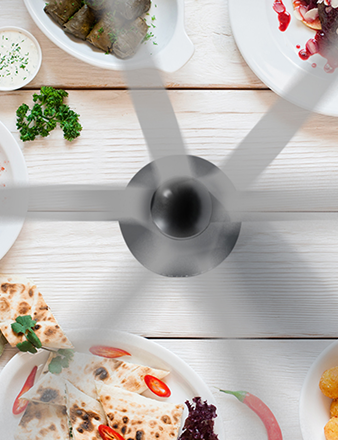
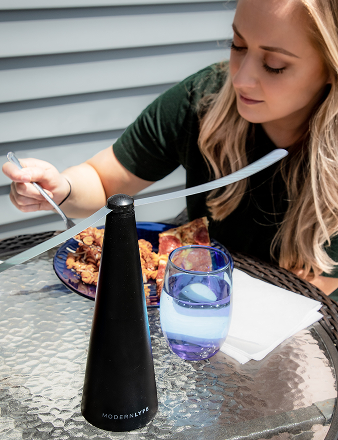
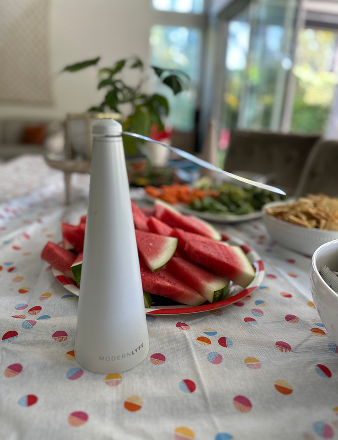
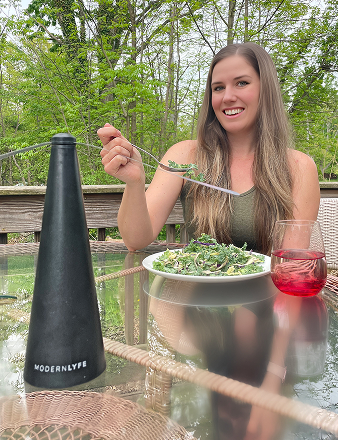
For table-based fly protection, MODERN LYFE offers battery-operated fly fans designed for table placement, with USB power capability and operation using 2 AA batteries, according to its product information. Its support offering includes warranty registration and customer assistance, which can matter when a venue needs help with setup or maintenance.
Before buying, write down the service conditions:
- Identify where the fan will sit and whether guests or staff may bump it.
- Estimate the period when cordless operation is most useful.
- Decide whether fixed airflow or oscillation better suits the target area.
- Confirm how staff will charge, store, and clean each unit.
- Check remote pairing instructions and keep them with the equipment.
- Review warranty and service arrangements before committing to multiple units.
If your main goal is outdoor placement and flexible cooling, use this battery-operated fan outdoor guide as part of your comparison. A thoughtful purchase protects presentation, supports food hygiene routines, and gives staff a practical way to respond to heat and insects without disrupting guests.
Visit MODERN LYFE to explore battery-operated fly fans for restaurant tables, buffets, outdoor receptions, and home gatherings. Review the available designs and support options, then choose a setup that keeps airflow and insect protection discreetly under your control.