Friday afternoon. A wedding client has changed the guest count, the venue has moved the buffet line, the pastry order hasn't been updated in the kitchen sheet, and someone is still checking three different spreadsheets to confirm whether the service team starts at 3:00 or 4:00. The food may be excellent, but the operation is running on crossed fingers.
That's where many catering businesses still live. One file for leads. Another for menus. A text thread for staffing. Email for approvals. A handwritten prep sheet taped near the pass. It works until volume rises, clients want faster answers, and one small error starts rippling through the event.
A catering management system fixes that problem when it's chosen and implemented well. Not as “software” in the abstract, but as the operating layer that keeps sales, production, logistics, service, and billing aligned. The urgency is real. The global catering software market was valued at approximately US$ 201.93 million in 2020 and is projected to reach around US$ 519.14 million by 2027, growing at a CAGR of 14.4%, according to The Insight Partners catering software market report. That's a strong signal that operators are moving away from fragmented workflows and toward integrated platforms.
Moving Beyond Spreadsheets and Chaos
A typical breakdown doesn't start with one dramatic failure. It starts with small disconnects. The sales manager updates the proposal, but the kitchen never sees the revised counts. The event captain knows the room flip changed, but the delivery team still arrives based on the old access time. Finance sends an invoice that doesn't reflect the latest rental add-ons.

That's why the spreadsheet era becomes expensive long before anyone labels it expensive. Managers spend their best hours reconciling details instead of selling, training, or improving execution. Kitchen teams lose confidence in production sheets. Clients feel the drag when proposals take too long, revision requests go missing, or event-day communication gets messy.
Where the friction actually shows up
The pain points are usually consistent:
- Lead handling slips: New inquiries sit in inboxes because there's no clean handoff from marketing or reception into the sales pipeline.
- Event revisions multiply: Guest counts, allergen notes, setup times, and rental changes live in separate places.
- Production gets distorted: Manual transcription creates avoidable errors between signed proposal and kitchen output.
- Front-of-house suffers: Seating, flow, buffet timing, and room readiness don't connect tightly enough to catering operations.
- Billing closes slowly: Deposits, final balances, and change orders require manual checking.
Practical rule: If your team has to ask, “Which version is final?” more than once a week, the problem isn't staff discipline. It's system design.
A strong catering management system becomes the single source of truth. It replaces scattered updates with live event records, shared workflows, and role-specific visibility. That matters not just in the office, but in the ballroom, on the loading dock, at an outdoor buffet, and at every handoff in between.
The modern buyer should think about these platforms as operational control systems. They help prevent the last-minute scramble that hurts margins, guest experience, and food handling discipline. When service windows tighten and events get more complex, disconnected admin stops being an inconvenience and starts becoming a liability.
What Is a Catering Management System
The easiest way to understand a catering management system is to think of it as air traffic control for events. Sales, kitchen, delivery, setup, service, and finance all have different jobs, but they need one coordinated view of what's happening, when it's happening, and what changed five minutes ago.
A proper system isn't just a digital filing cabinet. It manages the event lifecycle from inquiry to quote, contract, production, execution, and final payment. That includes lead capture, menu planning, recipe control, banquet event orders, staffing notes, delivery timing, invoicing, and reporting. When it's configured well, each team sees what they need without chasing someone else for confirmation.
How the system works in real operations
Modern platforms are increasingly cloud-native. In practical terms, that means the office, kitchen, and field teams work from synchronized data rather than separate versions of the same order. According to CaterZen's complete guide to catering software, cloud-native catering systems use API-first design to reduce order-to-kitchen latency to under 10 seconds, and benchmarks show this can lead to a 20-30% reduction in recipe-level waste when production sheets are based on live data.
That speed matters more than many operators realize. A fast system doesn't just save clicks. It reduces the window where teams are acting on stale information.
For operators handling off-site drops and timed arrivals, the dispatch side also matters. If you're reviewing how delivery status, routing, and handoff visibility should fit into your setup, this complete guide to delivery operations is useful context because catering failures often happen between kitchen completion and guest-ready service.
What a good system replaces
A catering management system should eliminate several weak habits at once:
- Spreadsheet patchwork: Separate trackers for proposals, guest counts, dietary notes, and invoices.
- Inbox dependency: Critical event approvals trapped in personal email threads.
- Manual production translation: Rewriting sold menus into kitchen sheets by hand.
- Disconnected event logistics: Catering details living apart from room use, setup timing, and staffing needs.
The best systems don't add another place to work. They replace the side work that keeps the team from executing cleanly.
This is also where the definition needs to expand. Many buyers still see catering software as a back-office tool. That's too narrow. The better platforms increasingly function as front-of-house coordination engines because event success depends on timing, room readiness, flow, and guest exposure time just as much as it depends on food cost and invoicing.
Core Modules and Essential Features
The right platform is built in modules. That matters because not every business needs the same depth in every area. A wedding caterer with heavy custom proposals will prioritize client workflow differently from a hotel banquet team managing room blocks and internal event handoffs. But the core structure is consistent.

Event and CRM
A strong CRM module facilitates inquiries becoming booked business. It stores contact history, event type, dates, quoted items, revisions, and follow-up tasks in one record. If a client asks for a revised proposal, the sales team shouldn't have to rebuild context from email fragments.
What works is fast retrieval and clear version control. What doesn't work is a “CRM” that's really just a contact list with notes.
Look for:
- Lead capture: Inquiry forms and manual entry that feed directly into a sales pipeline
- Revision history: Clear tracking of guest count changes, approvals, and pricing updates
- Client memory: Past orders, preferences, allergen flags, and communication logs tied to the account
Menu and inventory
This module is where profitability gets protected. Menu engineering, recipe control, ingredient tracking, and production planning should all connect. If your team sells a menu item but costing is outdated or recipes aren't standardized, margins drift without anyone noticing until after the event.
The same module also matters for hygiene. When production lists, packing lists, and timing are generated from live event data, the team is less likely to overproduce, hold food too long, or leave buffet replenishment to guesswork.
For teams tightening food handling discipline, it helps to understand the broader benefits of HACCP compliance because software should support that discipline, not replace it.
Staff scheduling
Labor coordination is where many promising systems fall short. Some platforms claim scheduling, but only offer basic staff notes. A useful scheduling module handles roles, timing, assignments, and availability in a way the operations team can trust.
This is especially important when service standards depend on synchronized setup, replenishment, clearing, and breakdown. If the staffing plan doesn't align with the event timeline, guest experience slips fast.
Before going further, this walkthrough offers a useful visual reference:
Financial and billing
The finance module needs to do more than send invoices. It should reflect deposits, staged payments, rental charges, service fees, and approved changes without manual re-entry. Weak billing tools create friction between sales promises and accounting reality.
Modern benchmarks highlighted in PXier's overview of cloud-based catering management software emphasize integrated payment gateways such as Stripe, Shift4, and CardConnect, plus accounting connections like QuickBooks, Xero, and Sage. That combination reduces duplicate work and shortens the distance between booked event and collected cash.
Reporting and analytics
Reporting is often oversold and underused. The best reports answer operating questions quickly. Which event types are profitable. Which menu items sell but create prep drag. Which clients rebook. Where labor planning keeps missing the mark.
Independent software review coverage in GetApp's reporting and statistics category for catering platforms notes that leading systems now commonly bundle resource management, staff scheduling, and reporting analytics, with higher tiers adding the detailed controls needed for more complex operations.
Good reporting doesn't exist for the owner's dashboard alone. It should help chefs, sales managers, and event coordinators make better calls during the week, not just at month-end.
The Business Benefits of a Centralized System
The return on a catering management system comes from cleaner execution. Not from the novelty of software. Not from prettier dashboards. It pays off when teams stop losing time to rekeying, clarification calls, avoidable waste, and event-day corrections.
One reported example is concrete. A mid-sized catering operation saw a 35% lift in order accuracy and a 20% reduction in preparation time after implementing cloud-based catering management software, as described in Weknock's article on data and technology in catering. Those are meaningful operational gains because catering margins are usually damaged by small process failures repeated at scale.
Where the value shows up first
For most operators, benefits appear in a few predictable places:
- Faster proposal turnaround: Sales can build from item libraries, standard pricing logic, and saved templates.
- Cleaner production: Kitchen sheets reflect the sold event instead of someone's manual interpretation.
- Less admin churn: Deposits, invoices, and revisions move through a defined process.
- Fewer service misses: Front-of-house gets consistent, current event details.
A centralized setup also improves the broader discipline of operational efficiency in hospitality workflows. That isn't just a back-office concern. It affects how calmly the team executes in front of the client.
The overlooked payoff is guest experience
Many buyers underestimate the system. A modern platform can help coordinate guest-facing logistics, not just internal paperwork. If room setup, buffet timing, staffing, and delivery windows are visible in one event record, the service team can avoid common friction points like congested buffet layouts, delayed replenishment, or rushed room flips.
That has a direct hygiene dimension too. When timing is tighter, food sits exposed for less time. When pickup alerts and production timing are aligned, hot and cold holding gets easier to manage. When setup plans are coordinated with venue flow, staff can maintain cleaner buffet lines and reduce the conditions that attract flies or create unnecessary guest crowding.
A catering system won't solve food safety on its own. But it can remove the operational sloppiness that makes food safety harder to maintain.
That's the contrarian case for these tools. They aren't only for quotes, calendars, and invoices. Used properly, they support cleaner service windows, better replenishment timing, and more controlled event environments. Those outcomes protect both the guest experience and the brand.
How to Implement Your New Catering System
Implementation fails when operators treat it like a software install. It works when they treat it like an operating change. The system has to reflect how your business sells, preps, delivers, sets up, serves, and closes out events.

Start with process, not product
Before anyone compares demos, map your actual workflow. Trace one event from first inquiry to final invoice. Include every handoff, every approval, every spreadsheet, and every point where the team has to ask someone else for missing details.
That process map usually exposes the true requirements. Some businesses need stronger proposal controls. Others need delivery visibility, better production reporting, or tighter accounting integration.
Use this sequence:
-
Audit current pain points
Don't begin with feature wish lists. Begin with where money, time, or consistency is being lost. - Define critical requirements If your business relies on recurring corporate drop-offs, route visibility matters. If you sell full-service weddings, revision control and staffing coordination matter more.
-
Assign an internal owner
One person should own the implementation timeline, vendor communication, and internal decisions.
Clean your data before migration
This step is often underestimated. If your menu library is inconsistent, your client records are duplicated, and your pricing logic is full of exceptions, moving bad data into a new system only makes the mess more durable.
Migrate in categories:
- Client data: Current contacts, company records, event history
- Menu data: Active items, recipe structures, allergen notes, pricing
- Financial rules: Deposit terms, tax settings, invoice layouts
- Operational templates: BEOs, prep sheets, packing lists, service notes
If you're standardizing broader event readiness at the same time, a practical catering equipment checklist for event execution helps teams align software setup with the physical realities of service.
Configure the full event lifecycle
A good implementation includes the tools around catering, not just the menu database. Modern catering platforms must integrate with lead-handling systems, e-signature workflows, payment gateways such as Stripe and CardConnect, and accounting software like QuickBooks and Xero, according to PXier's cloud-based catering software overview. If you skip these connections early, staff will recreate manual workarounds almost immediately.
A practical rollout usually follows this pattern:
- Configure workflows first: Inquiry stages, proposal approvals, production outputs, delivery statuses, invoice triggers
- Train by role: Sales needs quoting speed. Kitchen needs production clarity. Finance needs billing confidence
- Pilot with live but controlled volume: Start with a limited set of event types before full rollout
- Review failure points weekly: Missing fields, bad permissions, confusing screens, weak reports
The fastest way to kill adoption is to train everyone the same way. Teach each team what they need for their job, then show how their accuracy affects the next handoff.
What usually goes wrong
The most common mistakes are predictable. Teams rush migration, skip field cleanup, over-customize too early, and assume a demo means users will adopt the system naturally. They won't.
Another mistake is ignoring front-of-house use cases. If the event team can't use the platform to coordinate room details, service timing, and guest-flow considerations, you've only digitized half the problem. The system should support event execution on the floor, not just administration in the office.
Choosing the Right System A Vendor Checklist
Buying the wrong platform is expensive in a very ordinary way. The team stops trusting it. They keep their private spreadsheets. Sales uses one workflow, operations uses another, and finance cleans up the mess at the end of the month.
The right choice depends less on brand recognition and more on fit. A small caterer with one lead decision-maker doesn't need the same setup as a hotel group managing multiple venues, internal stakeholders, and complex room logistics.
What pricing tells you about fit
As of 2026, entry-level catering software typically costs US$57 to US$99 per month, while mid-market systems with stronger feature depth and multi-user support range from US$129 to US$400 per month, with enterprise pricing generally custom, according to Cetdigit's 2026 catering software pricing overview.
Price alone won't tell you if a system is good. It will tell you what segment it's built for. Low-cost platforms can be perfectly adequate when the business has straightforward workflows. They usually become limiting when you need stronger permissions, deeper reporting, more integrations, or better multi-location coordination.
If loyalty and repeat business are part of your catering strategy, it can also help to compare rewards program options alongside your core software review so you know whether loyalty should live inside the catering stack or sit adjacent to it.
The selection criteria that matter most
Use this short filter before you book final demos:
- Operational fit: Can the system handle your actual event types, not just generic catering orders?
- Ease of use: Can a new coordinator create and update a live event without getting lost?
- Integration depth: Does it connect cleanly with payments, accounting, contracts, and related event tools?
- Front-of-house usefulness: Can the event team use it to support room timing, staffing, and service flow?
- Support quality: Will someone help when a live event week exposes a workflow problem?
For teams comparing broader planning stacks, this guide to event management tools for hospitality operations is worth reviewing because many buyers need to decide what should live inside the catering system versus what should stay in specialist software.
Vendor Evaluation Checklist
| Evaluation Criterion | What to Look For | Vendor A Score (1-5) | Vendor B Score (1-5) |
|---|---|---|---|
| Event workflow fit | Supports your actual sales, production, delivery, and service process | ||
| Proposal and revision control | Easy updates, approval visibility, clean version history | ||
| Menu and recipe management | Accurate item libraries, recipe links, allergen and costing support | ||
| Staff scheduling | Useful labor assignment tools, not just note fields | ||
| Billing and payment flow | Deposits, invoicing, payment links, accounting sync | ||
| Reporting quality | Clear operational and financial reporting your team will actually use | ||
| API and integrations | Strong connections to related tools and room to expand later | ||
| Usability on busy days | Fast screens, logical layout, minimal training friction | ||
| Support and onboarding | Responsive help, practical setup guidance, real problem-solving | ||
| Scalability | Can grow with more users, venues, or service complexity |
Buy for the operation you're building, not the one you had three years ago.
That one principle prevents a lot of regret. Choose the system that your team will use consistently under pressure, because that's when software either proves its value or gets bypassed.
Your Next Steps to Smarter Catering
If your team is still stitching events together through inboxes, spreadsheets, whiteboards, and memory, the issue isn't effort. It's that the operation has outgrown its tools. Catering management systems are no longer just admin platforms for proposals and invoices. The better ones help coordinate event flow, tighten production timing, support cleaner service, and reduce the friction guests notice first.
That's why the strongest business case isn't only about office efficiency. It's about running events with fewer misses, cleaner handoffs, and better control over how food moves from prep to guest. In practice, that can mean fewer exposed buffet delays, better staffing alignment, and a more reliable service rhythm.
Two steps to take this week
-
Audit your current workflow
Follow one recent event from inquiry to final payment. Mark every manual handoff, duplicate entry, missing update, and moment where staff had to “just check with someone.” -
Use a structured shortlist
Take the vendor checklist above and score a small group of platforms against your actual operating needs. Don't buy on features alone. Buy on fit, usability, and whether the system helps the front and back of house work from the same truth.
A good system won't replace strong management. It will give strong managers a cleaner operation to run. That's the difference between surviving busy periods and building a catering business that can scale without getting sloppier.
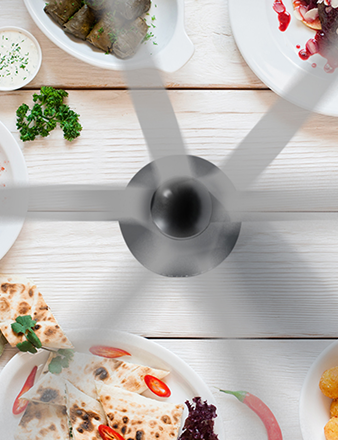
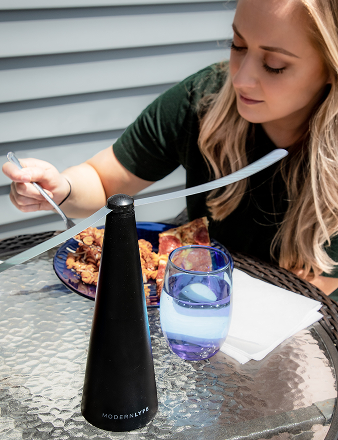
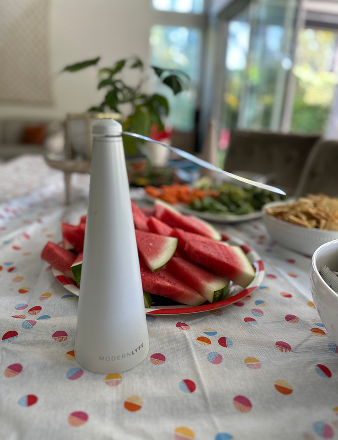
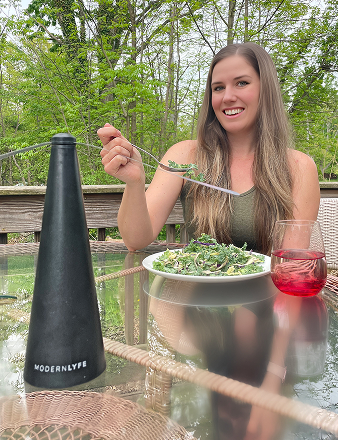
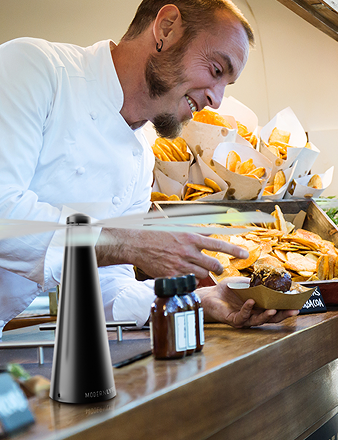
If you're improving event hygiene as well as event systems, MODERN LYFE offers practical fly-control solutions for buffets, outdoor receptions, restaurant tables, and service areas where guest comfort and food presentation matter. Their designs fit modern hospitality settings without adding visual clutter, which makes them a useful complement to tighter catering workflows and better front-of-house standards.