The quietest table fans typically measure between 23 dB and 30 dB on their lowest speed setting, comparable to a whisper or a very quiet bedroom. For dining and events, the quietest practical choice is a fan with a published low-speed reading in the mid-20s dB, plus acceptable noise at the airflow level you'll use.
A guest arrives at your restaurant patio, settles into a conversation, and then notices the small fan beside the table. It isn't loud enough to stop the meal, but its buzz sits between every sentence. At an outdoor wedding, that same sound can compete with speeches, music, and conversation. In a hotel lounge, it can make an otherwise polished space feel improvised.
The right question isn't, “Which table fan has the lowest number?” It's which fan stays unobtrusive while moving enough air for your venue. Low-speed performance matters, but hospitality buyers need to judge the complete operating range, placement, vibration, controls, and maintenance demands.
Why Fan Noise Matters in Hospitality Settings
A table fan can solve heat and airflow problems quickly, especially on patios, buffet lines, outdoor bars, and temporary event spaces. It can also introduce a new distraction directly beside the guest experience. A rattling grille or high-pitched motor tone becomes more noticeable when it sits at ear level, close to a dining table.
That matters because hospitality is judged through small details. Guests may not identify the fan as the specific reason they felt uncomfortable, but persistent mechanical noise can make conversation harder and reduce the sense of calm that restaurants, hotels, and event planners work to create. A quiet fan protects the atmosphere while still giving guests relief from stagnant air.

The practical benchmark
Current buying guides generally place the quietest tabletop fans between 23 dB and 30 dB on low, with some models reported at 23 dB, 24 dB, 25 dB, and 28 dB in independent testing (table-fan noise comparisons). Reviews commonly compare this range with a whisper or a very quiet bedroom.
A difference of only 5 dB can separate the quietest options in this category, so “quiet” isn't a precise product category by itself. A fan rated around 35 dB is often treated as very quiet, while models between 38 dB and 45 dB may still be quiet but are less likely to disappear into the background at night (independent table-fan buying guidance).
Practical rule: For a guest-facing table, start with a published low-speed rating below 30 dB, then test the fan from the distance where guests will hear it.
Match the benchmark to the setting
A bedroom or quiet hotel room demands a different standard from a busy restaurant. In a crowded venue, ambient sound may mask a low motor hum, but a sharp tonal whine can still cut through conversation. At an intimate dinner, even a modest vibration transmitted through a tabletop can become irritating.
Restaurant owners should therefore treat the sub-30 dB range as a starting filter, not an automatic purchase decision. Event planners should also listen for tonal character, rattling, and surface vibration. The quietest table fan is the one guests stop noticing after it begins operating.
How Fan Noise Is Measured and What the Numbers Mean
A fan's noise rating matters only when you know how it was produced. Most useful specifications use A-weighted decibels, written as dB(A). This weighting reflects how human hearing responds to different frequencies, so it offers a better guide to guest comfort than an unexplained sound-pressure figure.
The Air Movement and Control Association states that sound pressure is measured relative to 20 µPa and references ANSI/AMCA 300-14 and 301-14 for fan sound testing and sound-power ratings in its fan-noise guidance. Ask manufacturers for the testing method, microphone location, speed setting, and weighting standard. Without those details, a low number is a marketing claim, not a useful purchasing comparison.

Read the rating like an operator
A product page that says “whisper-quiet” without a dB(A) figure gives you little to verify. Check four points:
- Measurement unit: Prefer dB(A), not an unexplained “dB” claim.
- Speed setting: A low-speed result says nothing about noise when guests need stronger airflow.
- Testing context: Distance, room conditions, and background sound can change the reading.
- Air movement: Noise matters only alongside the airflow the fan delivers.
Independent testing places the quietest table-fan class around 23 dB to 30 dB on low, with examples reported at 23 dB, 25 dB, 26 dBA, 28 dB, and about 30 dB, depending on the model and method (quiet desk-fan testing). Use that range to screen products, then test the fan at the speed your venue will use.
Use venue thresholds intelligently
Practical guidance lists bedrooms at night at 30 dB(A), living rooms, hotel rooms, and libraries at 35 dB(A), and restaurants or retail spaces at 45 to 55 dB(A) (fan-noise environment calculator). These figures provide context, not approval for any fan below the surrounding level. A hotel room requires a quieter target than a busy restaurant floor, where ambient sound may mask a smooth motor hum but not a sharp tonal whine.
For a quiet hotel room, target a low setting near the mid-20s dB. On a restaurant patio, accept more sound at medium speed only when the airflow remains smooth and non-tonal. Require multi-speed readings, then listen from the guest position before approving the purchase.
Engineering Features That Reduce Fan Noise
The quietest table fans usually combine a DC motor, controlled rotational speed, shaped blades, and stable mechanical construction. No single feature guarantees quiet operation. The design has to manage aerodynamic turbulence, motor sound, bearing noise, and vibration transfer at the same time.
DC motors are valuable because they allow more precise speed control than basic fixed-speed designs. That lets a manufacturer tune a low-RPM setting rather than forcing the fan to run faster than necessary. Precision also helps operators choose a usable middle setting instead of jumping from barely noticeable airflow to an intrusive rush.
Start with blade-tip speed
Fan blades behave a little like small rotating wings. Their shape influences how smoothly they move air, much as an airplane wing shape affects airflow around the aircraft. Poorly shaped blades create turbulence, while carefully designed blades can produce useful airflow with less harshness.
Technical fan-acoustics work from NASA notes that reducing blade-tip speed can reduce tonal “buzz-saw” noise, although aggressive blade loading can increase broadband noise. The quietest design balances both effects rather than slowing the blades as much as possible (NASA fan acoustics research).
Look for:
- Low-RPM operation: Lower rotational speed generally helps reduce sharp tonal noise.
- Carefully shaped blades: Aerodynamic profiles can smooth the airflow.
- Balanced construction: Uneven blades create wobble and vibration.
- Stable housing: A rigid grille and motor mount prevent buzzing parts from amplifying sound.
- Good bearings: Worn or poorly supported bearings can add grinding, clicking, or hum.

Don't confuse power with quality
A powerful fan isn't automatically a better hospitality fan. High airflow can require higher blade-tip speed, greater motor loading, and more turbulence. The result may feel effective from across a patio but sound wrong beside a guest.
The better specification is usable airflow at a controlled acoustic level. Assess whether the fan can cool the intended seating zone without operating at its loudest setting. For a deeper explanation of the design choices behind quieter operation, see this guide to quiet fan technology.
A smooth, low-frequency airflow is usually easier to live with than a smaller fan that produces a high-pitched whine. Ask staff to run the unit at every speed and listen from the guest position, not directly beside the motor.
The following video offers a visual explanation of how fan construction and airflow affect operation.
Why Low-Speed Noise Is Only Part of the Story
A fan can earn a “quietest” label because it performs well on its lowest setting, then become unsuitable when guests need meaningful airflow. That's the central weakness of single-number buying guides. Independent reviews note that some fans rise into the high 40s or 50s dB on stronger settings, even when their low-speed performance is excellent (real-world fan testing and speed comparisons).
For a restaurant, the low setting may work during a cool evening but fail during a crowded service. For an outdoor wedding, wind and heat may force the operator to increase speed. If the fan becomes harsh at that point, the headline reading no longer describes the actual guest experience.
Compare the operating range
Use the table below as a decision framework, not as a substitute for model-specific testing. Exact results vary by fan and measurement method.
| Speed Setting | Typical dB Range | Comparable Sound | Suitable Environment |
|---|---|---|---|
| Low | 23 to 30 dB | Whisper or very quiet bedroom | Hotel rooms, intimate dining, quiet work areas |
| Medium | Quiet to clearly audible | Noticeable airflow with a smooth motor tone | Restaurant service, lounges, sheltered patios |
| High | High 40s to 50s dB on some models | Clearly audible fan noise | Busy outdoor areas where airflow takes priority |
The critical buying question is simple: What does the fan sound like at the setting that solves the heat problem? Request readings at low, medium, and high. If the seller provides only the lowest number, treat that as incomplete information.
Judge sound quality, not just volume
Two fans with similar readings can feel very different. One may produce a broad, soft airflow. Another may create a narrow stream accompanied by a high-frequency whine. Guests often tolerate a smooth background sound better than an intermittent rattle or piercing tone.
That same principle applies to every comfort detail at an event, from airflow to lightweight bedding for overnight hospitality. Event teams that are planning guest comfort beyond cooling can also consult this practical summer quilt guide from SouthShore Fine Linens.
Before purchasing, place the fan on the same type of table used at the venue. Run it at the intended speed, walk away to the guest position, and hold a normal conversation. If staff must raise their voices, keep looking.
How to Choose the Right Quiet Fan for Your Venue
A fan can pass a quiet low-speed test and still disrupt a dinner service when turned up far enough to move useful air. Choose it around the venue's operating reality, including guest distance, background sound, airflow demand, power access, and appearance. A hotel room, restaurant patio, buffet station, and wedding reception require different compromises.
Record the background sound where the fan will operate, then compare the unit at the speed staff will use. Quiet-space guidance places greater emphasis on a low noise floor, while restaurants and retail environments generally tolerate more background sound. Use those conditions to set expectations, then listen for tonal noise, vibration, and changes in sound as airflow increases. A seller who provides only the lowest reading has not shown how the fan performs during service.

Make the decision in four checks
Assess the ambient noise. A fan beside a quiet hotel bed needs a lower noise floor than one near a busy bar. Compare the unit in the room, not only with a laboratory-style rating. Listen from the guest position for vibration, pulsing, and high-frequency whine.
Determine coverage. Table fans suit personal or localized cooling across a defined seating area, host stand, or small buffet section. If guests need broad circulation, consider a floor or pedestal design. It may cover more space, but it also brings a larger footprint and a different sound profile.
Consider placement. Set the fan where air can travel without hitting décor, tableware, walls, or loose signage. Table-level placement can cool guests effectively while keeping the motor close to their ears. Floor-level placement creates more distance, but exposes the unit to feet, carts, and spilled liquids.
Evaluate the power source. Corded models fit fixed service areas with dependable outlets. Battery-operated models support outdoor receptions, food trucks, market stalls, and layouts that change during service. Confirm charging procedures, backup power, and cable management before the event begins.
Match the fan to the operation
Restaurants should prioritize smooth low-speed operation, a stable base, a compact footprint, and controls staff can adjust without interrupting service. Hotels should give greater weight to quiet low-speed performance, unobtrusive styling, and safe guest-facing controls.
Caterers and wedding planners need portability and fast setup. Test the fan in the actual ceremony or dining room, because a sound that seems acceptable in a warehouse may intrude during speeches. Outdoor hosts should run it in wind, heat, and changing guest density, not only in an empty setup area.
Use this procurement checklist:
- Noise data: Get readings at more than one speed.
- Airflow direction: Confirm that the head or grille aims at the seating area.
- Stability: Test the base on the actual table surface.
- Appearance: Choose a finish that suits the venue without drawing attention.
- Serviceability: Confirm that staff can clean the blades and housing without specialist tools.
Maintenance and Troubleshooting for Lasting Quiet Performance
Dust, loose fasteners, and surface vibration can turn a quiet fan into a disruptive one. Hospitality teams should clean the grille and blades regularly, especially when the fan operates near food preparation, outdoor dust, or open windows.
Disconnect power before cleaning. Remove the grille only if the manufacturer allows it, then use a soft brush or dry cloth to clear buildup from the blades and motor housing. Don't force liquid into the motor, and don't reinstall a damp component.
Diagnose the sound before replacing the unit
A new rattle often points to a loose grille, base, screw, or tabletop contact point. Tighten accessible fasteners, check that the fan sits level, and place a thin stable pad beneath the base if the table is amplifying vibration. Don't use a soft, unstable surface that could block ventilation or allow the fan to tip.
A hum that grows under load may indicate motor strain, a blocked grille, or bearing wear. Intermittent clicking can come from a damaged blade, a foreign object, or a loose oscillation mechanism. Stop using the fan if you smell overheating, see damaged wiring, or hear grinding that persists after cleaning.
For a more detailed diagnostic reference, use this guide to fan motor noise and troubleshooting.
Maintenance standard: If staff can hear a new rattle during setup, guests will hear it during service. Remove that unit from the guest area until the cause is identified.
Keep a simple service record for each fan. Note cleaning, unusual sounds, damaged guards, charging issues, and any repair decision. Replacement is the sensible choice when the motor overheats, the housing remains loose, the blade is damaged, or repair would leave the fan unreliable during a guest-facing shift.
Specialized Solutions for Discreet Pest and Airflow Control
A conventional table fan is designed to move air. It may cool guests, circulate air around a serving area, or create a personal breeze. It isn't automatically the right tool when the operational problem is insects around food.
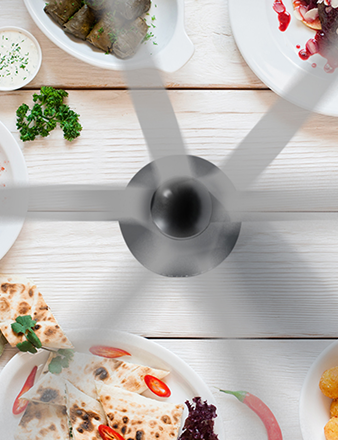
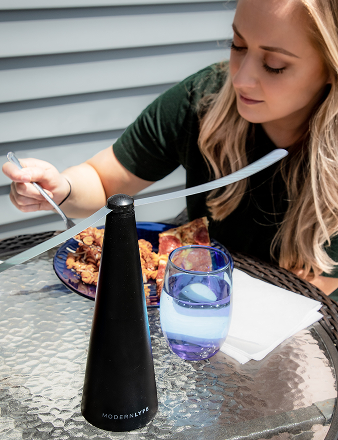
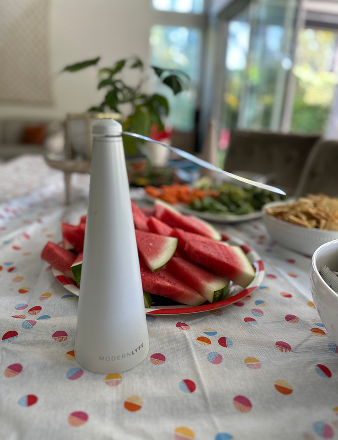
Purpose-built fly fans address a different requirement. Their rotating blades or airflow patterns can create a discreet barrier around buffet dishes, outdoor tables, bar service, and casual dining setups. In those locations, a large cooling fan may be excessive, visually distracting, or aimed incorrectly for the job.
Battery operation is particularly useful when a buffet line or reception layout has no convenient outlet. Staff can position a compact unit where it protects food without routing cords across guest pathways. The best specialized designs also need intuitive controls, durable construction, quiet operation, and easy cleaning because event teams don't have time for complicated setup.
Choose the tool according to the problem
Select a standard quiet table fan when guests need direct cooling and you can position the airflow safely. Select a discreet fly fan when the priority is protecting food and maintaining an unobstructed presentation. In some outdoor setups, both functions may be useful, but they should remain separate decisions rather than forcing one device to do everything.
Review the practical differences in this guide to fly fans for tables. Check placement, battery handling, cleaning access, visual profile, and operating sound before deploying any device beside guests or food.
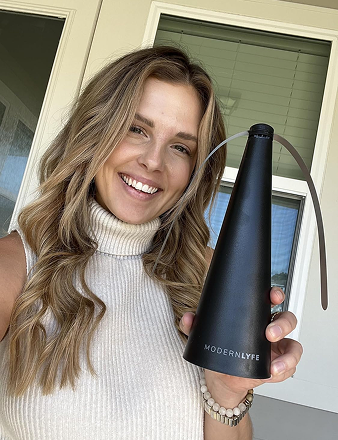
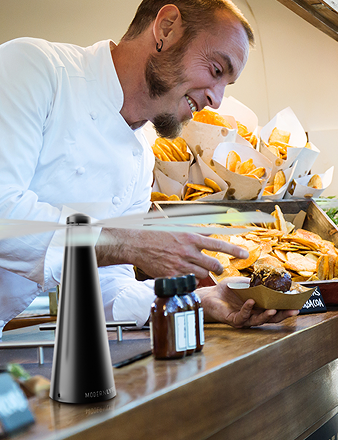
MODERN LYFE offers battery-operated fly fans for table, buffet, restaurant, hotel, catering, and outdoor event use, with quiet operation and a compact design intended to keep flies away from food and guests. Visit MODERN LYFE to review the available solutions and choose a discreet setup that fits your venue's airflow and presentation requirements.