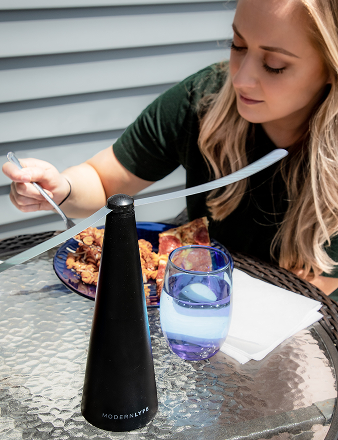
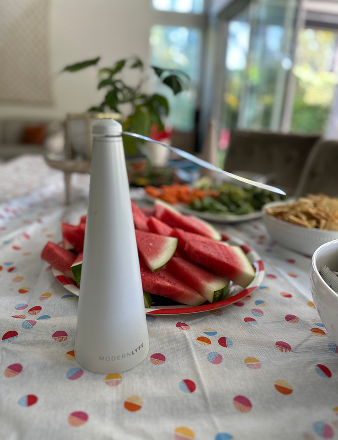
A dinner service can be running perfectly, the tables are set, the lighting is right, and the patio feels calm, until one small fly fan starts buzzing like a trapped insect. Guests don't know whether the sound is airflow, a loose battery cover, or a failing motor. They only know it's distracting.
In hospitality, that matters. Small battery-operated table fans sit close to people, close to food, and close to conversation. That puts fan motor noise in a different category than HVAC equipment in a plant room or a ceiling fan over a warehouse floor. When one of these units gets noisy, you need a fast read on the cause and a fix that works before it becomes part of the event.
That Unwelcome Buzz Why Fan Noise Disrupts Guest Experience
At a hotel terrace reception, the problem usually starts small. One table mentions a faint whir. A server moves closer and hears a sharper buzz than the fans on the surrounding tables. The room is otherwise quiet, so that one sound carries farther than it should.
That's why noisy fly fans are so disruptive. They don't need to be loud in an absolute sense to be a problem. They only need to cut across speech, wine service, or a pause during a toast.
The sound that matters isn't always the motor
A common error involves labeling any unpleasant fan sound as a motor issue. That's a mistake, especially with small hospitality fans. Data shows that 70% of perceived "motor noise" in small fans is eddy swirls from the blade's trailing edge, not the motor itself, and a steady electrical hum that stays the same regardless of airflow points to motor or power issues, while noise that rises with speed points to aerodynamic causes or bearing wear, according to this discussion of what part of the fan blade generates noise.
That distinction changes your response on the floor. If the sound rises as speed rises, start with blade condition, obstructions, or bearing wear. If the fan gives off the same hum even when airflow isn't the issue, think electrical.
Practical rule: If the noise changes with speed, suspect airflow or moving parts first. If the pitch stays steady, suspect the electrical side.
Why hospitality teams need a different playbook
Generic fan guides usually talk about ceiling fans, extractor fans, or HVAC equipment. They're built around larger units, fixed installations, and maintenance windows that don't line up with live service.
Battery-operated fly fans are different in three ways:
- They operate near guests: The fan is often within arm's reach of diners.
- They move often: Staff reposition them between tables, buffets, patios, and event layouts.
- They fail in public: A bad fan doesn't hide in a back-of-house ceiling void. It announces itself on the tabletop.
That's why the right approach is less about theory and more about quick diagnosis under service conditions. You need to know what the sound is telling you, what can be fixed in minutes, and when to pull the fan before it harms the guest experience.
Whats That Sound Telling You A Diagnostic Checklist
Noisy fans usually tell on themselves. The trick is to listen for pattern, not just volume. A rattle means something different from a buzz, and a click means something different from a grind.
With battery-operated fans, I start by isolating the sound into one of a few categories. Then I check the simplest cause first.
Start with the buzz
Battery-powered units have one failure mode that generic fan advice often misses. Over 40% of buzzing sounds in battery-operated fans stem from loose winding wires vibrating with magnetic field pulsations, requiring varnish stabilization, which sets them apart from standard AC-powered models, as explained in this overview of understanding fan noise and how to minimize it.
If you hear a clean electrical buzz rather than a scrape or rattle, don't waste time jumping straight to lubrication. Loose windings won't be solved by oiling a shaft or tightening the grille.
Use this checklist before you touch anything
| Noise Type | Likely Cause | First Action |
|---|---|---|
| Steady hum | Motor or power issue | Swap batteries or power source, then retest away from guests |
| Buzzing | Loose internal winding wires or electrical components | Remove from service and assess whether professional repair is worth it |
| Clicking | Blade contacting debris or a misaligned guard | Inspect blades, grille, and housing for contact points |
| Rattling | Loose casing, battery door, fasteners, or mount | Tighten external parts by hand first, then retest |
| Grinding | Bearing wear or internal mechanical damage | Stop using it immediately and prepare to replace |
| Noise that rises sharply with speed | Aerodynamic turbulence, blade issue, or bearing wear | Clean blades and check for warping or obstruction |
A fan that sounds acceptable in a storeroom can become irritating in a quiet dining room. Always test it where guests will actually hear it.
A fast sequence that works during service
When a staff member hands me a noisy fan during an event, I don't start disassembling it on a linen-covered table. I run a short sequence:
- Move it off the floor: Get it away from guests first.
- Run it briefly at different speeds: Listen for whether the sound changes with speed.
- Check the obvious external points: Battery cover, base, housing, grille, and blade clearance.
- Look for dirt and contact marks: Dust buildup and rub marks usually leave clues.
- Feel for vibration: Excess vibration usually points to imbalance or wear.
If the sound suggests a deeper electrical issue and your team needs broader business electrical troubleshooting support in a commercial setting, bring in qualified help rather than improvising a repair that may fail mid-service.
When not to keep testing
Some sounds deserve one response only. Pull the unit.
- Grinding: Internal wear is already advanced.
- Heat from the motor housing: The fan may be working harder than it should.
- Intermittent power with buzzing: That mix often gets worse, not better.
- Visible blade wobble: It can turn into casing contact quickly.
A quiet hospitality operation depends on decisive calls. A questionable fan should never stay in circulation just because it still spins.
Practical Fixes You Can Perform in Minutes
Most noisy tabletop fans don't need a technician first. They need basic correction done carefully and fast. If the issue is dirt, looseness, poor placement, or minor vibration, you can often restore acceptable performance in a few minutes.

Silence the easy rattle
A surprising amount of fan motor noise is just casing chatter. Table fans get moved, bumped, packed, unpacked, and wiped down constantly. That works screws and covers loose.
Start here:
- Check the battery compartment: The cover should sit flush with no play.
- Press on the housing while it runs: If the sound changes, something external is loose.
- Tighten visible fasteners: Use the correct driver, not whatever is in your pocket.
- Check the base contact: An uneven tabletop can make a stable fan sound broken.
Don't overtighten plastic housings. That can distort the casing and create a new vibration point.
Fix the dirt that throws the fan off balance
Dust and grease don't need much time to affect a small fan. In hospitality settings, buffet residue, outdoor pollen, and kitchen-adjacent grease film build up faster than teams expect.
Clean the fan in this order:
- Power it down and remove batteries if needed.
- Brush the blades and grille gently.
- Wipe residue from the blade edges, not just the flat surfaces.
- Check for anything wrapped around the hub.
If you want staff to follow a repeatable cleaning routine, it helps to keep the process alongside other practical troubleshooting guides so the same steps are used every time.
Here's a useful visual refresher for teams handling this on the floor:
Stop the vacuum sound
Poor placement makes small fans sound worse than they are. A fan that can't pull air cleanly starts to sound strained, turbulent, and rough. Starving a fan of sufficient airflow due to poor placement or obstructed intake dramatically increases perceived motor noise and turbulence, and keeping a clear return path into the space prevents the vacuum-like sound change described in this explanation of how airflow restriction affects fan noise.
In practice, that means:
- Don't crowd the intake side: Keep napkins, menus, centerpieces, and drape edges away from it.
- Avoid backing the fan against solid barriers: Walls, floral boxes, and stacked service items can choke airflow.
- Retest after repositioning: If the sound softens immediately, placement was the problem.
Move the fan before you condemn the fan. Bad airflow can make a healthy unit sound faulty.
Deal with light vibration
A fan that skates, chatters, or hums through the tabletop needs stability. Put it on a firmer surface. Re-seat the base. Check whether one foot pad is missing or dirty.
If a little pressure on the housing calms the sound, the issue is usually external fit, not a failed motor. That's the kind of problem worth fixing on the spot.
Repair or Replace Deciding Your Fans Fate
Some fans earn a repair. Others waste staff time, disrupt service twice, and still end up in the bin. The smart decision comes down to where the noise is coming from and how much certainty you need before the next event.
In hospitality, reliability usually beats salvage. If a fan may fail during a wedding dinner or patio brunch, the cheapest option on paper often becomes the most expensive operationally.
Repair makes sense when the fault is simple
Keep the fan if the issue is clearly external and the fix is stable. Loose hardware, residue on blades, poor placement, or a minor fit problem can usually be handled in-house.
Repair is also reasonable when the unit returns to quiet operation after one intervention and stays there through testing. That tells you the root cause was found, not masked.
Replace when the noise points inside the unit
The decision changes when the fault involves balancing or bearing quality. Expert benchmarks establish that precision dynamic balancing and high-grade bearing selection are required to reduce tonal noise from blade-passing frequency, and for small, low-cost fans, attempting such a repair is often impractical, making replacement the only viable solution when these components fail, according to this discussion of reducing noise in high-performance fans.
That applies directly to many compact hospitality fans. Once bearings start grinding or the rotating assembly is out of balance, the work needed to restore it properly usually exceeds the practical value of the unit.

A simple decision filter for managers
Use these questions:
- Can staff verify the cause quickly? If not, don't let a questionable fan drift back into service.
- Will the repair hold through repeated handling? Event gear gets moved constantly.
- Is the sound tied to internal wear? If yes, replacement is usually the cleaner answer.
- Would you trust this unit at a VIP table? That question cuts through hesitation fast.
For buyers comparing models and construction details before replacing stock, it helps to review the underlying technical specifications rather than buying on appearance alone.
If the fan needs internal balancing work or bearing correction, replacement is usually the operational decision, not just the maintenance decision.
Protect the event, not the old fan
Managers sometimes keep a noisy fan in rotation because it still runs. That's the wrong threshold. The right threshold is whether it can operate unobtrusively and predictably in front of guests.
A fan that intermittently buzzes, grinds, or vibrates isn't a “use it until it dies” item in hospitality. It's a service risk. Replace those units before they choose the worst possible moment to fail.
Proactive Care for Consistently Quiet Operation
Quiet fans don't stay quiet by accident. They stay quiet because someone owns the routine. In hotels and restaurants, that means cleaning on schedule, storing properly, and buying units designed for low-noise use rather than hoping every fan can be tuned into silence later.
The biggest shift is to treat these fans like guest-facing equipment, not miscellaneous accessories. Once teams do that, the noise problems drop because the handling improves.
Build a routine your team will actually follow
A useful maintenance routine should be short enough to survive a busy week.
- After service: Wipe blades, housing, and grille before residue hardens.
- Before an event: Run each fan briefly in a quiet back-of-house area.
- During storage: Protect units from being crushed or stacked loosely with décor items.
- Battery management: Remove depleted batteries promptly and keep contacts clean.
If your team already uses scheduled checklists for equipment and property upkeep, this kind of preventive rhythm fits well with a broader guide to keeping rental properties maintained, especially for operators juggling guest spaces, outdoor setups, and turnover tasks.
Buy for quiet, not just for airflow
Selection is often underestimated. Replacing straight fan blades with backward-curved blades can reduce noise levels by approximately 8 to 10 dB(A), and a 10 dB reduction is perceived as halving the noise intensity, making that blade design a major advantage in quiet dining environments, according to this guidance on controlling fan and ventilation noise.
For noise-sensitive service, look for two things first:
- Blade design: Backward-curved blades where available.
- Low sound rating: For close-proximity hospitality use, select models rated below 20 dB or with dedicated low-noise settings, as noted in this article on what counts as a quiet fan.
That's not a luxury feature in fine dining or events. It's part of the product specification.
Turn maintenance into guest protection
The best programs connect fan care to service standards. A noisy fan doesn't just signal wear. It breaks atmosphere, draws attention to equipment, and tells guests the room isn't fully under control.
Use a simple documented schedule, train staff to remove questionable units immediately, and keep replacements ready. For teams formalizing that process, an equipment maintenance schedule helps keep inspections from becoming informal and inconsistent.
Quiet equipment supports the illusion every great event depends on. Guests should notice comfort, not the machinery delivering it.
When you buy better, clean routinely, and retire suspect units early, fan motor noise stops being an emergency and becomes a managed detail. That's exactly where it belongs.
If you need fly fans built for guest-facing dining and event spaces, MODERN LYFE offers quiet, battery-operated designs made to protect food presentation without disrupting the atmosphere. Their fans are a practical fit for restaurants, hotels, caterers, and outdoor hosts who want insect control that looks polished and operates cleanly in service.