Service is halfway through and the flies have found the dessert table. You've got forty guests, a cheese board that's been out for ninety minutes, and no breeze. Someone hands you a phone with a product page open: 40 hours of battery, whisper quiet, ships tomorrow. You order two. They arrive, you charge them the morning of the next event, and by the second hour at high speed they're dead.
That gap between the listing and the room is the entire buying decision. Where to buy battery operated fans matters far less than what you verify before you pay: the runtime at the speed you'll run, how loud the thing is from the nearest table, and whether the battery and charger are safe to use the way your team will use them.
What follows is seven buying channels, the runtime arithmetic that kills most marketing claims, and the safety checks that separate a fan you can set next to food from one you can't.
Where to Buy Battery Operated Fans by Channel
Choose a buying channel based on how quickly you need the fan and how clearly the seller explains its terms. For a shared dining space, prioritize evidence about how the fan will perform at your usual setting and whether it will suit the people seated nearby.
| Channel | Best for | Verify before buying |
|---|---|---|
| Online marketplaces | Wide selection, reviews and product filters | Seller ratings and replacement-battery details |
| Manufacturer websites | Product specifications, warranty details and pack options | Warranty terms and shipping cost at checkout |
| Big-box retailers | Buying one unit quickly and handling returns in person | Product specifications beyond the shelf listing |
| Supermarkets and hypermarkets | Picking up a single unit in person | Runtime and noise details on the packaging |
| Restaurant and foodservice suppliers | Ordering several units together | Warranty and order terms |
| Party and event supply stores | Finding a last-minute replacement | Whether batteries or a charger are included |
| Camping and outdoor stores | Portable fans for personal use | Whether the design suits a dining or service setting |
Online marketplaces offer range and customer feedback. The U.S. Census Bureau estimated retail e-commerce sales at $300.2 billion in the first quarter of 2025, or 16.2% of all retail sales, up 6.1% from the first quarter of 2024. These figures cover all merchandise, not fans. Use marketplace filters to narrow your options, then check reviews and the listing for the details that affect your purchase.
In-person shopping lets you inspect the packaging before paying. Supermarkets and hypermarkets represented approximately 34.2% of global stand-fan revenue in 2025, according to Dataintelo's stand-fan market report. That share does not make the shelf label a substitute for product details. Read the box, and look for stated runtime and noise information before buying.
For a specific model, a manufacturer's website may provide product specifications, warranty information and pack options in one place. Restaurant and foodservice suppliers are a practical choice for consolidating a multi-unit order; check the terms before committing. Party and event stores can help when you need a replacement quickly, while camping stores focus on portable models. In every channel, judge the fan by how it will run in your dining space, not just by the headline battery claim.
The buying rule: Choose a seller that shows the fan's runtime information, warranty terms, shipping cost and return policy before checkout.
For furniture that needs to withstand daily commercial use, consult the Slone Brothers Furniture shopping guide.
Real Runtime Versus Advertised Battery Life
One recent review flagged a fan advertised at 40 hours that delivered about 15 hours at full power (The Honest Reviewers). That's not a defect. It's how the headline number is generated: the maximum is measured on the lowest setting, and hospitality use almost never happens on the lowest setting.
The watt-hour calculation you can run before checkout
Divide the battery's watt-hours by the fan's actual power draw at your setting, then leave a 20% to 30% reserve, because cold or aging batteries deliver less than their label capacity. A fan with a 10,000 mAh battery at 5 volts holds roughly 50 watt-hours; draw 6 watts at medium and you get about 8 hours of honest running, or 6 hours once you hold back a reserve.
| Speed setting | Typical runtime | What it means for buying |
|---|---|---|
| Low speed | 4-12 hours | Suits seated dining and long shifts |
| Medium speed | Ask the seller, no standard figure is published | This setting matches most service, so it decides the purchase |
| High speed | 1-4 hours | Use for short peaks, then drop to low |
| Modern LYFE Fly Fan for Tables | Over 8 hours per charge (manufacturer claim, speed not stated) | Confirm the speed before relying on it for a full shift |
Planning a ten-hour service shift
A ten-hour shift needs a fan whose medium-speed runtime covers ten hours plus that reserve, which in practice means either a claimed figure well above ten hours at medium or a second battery. Swappable batteries beat a bigger built-in pack every time: a charged spare goes in during the lull between courses, and the fan never leaves the table.
If your model has a sealed battery, plan a recharge window instead, and know the recharge time before you commit. A fan that takes six hours to refill is a one-shift-per-day device at best.
Ask before you pay: what's the runtime at medium speed, and how long does a full recharge take? A seller who can't answer both in writing hasn't tested the product in service.
Battery age matters as much as chemistry, and the guide to how long rechargeable fan batteries actually last explains what capacity loss looks like over a season of daily charging.
Matching a Fan to Your Dining or Event Setting
A fan that works beside a quiet dinner may be a poor fit for a crowded patio. Match the unit to the setting by checking noise, stability, placement and access to power, then judge runtime at the speed you expect to use.
Buyer guidance for portable fans recommends checking USB-C charging, stated noise levels, battery capacity and recognized safety marks such as UL 507 or ETL for U.S. purchases (Kitchprep). Shopping pages often leave out practical details: noise at medium speed, charging time and whether the fan runs while charging.
| Setting | Priority spec | Quick test |
|---|---|---|
| Quiet dining rooms and hotel restaurants | Stated medium-speed noise, slim body, stable base | Run at medium speed for an hour and listen from the nearest table |
| Outdoor buffets and receptions | Runtime for the full service window and operation while charging | Check that the fan keeps running while plugged in |
| Food trucks and market stalls | Lightweight body, USB-C charging from a vehicle or power bank | Charge from a power bank and confirm the time to full |
| Outdoor parties and barbecues | Secure placement, wind and heat tolerance, easy storage | Test stability on a table in a light breeze |
| Home backup | USB charging plus two AA batteries | Confirm the fan runs on AA batteries with no USB power |
For shared dining spaces, favor a steady, quiet fan over a louder model with a longer advertised runtime. Guests notice a wobbling base or persistent whine; choose a stable surface and a speed that suits conversation.
Map fan locations before ordering multiple units. Check each spot's distance from guests, food and available power. This guide to outdoor event setup covers layout planning for outdoor events.
The dual-power option worth knowing about
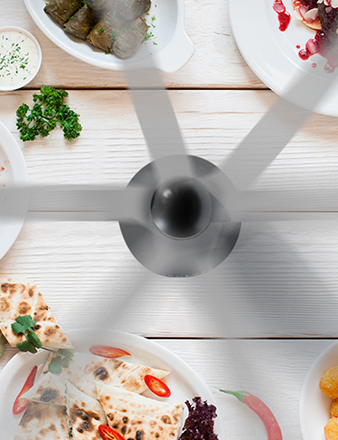
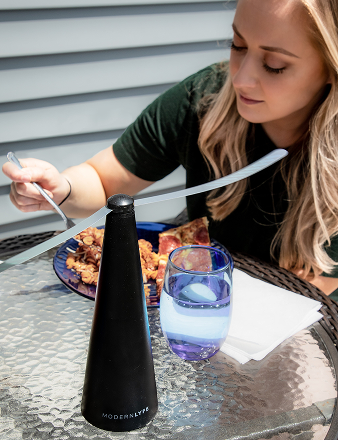
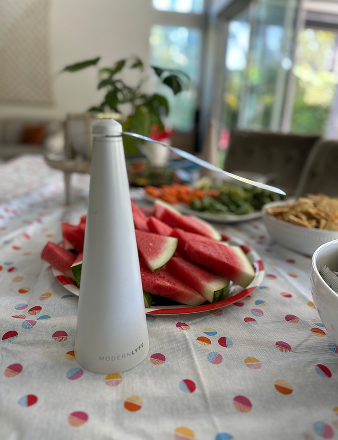
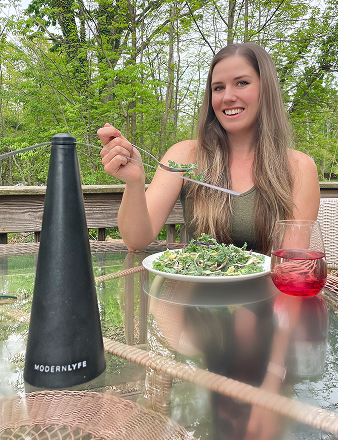
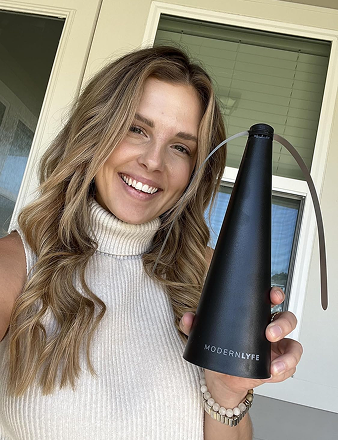
The Modern LYFE Fly Fan for Tables runs on the included USB cable or two AA batteries, which are not included. Its soft, long holographic blades stop when touched and restart when released; one customer said the soft blades felt safe around children. The fan is designed for indoor and outdoor tables, and is described as a stylish, durable gift for people who eat outdoors, host patio parties, or run a food truck or al fresco cafe.
For hot-weather gatherings, pair your fan plan with summer BBQ safety advice for grillers.
Charging and Battery Safety Before Your First Event
Verify the battery and charger before the first event, not during it. Each item below is a verification step, which is why it belongs on a pre-purchase checklist rather than a post-incident one.
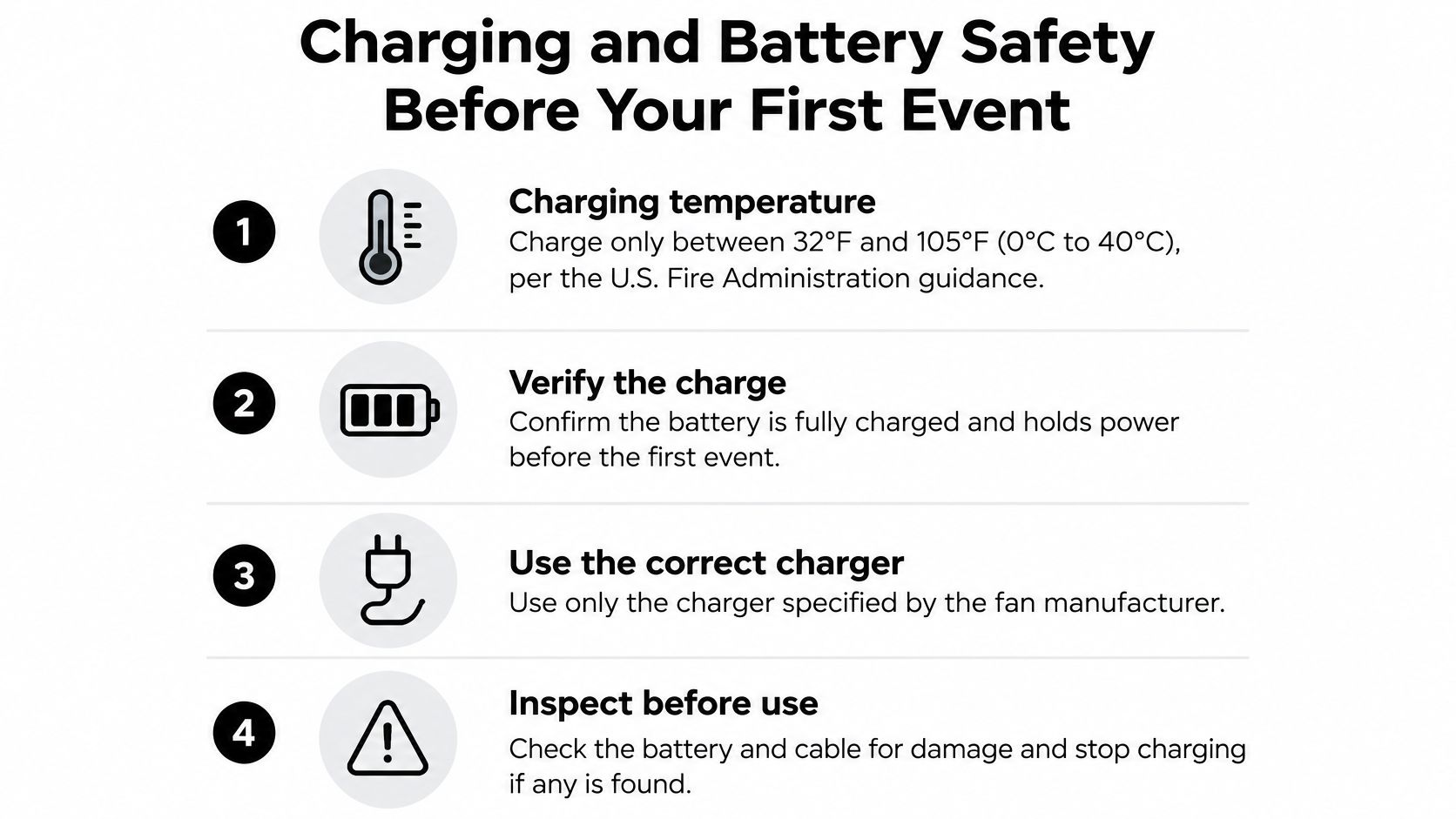
- Charging temperature. The U.S. Fire Administration advises charging lithium-ion batteries only between 32°F and 105°F (0°C to 40°C), and never in a hot vehicle. A fan left in a van outside a summer wedding can hit that ceiling before you've plugged anything in.
- Storage conditions. Keep batteries at room temperature and out of direct sunlight when you can, which for most operators means a cupboard, not a patio shelf.
- The right charger. Use the charger supplied by the manufacturer or a reputable certified replacement, per USFA guidance on lithium-ion charging. Mixing chargers across brands is how swollen cells happen.
- Surface and airflow. Charge on a hard, flat surface with clear ventilation, and don't leave it unattended. Soft furnishings and blocked vents trap heat.
- Direct outlet only. USFA recommends plugging the device straight into an outlet rather than an extension cord, power strip or multiplug adapter, because daisy-chained loads overheat.
- Retirement signs. Pull any fan or battery that becomes unusually hot, swells, changes shape or color, leaks, produces an odor, hisses or makes abnormal noises. Don't return it to service.
This matters most for teams that move several devices between indoor storage and hot patios. A battery that lives in a hot van all afternoon, then gets charged on a folding table in the sun, is being handled exactly wrong twice.
Fleet routine: label every charger, designate one charging station away from combustible materials, and write the in-service date on each battery so aging units rotate out before they fail mid-service.
For venues coordinating warmth as well as cooling, outdoor event heating in Croydon shows how hire suppliers think about power and placement in temporary event structures. And if your model charges over USB rather than a dedicated charger, this breakdown of USB rechargeable fan charging covers the cable and adapter questions to settle first.
Placing Fans Safely Near Food Service Areas
Placement comes before purchase. The FDA Food Code principle for insect-control equipment is that devices must retain the insect, must not sit over food-preparation areas, and must be positioned so dead insects or fragments can't fall or be propelled onto exposed food, clean equipment, utensils or linens (FDA Food Code). A quiet air-moving fan isn't an electrocution device, but the same placement logic holds: it belongs beside the service area, not above open food or clean serviceware.

- Set the fan at the edge of the table, clear of plates, cutlery and the guest-facing rim.
- Angle airflow across the buffet, not straight down into it, so napkins and packaging don't blow onto food.
- Keep the cord and base clear of spills, floor traffic and the path servers walk with loaded plates.
A fan doesn't manage temperature. The CDC defines the food Danger Zone as 40°F to 140°F, recommends holding hot food at 140°F or warmer and cold food at 40°F or below, and says perishable food left out for two hours or more should be discarded, a limit that drops to one hour when the surrounding temperature exceeds 90°F (CDC food safety guidance). Work with coolers, ice, chafing dishes and warming trays, and use the fan for what it does.
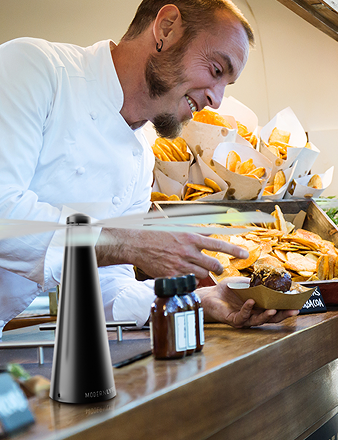
What it does is move air over the table and disrupt a fly's approach. The Fly Fan for Tables is described as keeping flies and pests away from food, and its reflective blade pattern disrupts light in a way flies won't tolerate. The manufacturer also describes it as an odor-free alternative to bug repellents, with an automatic safety stop and blades that drop when the fan is switched off. Those are manufacturer claims, and they're worth testing on your own table before a service, not during one.
Compare Prices and Confirm Terms Before You Order
Two product categories get confused here. A table fly fan sits at a buffet or dining table, aimed at keeping insects off the food in front of guests. A portable battery fan moves air across a broader area. Buy for the job you have, and don't expect one to do the other's work.
What you're actually choosing between
The Fly Fan for Tables is a rechargeable fly fan for outdoor and indoor use that keeps flies and pests away from food. The line includes the table model plus fly fans in black, grey, pink and white. The long blades spin and drop when the fan is switched off, which makes it easier to store between events, and the soft blades stop when touched and restart when released.
| Product | Sale price (USD) | Regular price (USD) |
|---|---|---|
| Fly Fan for Tables | $99.99 | $139.99 |
| Pink Fly Fan | $29.99 | $34.99 |
| Grey Fly Fan | $29.99 | $34.99 |
| White Fly Fan (Single Pack) | $29.99 | $34.99 |
Prices are subject to change without notice. Shipping cost for the Fly Fan for Tables is calculated at checkout, and the fan comes with an extended warranty.
Cost per station, not cost per fan
Event coordinators and caterers placing several units should work in cost per station. The grey fan comes as a Single Pack, a Two Pack, a Four Pack labelled Most Popular, and an 8 Pack labelled Best Value. Divide whatever a pack costs by the number of stations you're covering, then compare that number against the runtime you need for a full service. A cheaper fan that dies at hour three costs more than a pack that covers the whole evening.
Homeowners need exactly one unit for one table. Ordering eight because the per-unit figure looks better just leaves seven in a cupboard.
Terms to confirm in the cart
Beyond price, three items deserve a real answer before you commit: the warranty and return policy, the shipping cost at checkout, and the seller's written answer on runtime and charge time for the exact model you're buying. If a listing gives you none of the three, buy one unit somewhere else.
Order one, run it through a real service, then buy the fleet. A single evening at your actual speed will tell you more than any specification page.
Shortlist two channels, get those terms confirmed in writing, then test one unit at medium speed through a full service before you scale. The code MODERN takes 10% off at checkout if you're ordering directly.
MODERN LYFE builds rechargeable fly fans for tables that run on the included USB cable or two AA batteries, so you can cover a patio, a buffet line or a food truck stall without wiring anything in. Once you know the runtime your service needs, you can compare the color options and pack sizes and put one on the table this week. Visit MODERN LYFE to see the full fan line, current prices and the pack options for multi-station setups.