Does missing a registration form really cancel a lifetime warranty, or does it mean support has more paperwork to check? Those are different questions, and treating them as the same can lead you to abandon a valid claim or assume you have coverage the written terms never promised.
Lifetime warranty registration is an administrative record, not a complete definition of your rights. The useful approach is to register accurately, understand what “lifetime” means for your product, and keep your own purchase documents.
Details to Have Ready Before You Register
Keep your order confirmation open beside the registration form. Gather these details before you start, especially if you're registering equipment for a restaurant, catering business, or shared household.
Registration details, where to find them and common mismatches
| Detail | Where to find it | Common mismatch |
|---|---|---|
| Product model number | Product label or order confirmation | Shortened or misspelled model name |
| Serial number | Label on the base or back of the unit | Letter O typed for zero, or spaces added |
| Purchase date | Order confirmation or receipt | Delivery date entered instead |
| Retailer or seller | Order confirmation | Marketplace listing name used instead of the store |
| Order or invoice number | Confirmation email or receipt | Not saved, so support cannot match it |
| Full name and email | Checkout or account details | Gift buyer's email used by mistake |
| Mailing address | Checkout record | Old address after a move |
Copy identifiers rather than reconstructing them from memory. A familiar product name isn't necessarily the model number, and a barcode number isn't automatically the serial number. If the label contains several identifiers, photograph the whole label instead of cropping away its headings.
At checkout, our store collects your name, address, and email address. Matching that record exactly helps avoid discrepancies, but don't knowingly submit outdated contact information just to reproduce an old order. For a gift, distinguish the purchaser's details from the owner's contact details wherever the form allows.
When a detail is missing
Don't guess a serial number or substitute the delivery date for the purchase date. Keep the order email open and photograph the product label so support can match the purchase against the physical item.
Our explanation of what product registration does provides useful context for deciding which records to keep. For a business purchase, save those records in a shared equipment folder rather than only in an employee's inbox.
How to Submit Your Registration Step by Step
Our website has a Warranty Registration page and an Extended Warranty section. Use the registration page for submitting your information, and read the applicable warranty terms separately rather than assuming the form describes every benefit.
The process overview below gives you the main sequence.
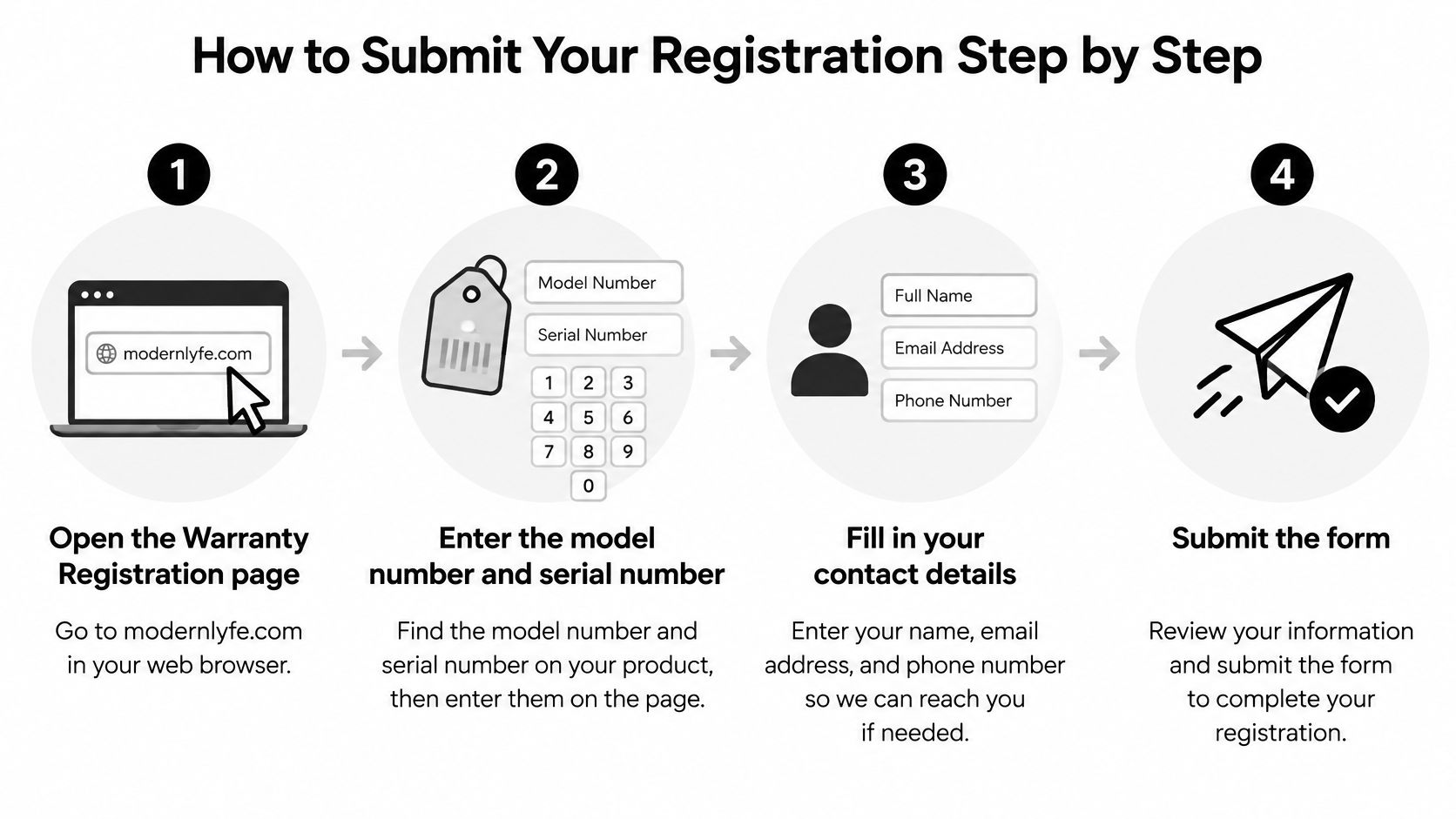
- Open the Warranty Registration page on modernlyfe.com. Move through the website so you know you're submitting details through the intended page. Don't mistake a newsletter signup for product registration.
- Enter the model and serial numbers exactly as printed. Check each character against the label before continuing. An extra space or an O substituted for a zero can prevent a match.
- Add the purchase date and seller name from your order confirmation. Identify the actual seller, not the marketplace where you found the listing. Don't use the date you unpacked the product.
- Enter your name, email, and mailing address. Use an email you check regularly so you can receive service correspondence. If someone else bought the item, don't automatically copy their email into the owner's contact field.
- Choose your marketing preference separately. Leave promotional emails unchecked if you only want warranty service. A registration process should distinguish service administration from optional marketing consent, not make promotional consent a condition of coverage.
- Submit, then preserve the result. Save the confirmation page as a PDF and keep the confirmation email. Before closing the page, check any displayed product identifiers and purchase details for errors.
Check what happens to your information
The U.S. Government Accountability Office's testimony on consumer privacy identifies warranty cards and online registration as potential sources of personal information for data resellers. A quick form isn't automatically a privacy-friendly form.
Provide what's needed for service, but question unrelated lifestyle or demographic questions. Look for a privacy notice explaining sharing, retention, applicable regional rules, and routes for access, correction, or deletion where available.
Practical rule: Keep service records and promotional preferences separate. You shouldn't have to join a mailing list to establish a purchase record.
For purchases tied to a property project, SuperiorPRO's home renovation documentation is a relevant companion resource when organizing the wider project file. Keep the product's own registration confirmation with its receipt and written terms.
A complete registration should leave you with a confirmation message or email, ideally repeating the model, serial number, and purchase date. Don't assume clicking Submit proves that the information was accepted.
What a Lifetime Warranty Actually Covers
A muffler warranty could last while the car remains usable, while the original buyer owns the car, or throughout that buyer's life. The Federal Trade Commission's business guide to federal warranty law uses this example to explain the three possible meanings of lifetime coverage.
Read the written warranty rather than relying on the phrase printed on a package.

Three meanings of lifetime warranty coverage
| Meaning of lifetime | Coverage ends when | Example |
|---|---|---|
| Life of the product | The product is no longer usable | Muffler covered as long as the car runs |
| Original owner's ownership | The original buyer sells or transfers the product | Coverage ends at resale of the car |
| Original purchaser's lifetime | The original buyer dies | Coverage ends with the first owner, regardless of the car's age |
Registration records help a company establish product identity, purchase date, and ownership. They don't resolve ambiguous wording by themselves. The warranty terms must define the covered lifetime, including whether another owner can claim.
Check the promise, not just its duration
Look for the covered party, the endpoint, and exclusions. Then check what remedy is available, who handles the claim, and whether shipping or other service conditions apply.
A lifetime promise without a defined meaning is a weak basis for planning equipment costs. Ask the seller for the exact definition in writing before relying on it.
For automotive purchases, T1A Auto's a warranty guide for DIY mechanics offers additional context. Our explanation of warranty versus guarantee also helps distinguish the wording used around product promises.
Keep these distinctions in mind when reviewing warranty explanations on video.
Whether Skipping Registration Costs You Coverage
In the United States, returning a registration card generally cannot be made a condition of coverage under a full warranty, as explained in the FTC's federal warranty regulations. The rules treat that requirement as an unreasonable duty.
The practical test is straightforward: a clause declaring the warranty void unless the registration card is returned isn't permissible for a full warranty. Keep reasonable evidence of the purchase date instead of assuming a missed form ends the matter.
Register for convenience, but keep proof of purchase as your independent safeguard.
Check whether the warranty is full or limited
Full and limited warranties aren't interchangeable labels. A limited warranty can have different conditions, so read its registration provisions rather than applying the full-warranty rule automatically. Don't assume that every condition in a limited warranty is enforceable just because it appears in print.
Modern LYFE is listed as a U.S.A. brand, but a brand's location alone doesn't settle every buyer's rights. The sale location, applicable law, and actual warranty wording still matter.
For EU purchases, the EU consumer guarantee guidance explains that consumers receive a minimum two-year legal guarantee for faulty or misdescribed goods regardless of registration. A commercial lifetime warranty adds to applicable statutory protection rather than replacing it.
If you didn't register, gather your receipt or order confirmation before contacting support. A card statement may help establish the transaction, though you may also need an itemized record identifying the product.
Registration Problems and How to Fix Them
No confirmation email is the first problem to investigate before assuming registration failed. Recheck the submitted email address and look in spam or junk folders. If you have a saved confirmation page, preserve it while you resolve the missing email.
Registration symptoms, likely causes and fixes
| Symptom | Likely cause | Fix |
|---|---|---|
| No confirmation email | Typo in the email address or spam filter | Recheck the address, check spam, resubmit and save the page |
| Serial number rejected | Mistyped character or added space | Copy from the label again, checking O versus 0 |
| Purchase date does not match | Delivery or gift date used | Use the date on the order confirmation |
| Account email has changed | Old email still on file | Update account details first, then register |
| Bought from a third-party seller | Retailer is not the brand | Take product complaints to that third-party seller |
Fix entry errors before escalating
Email spelling, accidental spaces, and the wrong date are quick checks you can handle yourself. If you resubmit, inspect the result rather than repeatedly sending identical information and hoping it will work.
For a rejected serial number, compare the physical label with the form character by character. Don't substitute the model number or remove meaningful characters just to make the form accept an entry.
A changed account email needs attention before another submission. Our terms require customers to promptly update account and other information, including email addresses and credit card numbers and expiration dates. Make payment changes through the appropriate account controls, not in an email about registration.
Support handoff: Send the order number, a clear label photograph, the exact error message, and what you already tried. Never include a full payment-card number.
Identify who should handle the problem
Complaints, claims, concerns, or questions about third-party products should go to that third party. Buying a brand's product through a marketplace is a different situation: identify the seller and read the manufacturer's warranty before deciding who handles a particular claim.
Contact support when a readable identifier still fails, the purchase record can't be located, or submitted details need correction you can't make yourself. Keep the order number ready so the recipient has something concrete to investigate.
For questions about our Terms of Service, email support@modernlyfe.co. That address is provided for terms questions, so follow the written claim procedure for product-service requests rather than assuming every inquiry uses the same route.
Reporting Defects and Finishing Your Registration
Report a defect promptly rather than waiting for registration to be resolved. The EU summary of consumer product guarantee rules notes that some member states may require notification to the seller within two months of discovering a defect. A long coverage period doesn't mean you can postpone reporting indefinitely.
Our stated return policy covers 30 days from purchase, after which no refund or exchange is offered under that policy. If you want a return considered, report the problem inside that window; return eligibility conditions still apply. A store's return policy is separate from any applicable statutory remedy or warranty obligation.
We aim for every customer to be totally satisfied and work with customers to make things right after being told about a problem. Reporting clearly gives us the information needed to respond.
Capture useful evidence
- Photograph the defect when it appears. Include an overall product photo and a close-up showing the affected area. If the issue concerns operation, describe what happens and under what conditions.
- Record the discovery date. Separate that date from the purchase and delivery dates so the recipient can understand the sequence.
- Write down the model and serial number. Capture them before packing the product or moving it out of reach.
Keep the invoice, delivery record, warranty terms, and correspondence together. Follow the written claim procedure, including any instructions about authorization before shipping an item back. For cross-border purchases, identify the responsible seller or warrantor and check geographic restrictions.
Our fly fan comes with an extended warranty. That description shouldn't be treated as a lifetime promise without supporting terms; use the applicable wording to establish its duration and benefits.
Close the registration record
Check that you have a confirmation email or saved PDF. If neither exists, check whether the submission completed, then resubmit if necessary and preserve the result.
Update the account email whenever it changes so future correspondence reaches you. If the written terms define a fixed coverage endpoint, add a calendar reminder; if they define an ownership-based lifetime, save that definition rather than inventing an expiration date.
Our warranty support services guide can help you prepare for a service request. Complete the registration while the order email is still open, then save the proof.
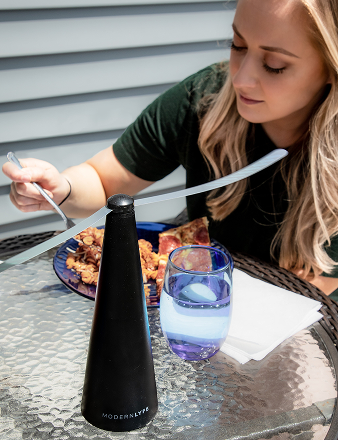
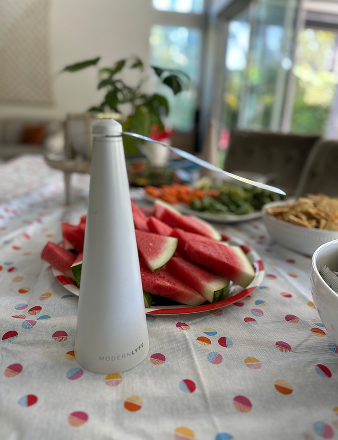
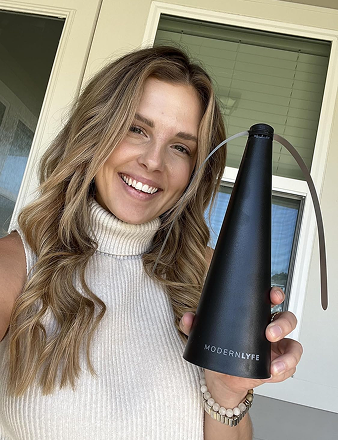
MODERN LYFE offers quiet, battery-operated fly fans for dining tables, outdoor gatherings, and hospitality setups, with warranty registration and dedicated assistance. Visit MODERN LYFE to review the product information and warranty sections, then keep your purchase and registration records together.