The cheapest long-stand table fan is rarely the best buy. A low sticker price tells you what the unit costs at checkout, not what it costs to run, maintain, place safely, or replace. For a restaurant, hotel, caterer, event venue, or outdoor vendor, the useful question is the lowest total cost per hour of reliable, quiet airflow.
A tall fan also isn't just a larger tabletop model. Height affects reach, stability, sweep area, and how effectively air moves across seated guests, buffet tables, or service areas. The right long stand table fan price depends on those practical outcomes, not on the number printed on the product page.
The Hidden Cost of Cheap Fans
A venue manager buys a basic long-stand fan because the listing looks like a bargain. It has a plastic housing, a conventional motor, a few speed settings, and enough airflow to feel useful during a quick test. The purchase seems sensible until the fan starts operating through long service periods, day after day.
The problem is electricity. A conventional AC fan may draw 40 to 60 watts, while an efficient DC model may operate around 8 to 15 watts, according to market benchmarks for table-fan motor efficiency. That difference matters far more in a restaurant or event business than it does in a spare bedroom.
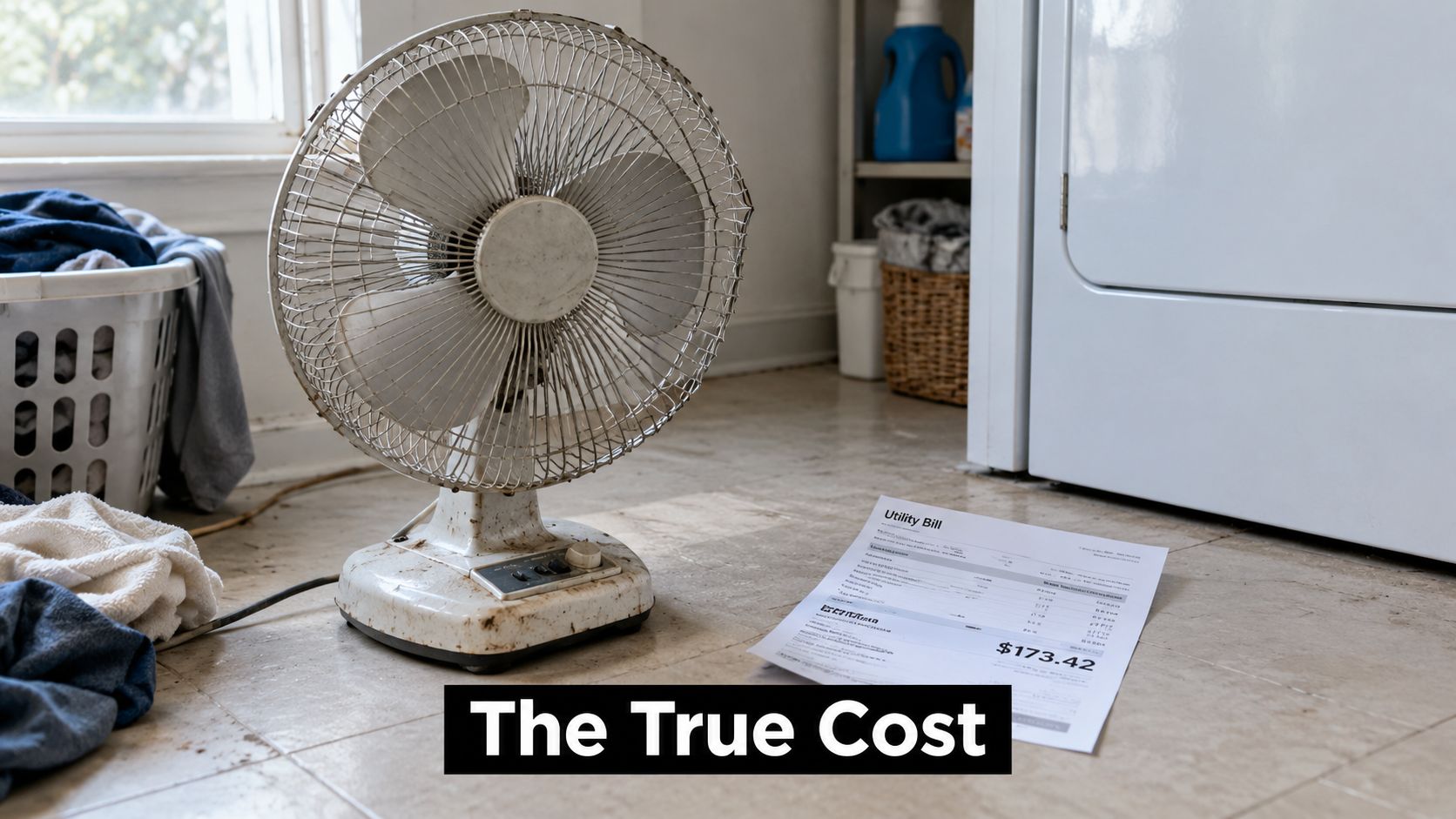
Why purchase price misleads commercial buyers
Consider two fans with similar usable airflow. One draws 60 watts, and the other draws 15 watts. If the efficient unit runs for 8 hours daily, the 45-watt reduction saves approximately 146 kWh annually. At $0.15 per kWh, that equals about $21.90 per year, before maintenance and replacement costs, based on the supplied fan operating-cost benchmark.
That calculation doesn't make every DC fan a good purchase. A weak motor, poor oscillation mechanism, unstable base, or inadequate warranty can erase the benefit. It does prove that comparing only the checkout price is incomplete.
Procurement rule: calculate energy cost before approving a fan for continuous commercial use.
For a hospitality buyer, the cost question has four parts:
- Purchase cost: What you pay for the unit, shipping, taxes, and certification requirements.
- Energy cost: How many watts the motor draws at the operating speed you use.
- Service cost: Whether the grill, blades, motor housing, and oscillation hardware can be cleaned and maintained.
- Replacement cost: Whether a low-priced unit is likely to become disposable equipment when a control, motor, or stand fails.
A cheap fan can also create operational friction
A noisy fan gets moved away from guests. A narrow sweep leaves hot spots around a dining area. A loose stand becomes a trip or tipping risk. A unit that can't run reliably for long periods becomes an employee problem, not a cooling solution.
The historic price record makes the same point from a different angle. In a 1930s catalog sample reported by the Arkansas Democrat-Gazette, an Emerson 8-inch desk fan cost approximately $3, while a chrome pedestal fan with 30-inch blades cost $76.25. The article's inflation adjustment places those amounts at about $56 and $1,322 in current dollars. Standard 10-inch desk fans sat between roughly $9 and $20, equivalent to approximately $167 to $346 after adjustment.
The lesson isn't that modern fans should cost those amounts. It's that scale, materials, finish, durability, and coverage area have always shaped fan value. Treat a long-stand table fan as commercial equipment, and the buying decision becomes much clearer.
Market Price Tiers and Key Drivers
Price bands are useful, but they do not tell you where the value sits. For long-stand table fans, the better buying question is simple: which tier gives you stable airflow without locking you into higher running costs later? Current retail ranges put basic models at $8 to $25, mid-range models at $25 to $80, and premium units at $80 to $250. Those same market references also note that residential use remains the largest application segment, representing approximately 58.7% of global table-fan revenue in 2025, according to the table-fan market analysis.
A separate benchmark places conventional fans at approximately $15 to $80, with premium oscillating models that add remotes and smart functions reaching $80 to $250. Use those figures as retail guideposts, not a fixed global price list. Freight, voltage, taxes, and local compliance still decide the actual landed cost.
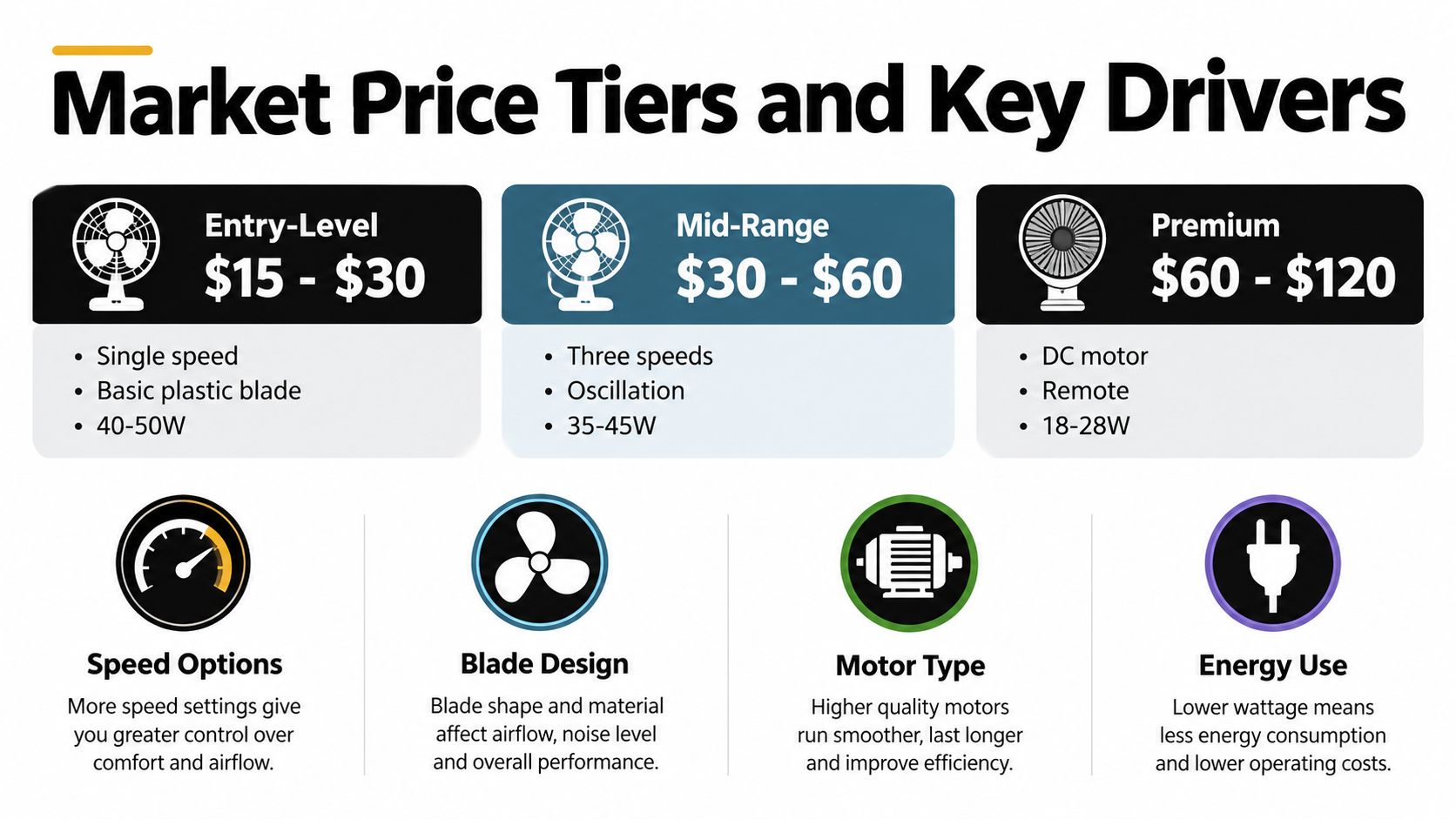
What each tier buys
| Tier | Typical price | What matters |
|---|---|---|
| Basic | $8 to $25 | Simple controls, limited features, basic household use |
| Mid-range | $25 to $80 | More speeds, oscillation, better usability |
| Premium | $80 to $250 | BLDC or DC efficiency, quiet operation, smart controls, stronger design |
The cheapest tier fits occasional use and easy replacement. It is a poor choice for long service periods, guest-facing setups, or any location where staff keep adjusting the fan because coverage and noise are mediocre.
Mid-range units are usually the best buying zone. They give you enough speed control and oscillation to solve real comfort problems without forcing you to pay for extras that do not improve airflow. For a tall fan, focus on a stable base, dependable oscillation, accessible controls, and a documented noise rating. If a model in this tier also uses a more efficient motor, that matters more than decorative trim or app control.
Premium pricing deserves a harder review. BLDC motors, quiet operation, remote controls, smart connectivity, and stronger finishes can justify a higher tag, but only some of those features improve total operating value. The hidden cost in a cheap fan is often the motor. A lower-priced AC unit can look economical on the shelf and become the more expensive option in regular use, while a well-specified DC or BLDC model can recover its higher purchase price through lower draw, less noise, and better day-to-day usability.
That distinction matters even more for commercial buyers. Residential shoppers often prioritize appearance or convenience features. Event operators, caterers, and venue teams need stable placement, easy cleaning, portable power options, and predictable runtime. If cordless use is part of the plan, review current battery technology for portable equipment before treating battery models as a simple substitute for plug-in fans.
For event operators comparing equipment budgets, it also helps to review broader rental benchmarks. You can browse tent and table costs to understand how fan equipment fits into the wider cost of staging an event.
Buying position: pay for delivered airflow, low operating cost, and reliable construction. Treat smart features as optional unless they solve a specific workflow problem.
The following video walks through how these tiers translate into real-world fan performance.
AC Versus DC Motor Economics
Cheap AC fans win the shelf-price argument and lose the value argument. If a long stand table fan will run through service hours, event setup, or repeated daily use, motor type is a purchasing decision, not a spec-sheet detail.
Available benchmarks put basic AC axial fans around $20 to $30. DC models with oscillation, remote control, and timers generally sit around $40 to $65, while premium or smart designs commonly reach $70 to $120 or more, according to the motor and table-fan buying guide. That premium is real. It is also where many buyers stop thinking.
The operating comparison
The better question is what each motor costs to run, place, and tolerate in occupied spaces. AC models typically draw 40 to 60 watts. Efficient DC units may draw approximately 8 to 15 watts. Reported low-speed noise for DC units often lands near 35 to 48 dB, versus roughly 50 to 60 dB for AC fans, based on the motor buying benchmarks cited earlier.
| Factor | AC motor | DC motor |
|---|---|---|
| Upfront position | Usually lower | Usually higher |
| Typical power range | 40 to 60 W | 8 to 15 W |
| Low-speed noise benchmark | About 50 to 60 dB | About 35 to 48 dB |
| Best fit | Occasional use, tight budgets | Long service periods, quiet venues |
As calculated in the earlier cost example, that drop in power draw can be worth about $21.90 per year at $0.15 per kWh with 8 hours daily use. For a buyer comparing a cheaper AC unit with a DC model that costs modestly more, the practical question is simple. How long until the lower running cost starts paying back the price gap? In commercial use, that answer often arrives faster than buyers expect.
Noise matters too. A fan that interferes with conversation, speeches, or background music creates an operating problem, not just an acoustic annoyance. Quieter units can sit closer to guests, staff, or dining tables without forcing operators to choose between comfort and audibility. That makes quiet fan technology a cost issue as much as a comfort feature.
Don't pay for DC without verifying airflow
A DC label does not guarantee a smart buy. Some low-watt models save power by moving too little air, which pushes teams to deploy extra units and wipes out the savings.
Use this comparison instead:
airflow per watt + noise + stability + warranty + duty-cycle suitability
That formula is more useful than chasing the lowest price or the lowest wattage alone. If the fan will run hard and often, pay more for an efficient DC unit with credible airflow data. If usage is occasional and noise is irrelevant, AC can still be the cheaper choice. The mistake is buying AC for heavy-duty use and calling it value.
Technical Specifications to Demand
Skip listings that only show blade size, speed levels, and a sale price. Procurement decisions need operating data. If a supplier cannot show airflow, power draw, noise, and duty suitability, you are buying blind and inviting higher running costs later.
One tested example shows what useful documentation looks like. The tested fan performance listing reports 15.1 watts maximum input, 3.03 cubic meters per minute per watt, and a retail price of $37.15. Those figures let buyers compare value instead of guessing from marketing copy.
Request these figures from every supplier
- Maximum wattage and operating range. Ask for power draw at each usable speed, not just a motor label. Circuit planning depends on real input, especially when several fans run at once.
- Delivered airflow. Require airflow in m³/min or CFM with the test conditions stated. A speed name such as “turbo” says nothing about how much air reaches people in the room.
- Airflow efficiency. Compare airflow per watt. This is where cheap AC units often lose on total value. A fan with a similar purchase price but weaker efficiency costs more to run for the same cooling effect.
- Noise in decibels. Ask for the measurement distance, speed setting, and test environment. Without that context, the number is incomplete. For buyers screening taller units for occupied spaces, this guide to quiet standing fans is a practical reference point.
- Oscillation angle and adjustment range. Coverage matters. A long-stand fan should reach the seating, buffet, or service area you need to cool. Weak sweep patterns create dead spots and force you to add more equipment.
- Duty-cycle rating. Confirm whether the motor and oscillation system are built for extended use. Household duty and commercial duty are not the same thing.
- Warranty terms. Check coverage for the motor, controls, stand, oscillation gearbox, battery, and charger. Ask who supplies replacement parts and how quickly.
- Electrical details. Confirm rated voltage, plug type, applicable certification, and approval for the country of use.
Turn specifications into a buying score
Use a weighted score. Put the most weight on airflow per watt and build quality. Then score noise, stability, controls, warranty, and purchase price. That approach stops low quotes from beating better long-term buys.
The operating gap is clear. A 15.1-watt fan used 10 hours daily consumes about 55.1 kWh annually, while a 60-watt model consumes 219 kWh over the same duty cycle. The difference is about 163.5 kWh per year, worth about $24.52 at $0.15 per kWh, based on the tested unit's documented 15.1-watt input cited above.
That is why specifications matter more than sticker price. A premium of $10 to $25 can make sense if the fan delivers comparable airflow, uses durable oscillation hardware, and meets the right voltage and safety requirements. If the supplier cannot prove those points, do not pay extra. If they can, buy on operating value, not just invoice cost.
Safety Standards and Placement
Safety isn't an accessory to the long stand table fan price. A fan that tips, overheats, exposes unsafe components, or creates a cord hazard can cost more through disruption and liability than it ever saved at purchase.
A U.S. Consumer Product Safety Commission assessment reviewed 243 portable-fan incidents, including 210 fires, 16 potential fires, 12 electrocutions, 3 electric shocks, and 2 other electrical hazards. Desk and table fans accounted for 47 incidents, including 39 fires, 6 potential fires, 1 electrocution, and 1 electrical shock, according to the CPSC portable-fan assessment.
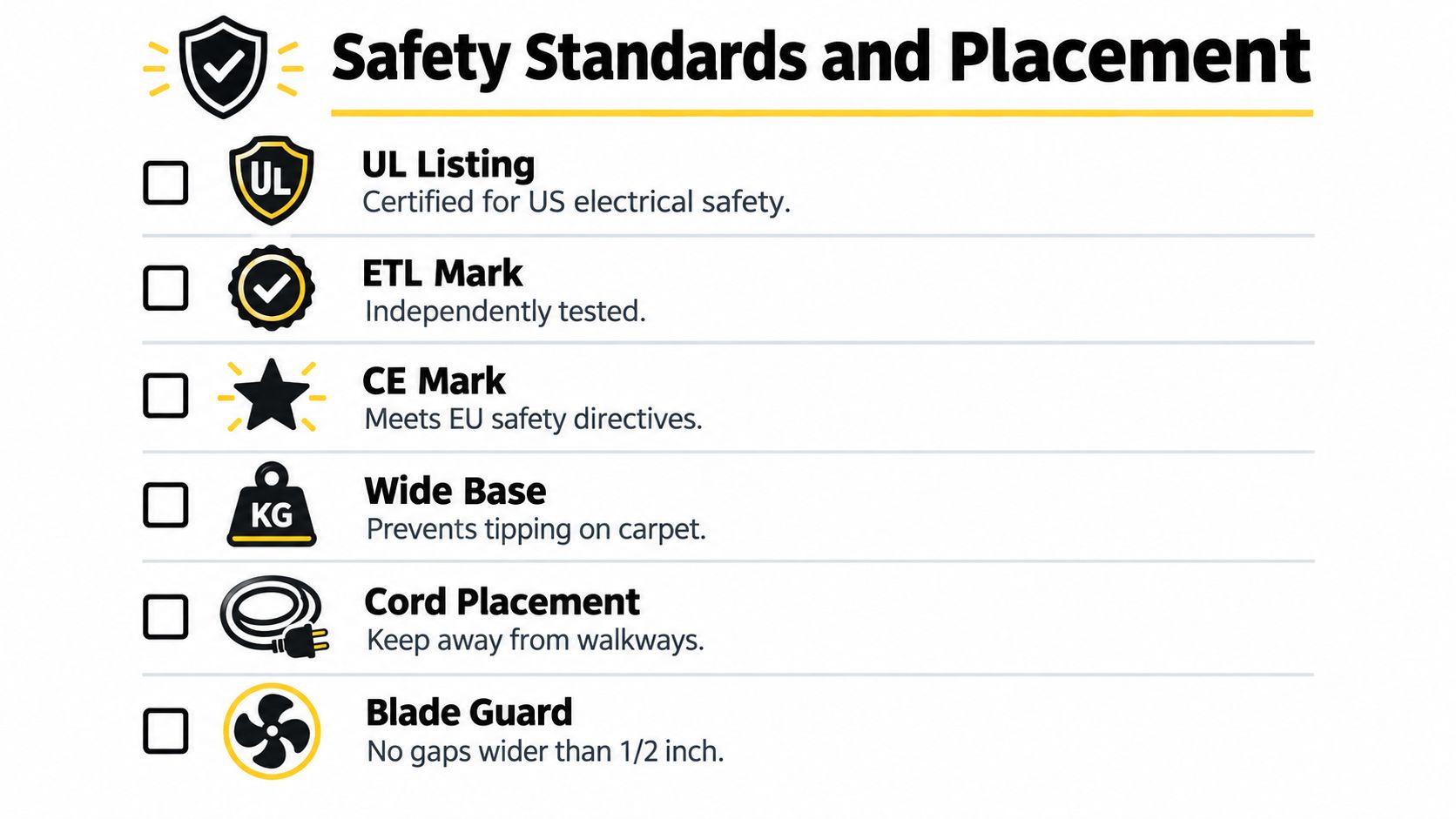
Verify the mark, then verify the product
Ask for documentation that matches the exact model and voltage. Relevant marks can include UL, ETL, CE, CCC, or GS, depending on the market and application. The CPSC assessment identifies UL 507 as the voluntary safety standard for electric fans and notes related evaluation under UL 2111 for motor-overheating protection and UL 746C for polymeric materials used in electrical equipment.
Don't accept a logo printed on a marketplace image as proof. Request the certificate, listing information, or manufacturer documentation. A compliant product with a credible warranty is worth more than an unverified bargain.
Placement determines practical value
The CPSC advises placing portable fans securely and keeping cords clear of foot traffic, as described in its portable-fan placement guidance. That matters especially with taller models. Height can improve airflow over seated guests, but it also increases the importance of a wide, stable base and clear positioning.
Use this placement checklist:
- Base stability: Test the fan at maximum height and oscillation speed on the actual floor surface.
- Cord routing: Keep cables away from walkways, service paths, wet areas, and chair legs.
- Blade protection: Confirm the guard prevents accidental contact and remains secure after cleaning.
- Control access: Position controls where staff can adjust the fan without moving it into a traffic lane.
- Moisture boundaries: Use outdoor-rated equipment only in the environments specified by the manufacturer. A sheltered patio isn't automatically a wet-location installation.
- Cleaning access: Choose a grill and blade design that staff can clean without damaging electrical components.
Outdoor dining guidance from the National Restaurant Association supports placing fans overhead where permitted, along a roofline, or on one side of an outdoor dining area to improve comfort and airflow. A portable fan moves air and improves perceived comfort. It isn't a replacement for outdoor-air exchange, exhaust, or a maintained HVAC system.
Commercial ventilation has separate requirements. A Trane restaurant HVAC guide, citing ASHRAE, recommends indoor relative humidity between 40% and 60%, occupied temperatures around 72°F to 75°F, and kitchen, dining, and restroom exhaust fans operating at 100% during occupied hours. Use a long-stand fan for local comfort, not as a substitute for those building systems.
Making the Final Value-Based Decision
The right long stand table fan price is the lowest cost that delivers the required airflow safely and reliably. That usually rules out the absolute cheapest unit for continuous commercial use, but it doesn't justify buying the most expensive smart model by default.
Start with the operating environment. A homeowner using a fan occasionally can prioritize convenience and appearance. A restaurant needs quiet performance and easy cleaning. A caterer or outdoor vendor may value portability, battery operation, and resilience during power interruptions. A hotel event coordinator needs stable placement, discreet noise, and controls staff can manage without disrupting guests.
Use this final purchasing filter
- Reject the product if the supplier can't document voltage, safety compliance, wattage, airflow, or warranty terms.
- Prefer DC or BLDC when the unit will run for long service periods and the airflow data supports the claim.
- Choose AC when the fan runs occasionally, the budget is tight, and the operating-cost difference won't materially affect the business.
- Pay for stability before paying for smart connectivity or decorative finishes.
- Compare airflow per watt rather than speed labels or blade diameter alone.
- Calculate landed cost by adding shipping, taxes, voltage conversion, certifications, and replacement-part availability.
- Inspect the placement plan before ordering. A fan that blocks a walkway or needs an extension cord across a service route isn't a good value.
A tested efficient unit priced at $37.15 can be more compelling than a cheaper conventional model when its measured airflow and power draw are available. Conversely, a premium fan isn't automatically economical if the supplier can't prove delivered performance.
Final procurement test: if you can't explain the fan's cost per hour of reliable airflow, you haven't finished comparing prices.
For most hospitality operations, the strongest choice is a durable DC or BLDC model with documented airflow, low noise, stable construction, accessible cleaning, and credible electrical certification. Buy the equipment that reduces operating cost and staff intervention, not the product with the most attractive discount label.
If you're improving a restaurant, hotel, catering setup, or outdoor gathering, visit MODERN LYFE for quiet, battery-operated fly fans designed to protect food and guests without adding visual clutter. Choose a practical dining and event solution that complements your airflow strategy, then use MODERN LYFE's support and warranty resources to buy with confidence.